This section explains the JAMA Connect preference in the Cameo DataHub Options dialog.
To configure the JAMA Connect setting
- Open the Cameo DataHub Options dialog.
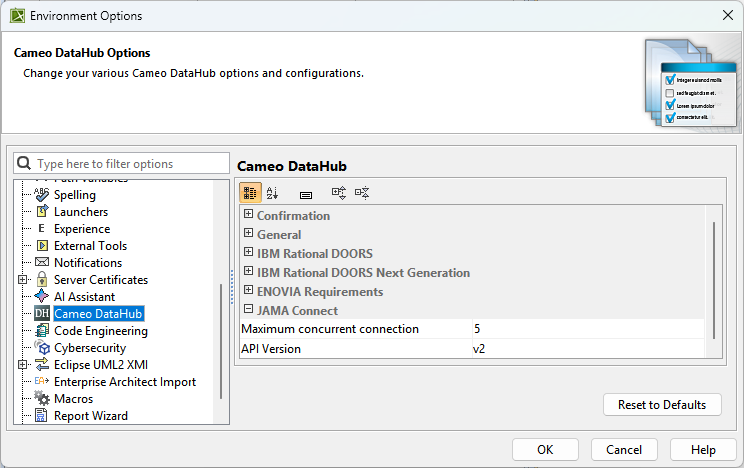
- Go to the JAMA Connect option group and update the option.
The following table explains the JAMA Connect options in the Cameo DataHub Options dialog.
| Option | Function |
|---|
| Maximum concurrent connection | Takes a numerical value for the maximum number of concurrent connections. |
| API Version | Enables you to choose the appropriate JAMA Connect API version to ensure compatibility with your setup. The default value is v2. Select v1 for JAMA Connect Cloud versions earlier than 9.29 and 9.28 when JAMA Connect is self-hosted. |