However, because it is not a server project, it has no versions and cannot be updated.
If a relevant project is stored on the server (it may be added to the server individually, separately from the project using it), you can easily link the embedded project with it.
To link an embedded project with a relevant server project
In the Model Browser, under Project Usages, right-click the embedded project.
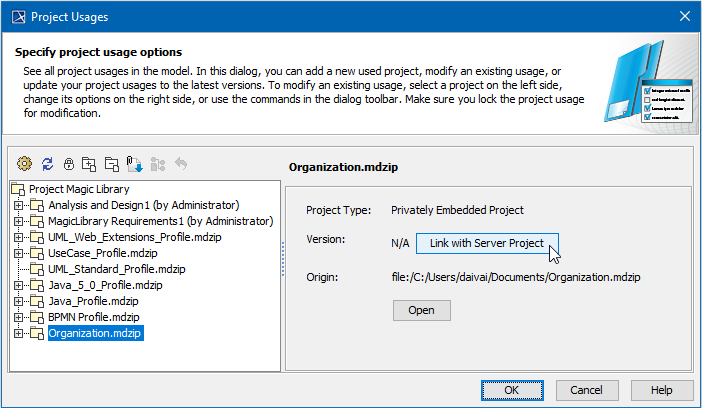
Select Project Usages > Project Usage Options. The Project Usages dialog opens. The embedded project is already selected.
Click the Link with Server Project button (see the following figure). The Use Server Project wizard opens.
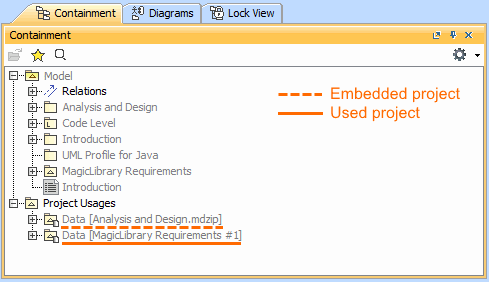
The following figure highlights the differences between displaying an unlinked embedded project and one linked with the server project (converted to the used project).
Notation differences in Model Browser for embedded and used projects.