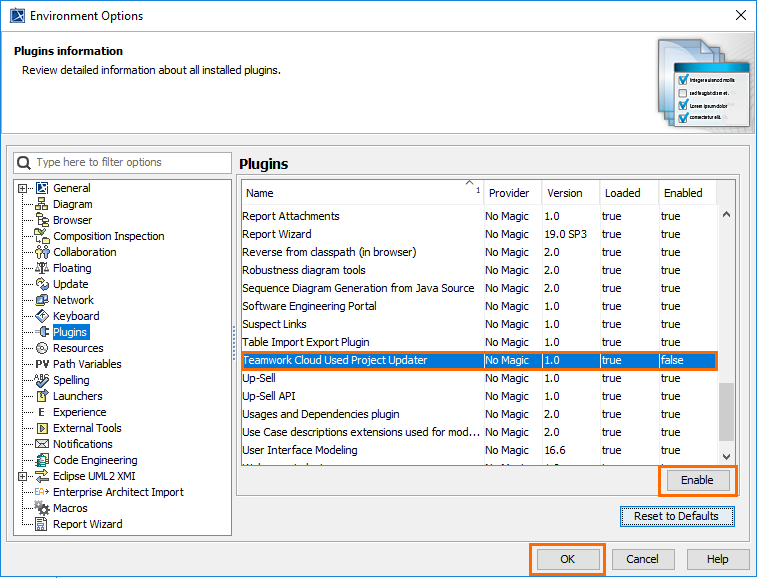
The Teamwork Cloud Used Project Updater plugin is an internal modeling tool plugin. Users can set up the plugin to update all or selected used projects to their latest versions. Once the plugin is enabled, you can use a wizard to select used projects you want to update and generate the properties file.
To enable/disable the Teamwork Cloud Used Project Updater plugin
On the main menu, go to Options > Environment. The Environment Options dialog opens.
In the options list on the left side of the dialog, select Plugins and then the Teamwork Cloud Used Project Updater plugin.
Do one of the following:
Click the Enable button, to enable the plugin. The value in the Enabled column is set to true.
Click the Disable button, to disable the plugin. The value in the Enabled column is set to false.
Creating a dedicated user
We recommend that you create a dedicated user to work with the Teamwork Cloud Used Project Updater plugin.
Once the Teamwork Cloud Used Project Updater plugin is enabled do the following: