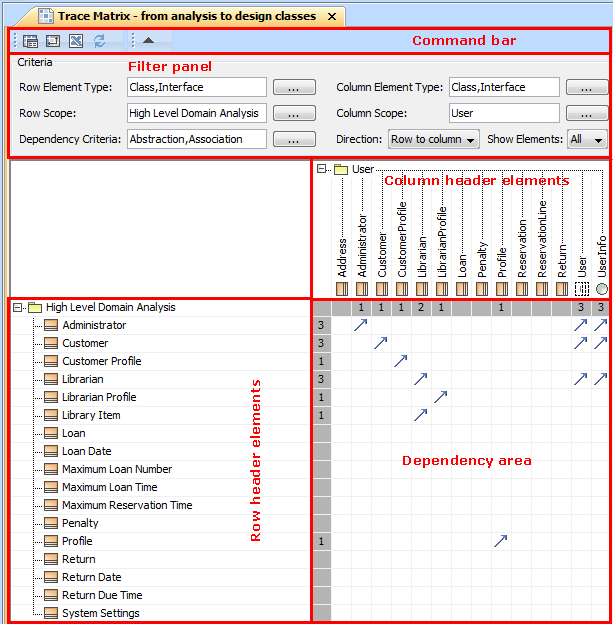
Developer Guides Modeling Tools Developer Guide Working with diagrams Working with Dependency Matrix Current: Customizing a dependency matrix Customizing a dependency matrix The topic explains how to configure the following components of the dependency matrix:Command barShortcut keysShortcut menus of the row or column header element, cell, and filter panelCell entries (dependencies)Appearance of cells and headers of rows and columnsComponents of dependency matrix pane The names of the components differ in other documentation as follows:“Toolbar” is used for “Command bar”“Criteria area” is used for “Filter panel”“Row elements” is used for “Row header elements” Related pages Configuring the command bar and shortcut keys Configuring shortcut menus of a row or column header element and a filter panel Configuring cell entries - dependencies Specifying the appearance of cells and the row or column headers ×