Invalid Diagram Markings
Abbreviation
IDM [5]
Description
The validation rule checks if:
- The Diagram Banner displays up-to-date Data Markings that correspond with those added to the element symbols of the diagram.
- The diagram contains element symbols with added Data Markings, but the Diagram Banner is not created.

The validation error is not triggered if the Diagram Banner's display position is set to None. The error is only triggered if the diagram's «banner» stereotype has a text tag with no set value, i.e., the banner is removed or not created.
- The diagram displays symbols without their elements' Data Markings.
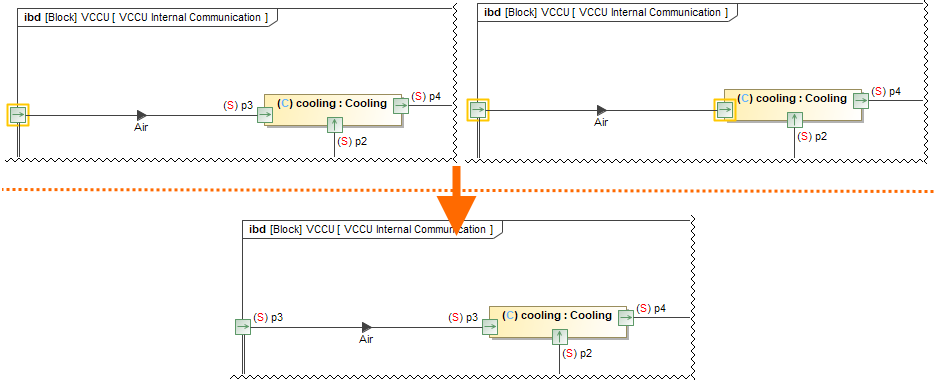
- Elements (e.g. ports) and relationships whose names and/or types are displayed in labels have Data Markings added as prefixes in the labels. You can choose to either show or hide the labels via Symbol Properties. Hiding the label hides the added Data Marking, too, however, it does not remove the Data Markings from the element/relationship. A hidden label hides the added Data Markings and prompts the validation error.
- The same applies to sensitive Conveyed Item labels of Item Flows realized on connectors. If the project option Show Data Markings in References is enabled, and such a label is hidden, the validation error is prompted.
Severity
warning
Constrained Element
Diagram
Solvers
- For the Diagram Banner:
Update - the Diagram Banner is displayed with up-to-date Data Markings.
- Create - the Diagram Banner is created with up-to-date Data Markings.
- For the invisible Data Markings:
Show Name - once selected, the element name is displayed along with the added Data Markings.
- Show Conveyed Information - once selected, the label with the sensitive Conveyed Item of an Item Flow realized on a connector is displayed.
For some symbols, you can also resolve the error by displaying the element type via the Show Type Symbol Property.
Example
- For the Diagram Banner:
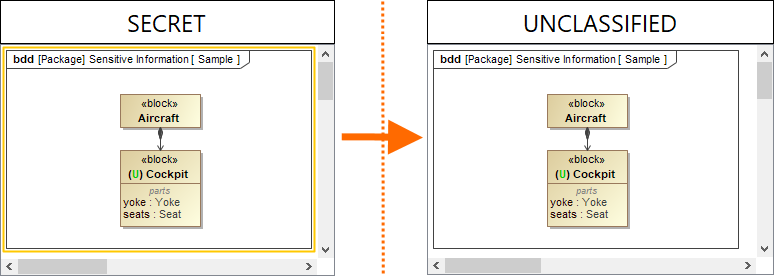
The Diagram Banner displays an outdated Data Marking as there are no elements on the diagram with the Secret (S) Data Marking added.
The error is resolved by updating the Diagram Banner via the Update solver.
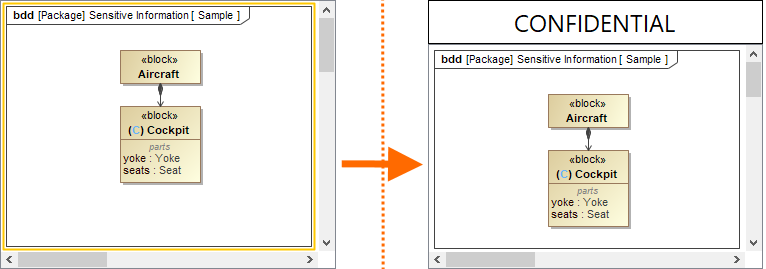
The diagram contains an element symbol with an added Data Marking (C) but the Diagram Banner is not created for the diagram.
The error is resolved by creating the Diagram Banner via the Create solver.
- For the invisible Data Markings: