When you get a reply to your comment and/or the comment is no longer relevant, you can resolve it.
To resolve a comment
In a modeling tool, open the model related to the Cameo Collaborator for Teamwork Cloud document with comments you want to resolve.
Open the Cameo Collaborator comments panel.
In the comments panel, find the comment you want to resolve.
Click  on the right side of the comment to show available actions.
- Click
 on the bottom of the comment.
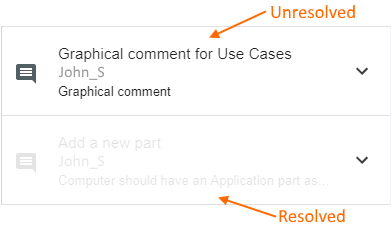
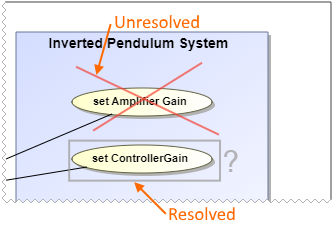
You can identify which comments are resolved by their appearance in the comments panel and in diagrams in case of graphical comments.
Useful to know
- Resolving a comment also resolves all of its replies.
- You can unresolve the comments that are resolved. To do that, click on the right side of a comment to show available actions, and click
 .
. - You can resolve or unresolve individual comment replies without resolving or unresolving the comment.
