To set up or change the Administrator user password
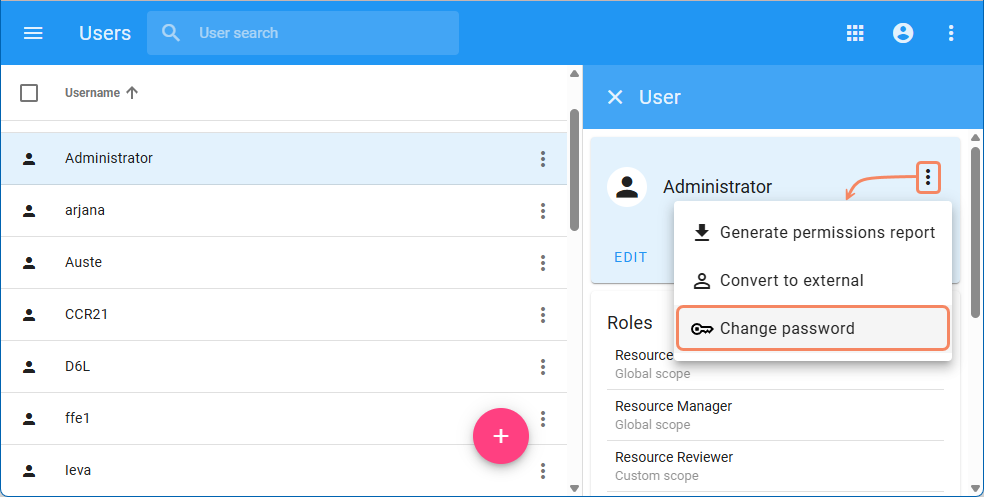
Open the Users application and select the Administrator user.
If you previously used Teamwork Cloud with a custom Administrator password and have only recently installed Web Application Platform, skip this step and proceed to step 5
In the User pane, click and select Change password.
In the Change password pane, enter the current Administrator password, then enter and confirm the new password in the appropriate boxes.
Click .
Use the console of the machine where the server is deployed to open the <install_root>/WebAppPlatform/shared/conf/webappplatform.properties file.
Change the twc.admin.password property value to the same password you set in the Users application.
Restart Web Application Platform (webapp service).