This section describes how to uninstall Magic Collaboration Studio / Teamwork Cloud and Cassandra using the uninstallation files. The product uninstall file is located in the installation directory (<install_root>/UninstallerData/Uninstall).
Using the uninstall file for all services
On Linux
To uninstall Magic Collaboration Studio / Teamwork Cloud using the uninstall file
Run the uninstall file to uninstall the product and Teamwork Cloud Admin.
sudo <install_root>/UninstallerData/Uninstall
BASH
Press Enter to continue.
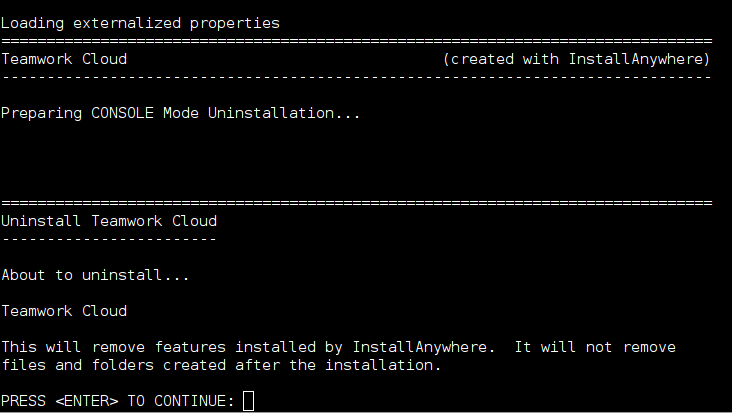
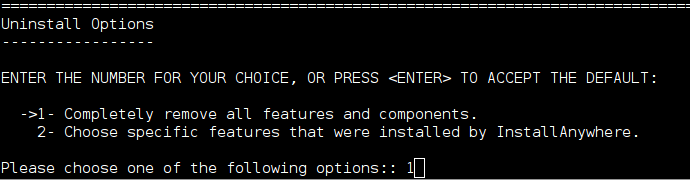
Type either "1" to completely uninstall the product and Teamwork Cloud Admin or "2" to uninstall selected features and follow the instructions. A message informing that Magic Collaboration Studio / Teamwork Cloud and Teamwork Cloud Admin uninstallation is complete will appear.
Managing separate services
To uninstall Magic Collaboration Studio / Teamwork Cloud, Web Application Platform, and Cassandra
- Stop Magic Collaboration Studio / Teamwork Cloud and WebApp Server.
- Remove the services.
- Delete the directory in which the product is installed.
- Uninstall Cassandra.
If you need to remove only selected services, remove them using the following commands:
Remove Teamwork Cloud service using the following script:
sudo <install_root>/TeamworkCloud/scripts/linux/service.sh remove
BASH
Remove WebApp service using the following script:
sudo <install_root>/WebAppPlatform/bin/service.sh remove
BASH
Remove Zookeeper service using the following script:
sudo <install_root>/Zookeeper/bin/zkService.sh remove
BASH
To uninstall Cassandra
Delete the directory in which Magic Collaboration Studio / Teamwork Cloud is installed (<install_root>).
Uninstall Cassandra using the following commands:
sudo service cassandra stop
sudo yum remove cassandra
BASH
On Windows
To uninstall Magic Collaboration Studio / Teamwork Cloud using the uninstall file
Stop Teamwork Cloud, AuthServer, and WebApp services from the Services window.
Run the uninstall file, located at <install_root>/UninstallerData/Uninstall.exe to uninstall the product.
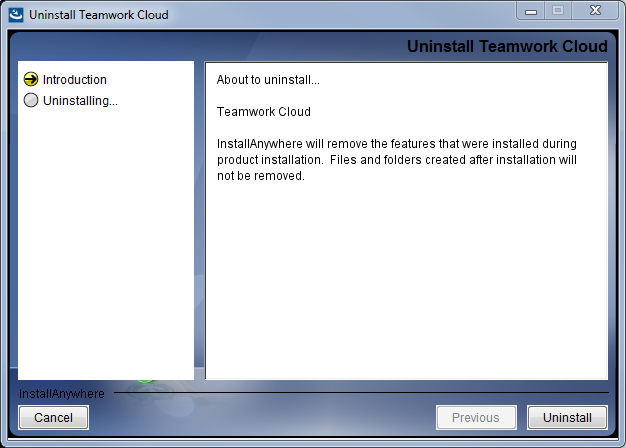
In the open dialog, click the Uninstall button. The dialog will close once the uninstallation is complete.