MagicLab Collaborator allows you to provide contextual feedback on SysML v2 elements through several dedicated commenting features.
Once you add a new comment or make any changes, remember to commit the changes to avoid data loss.
Comments tab in Specification panel
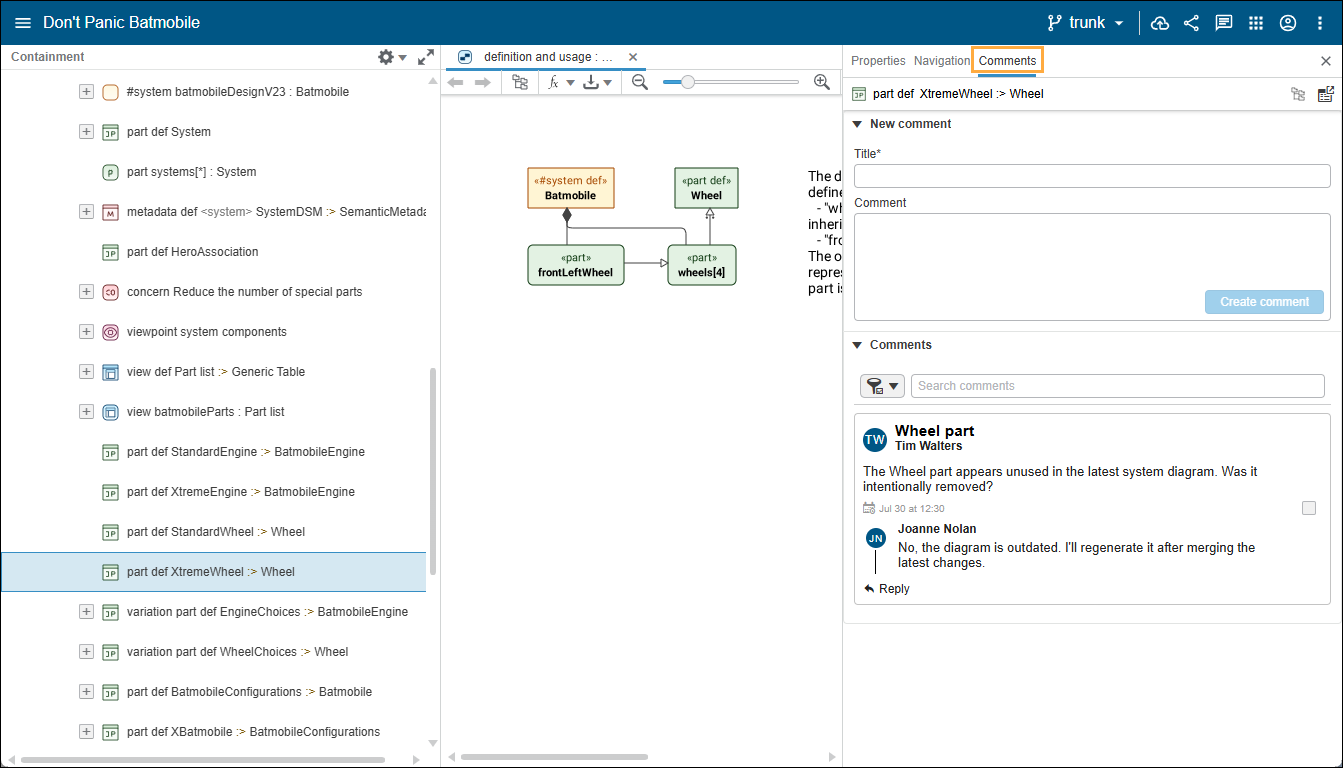
You can view and create new comments or replies directly from the Specification panel. A dedicated Comments tab shows only the comments associated with the currently selected element.
To open the Comments tab
Double-click an element to open its Specification panel.
At the top of the Specification panel, select the Comments tab.
Working with the Comments tab
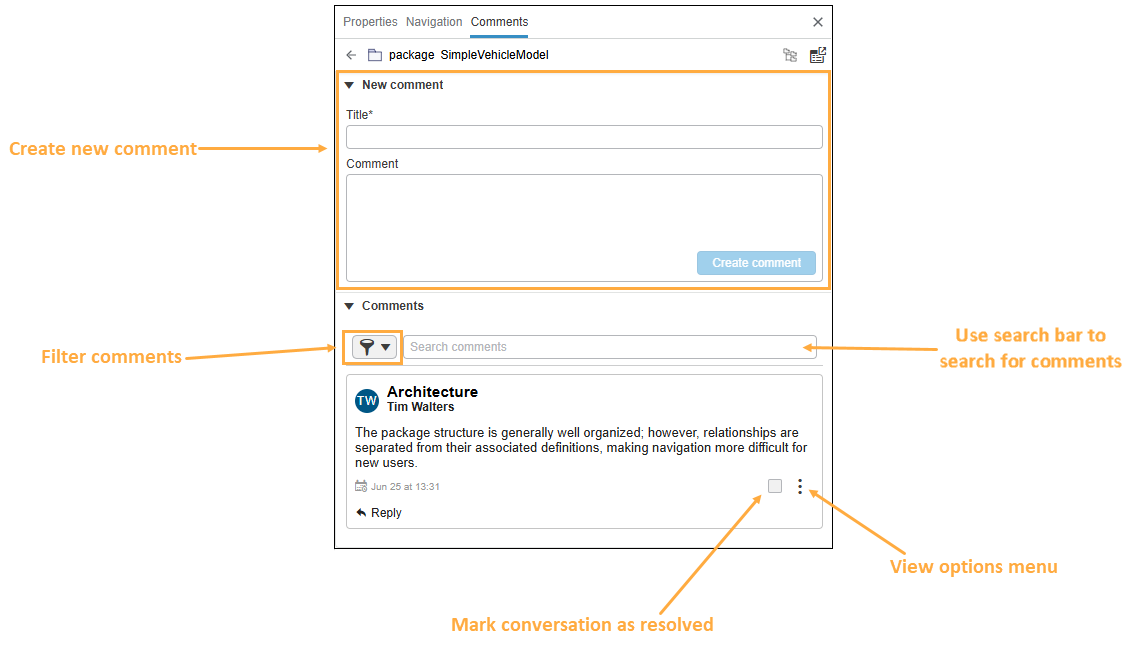
Viewing the Comments tab in the Specification panel.
In the Comments tab, you can:
Create a new comment in the New comment section.
In the Comments section, you can:
Filter resolved and SysML v2 comments. SysML v2 comments only include the title and body text with no additional metadata (such as an author or date created).
Search for comments.
Use the check box to mark the conversation as resolved.
Select the menu
In this menu, you can select to Edit the comment or Delete conversation to delete the entire comment thread.
Project Comments panel
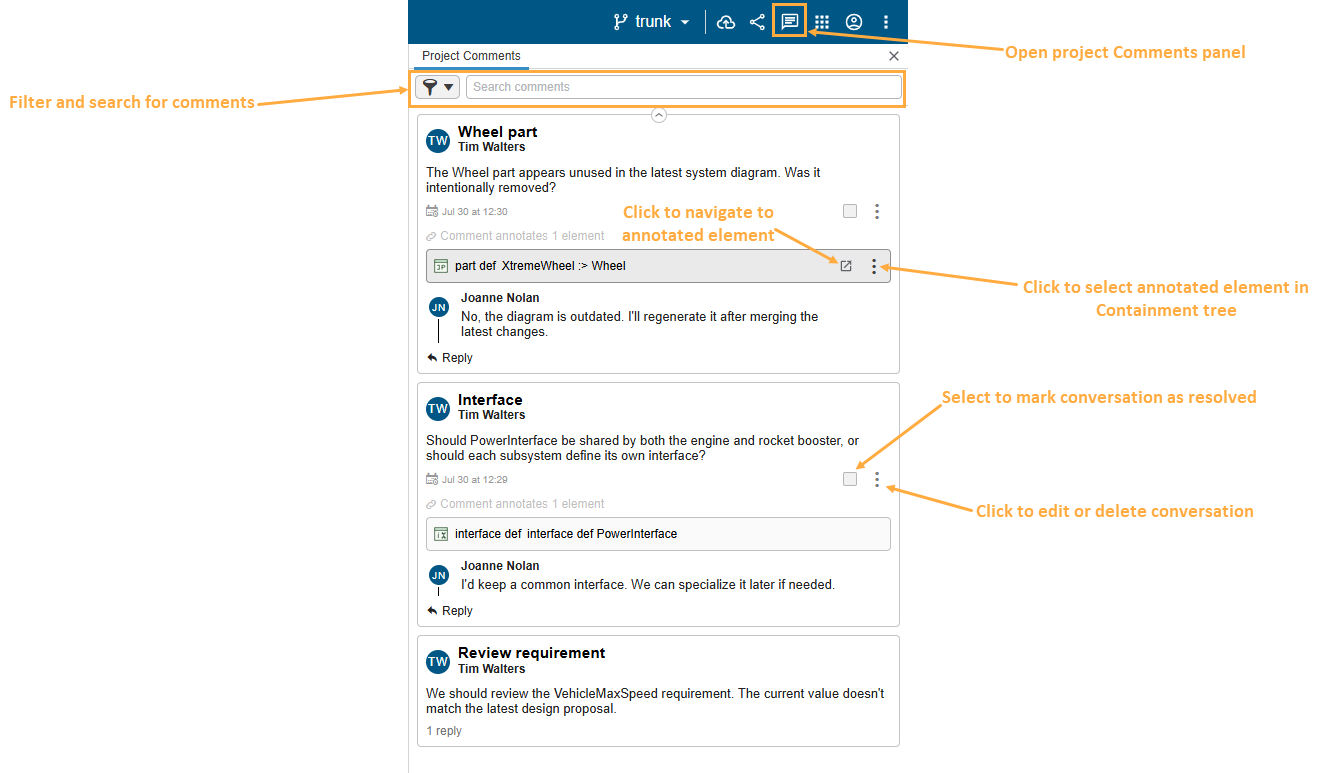
You can view all project comments in a dedicated project Comments panel. To access it, click its icon in the toolbar:
Viewing project Comments panel.
In the project Comments panel, you can:
Filter resolved and SysML v2 comments. SysML v2 comments only include the title and body text with no additional metadata (such as an author or date created).
Search for comments.
Use the check box to mark the conversation as resolved.
Select the menu to edit the comment or delete the entire comment thread.