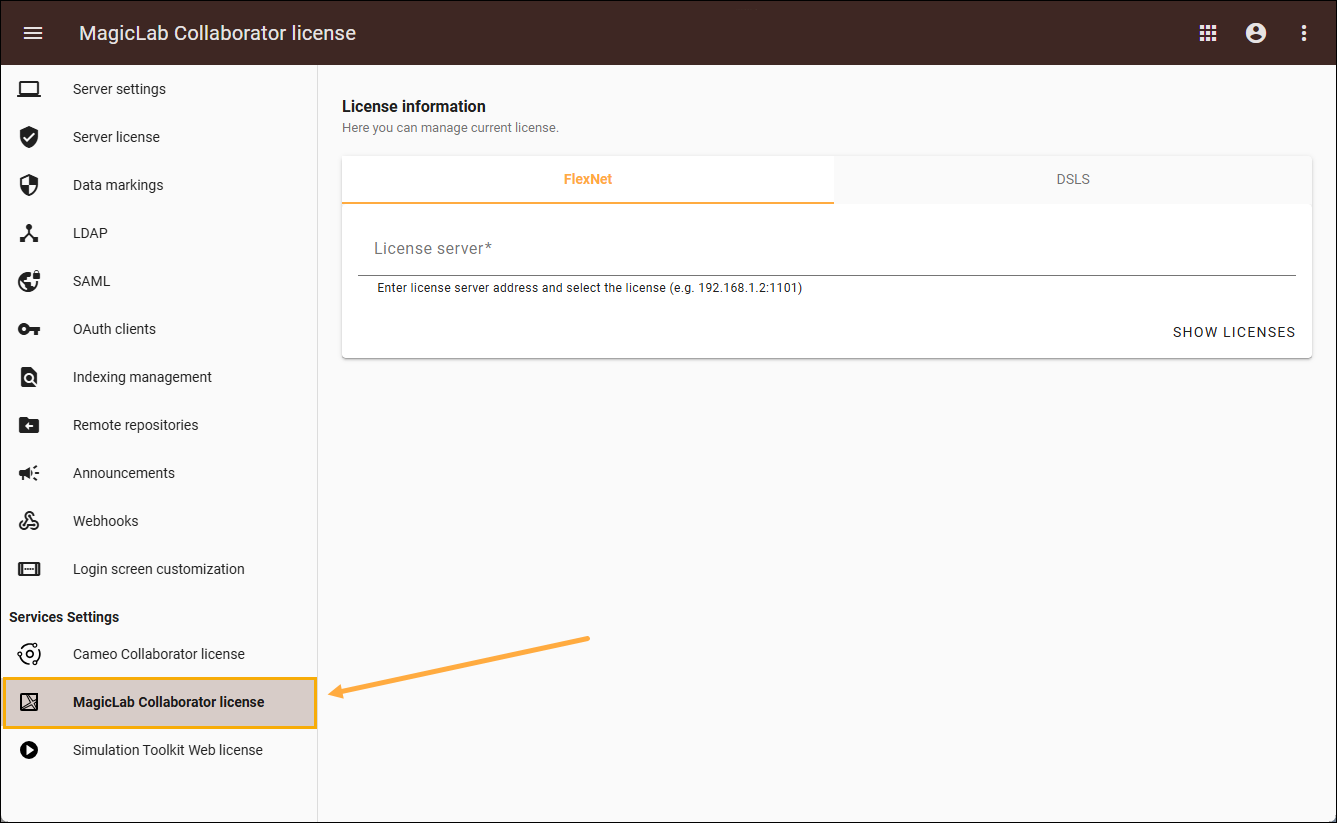
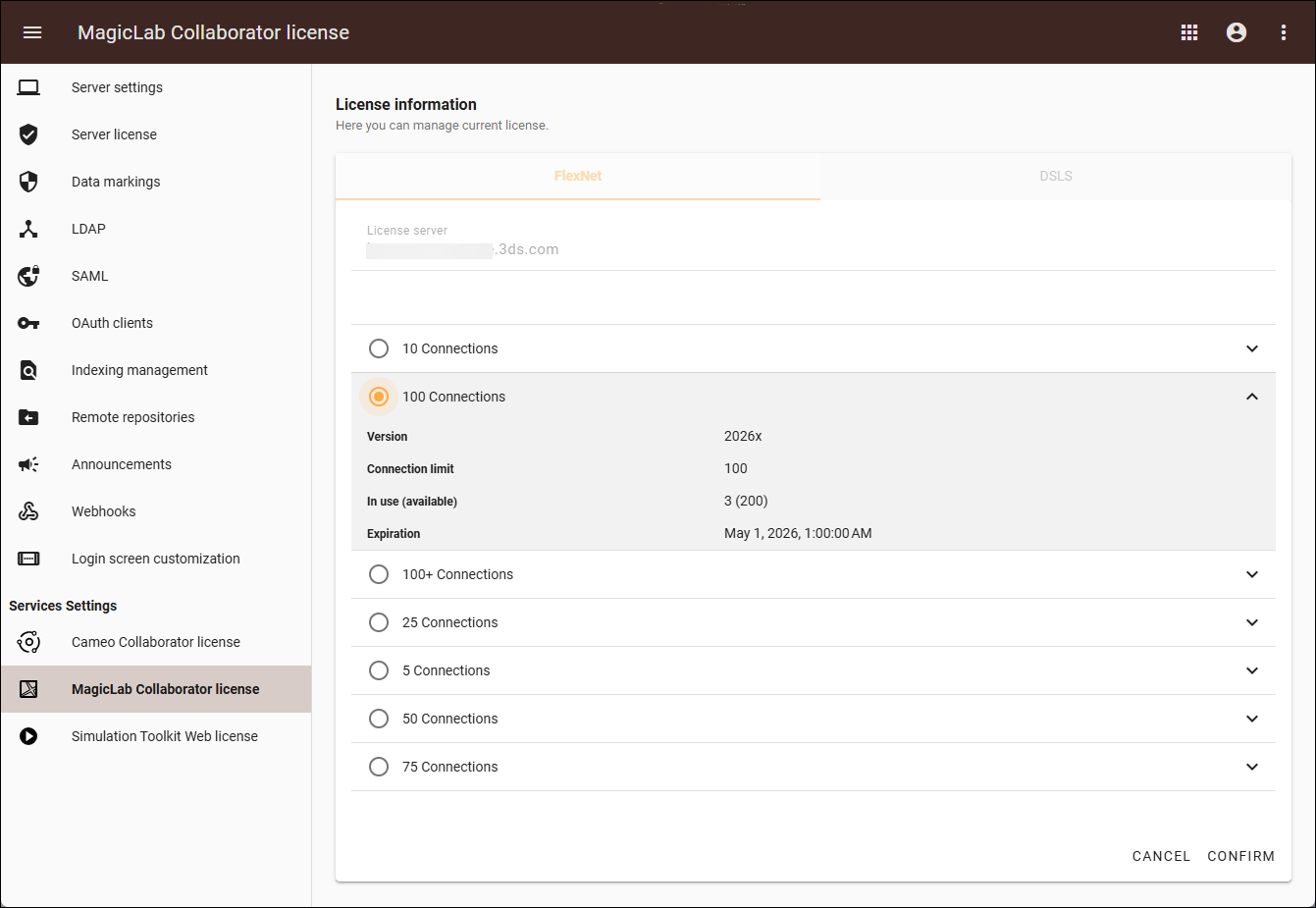
MagicLab Collaborator Current: Licensing Licensing Managing licenses via Teamwork Cloud Admin MagicLab Collaborator uses Cameo Collaborator licenses. To apply a Cameo Collaborator license, see Cameo Collaborator for Teamwork Cloud licensing. Applying a license via Teamwork Cloud AdminTo apply a MagicLab Collaborator license via Teamwork Cloud AdminOpen Teamwork Cloud in a web browser using this address format: http(s)://<server_address>:<port>/webapp. 8443 is the default port.Sign in to Teamwork Cloud with a user who has the Server Administrator role. Click the Settings application to open it.From the left-side menu, select the MagicLab Collaborator license page.Select either the FlexNet or DSLS tab:In the FlexNet tab, enter the license server address to view the list of available licenses.Select a license and click Confirm to apply.In the DSLS tab, select either Organization defined or Custom.If you select Organization defined, choose a license from the list and click Confirm to apply.If you select Custom, enter the license server address, choose a license from the list and click Confirm to apply. ×