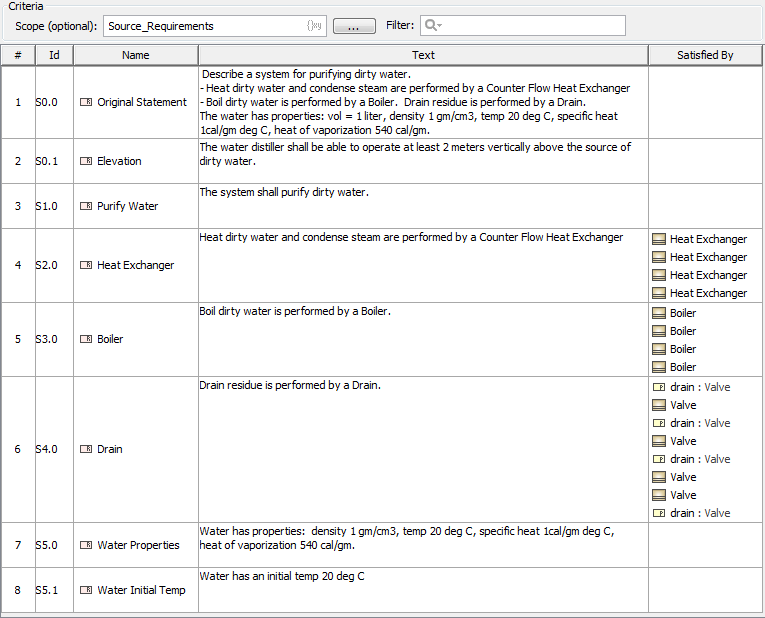
A Requirement Table is used to type requirements into a spreadsheet-like table.
Requirements Table contains requirements. All requirements are text-based. Each row in the table represents a requirement. A new table consists of four columns by default (#, Id, Name, Text). You can add more columns to represent the properties of each requirement in the table. With this table, you can:
Create new requirements directly in the table, or import existing ones from your model to the table.
Edit the properties of requirements directly in the table.
Generate requirements reports, renumber requirements’ IDs, or export the table into a CSV or HTML format, or into a Microsoft Excel (.xlsx) spreadsheet.
Search and filter requirements.
Access custom requirement’s properties.
If the scope value is specified as an element, you can right-click on the Scope value box in the Criteria area to select the specified value in the Model Browser or to open its Specification window.