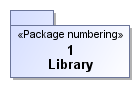
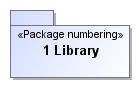
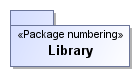
With an automatic numbering feature, you can number the elements of the selected type upon the element creation or modification. You can specify the number display location after the elements are numbered.
In the options group list, select or expand the General option and click Numbering either in the options list or in the options group list. The numbering properties opens.
Set the Use Element Auto-numbering property value to true.
Click OK.
To specify the element number display location
Do one of the following:
On the selected element’s shortcut menu, click Symbol Properties. The Symbol Properties dialog opens.
From the main menu, select Options > Project. Then, in the opened Project Options dialog, select the Symbol styles > Default group.
Select one of the following Element Numbering Display Mode property value: