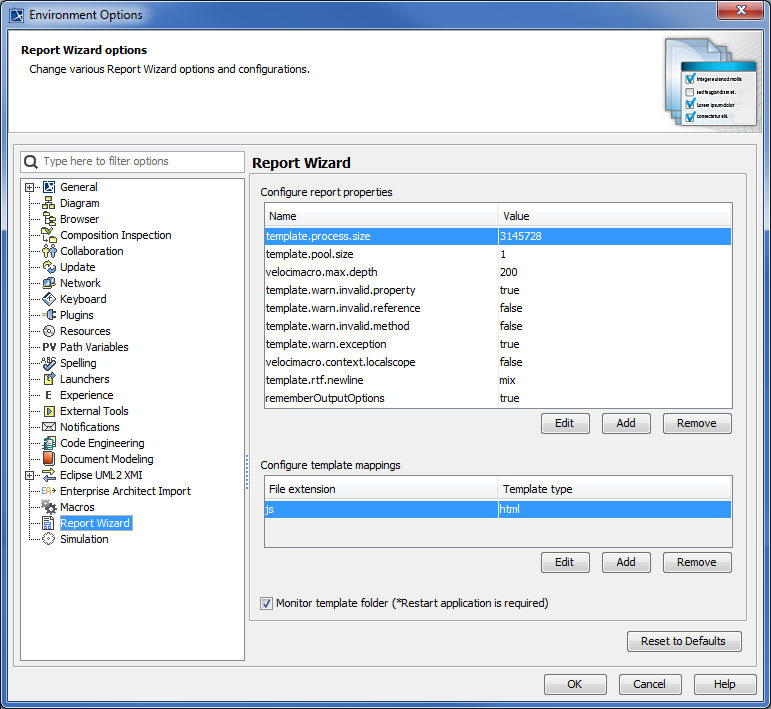
You can use the Environment Options dialog to configure the template mappings of Report Wizard.
The Configure template mappings pane.
To edit, create, or delete a template mapping
Click Options > Environment. The Environment Options dialog will open.
Select Report Wizard from the tree view. The Configure template mappings pane will open.
Click:
to edit a selected filename extension and template type in the Template mappings dialog, and click .
to create a filename extension and template type in the Template mappings dialog, and click .
to delete a selected filename extension and template type from the Configure template mappings pane.
The following table lists the fields of the Template mappings dialog:
Field Name
Function
Default Value
Possible Value
Required
File extension
The filename extension (not case-sensitive).
Blank
Text
Yes
Template type
The template type. You can select any of the following: html, odp, docbook, dbk, odt, ods, docx.
Blank
Text
Yes
Warning
Deleting a template mapping from the Environment Options dialog will cause the file extension mapping to be removed from the modeling tool. To restore the default setting, restart the modeling tool.