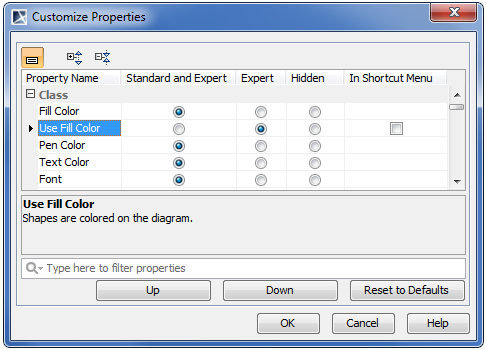
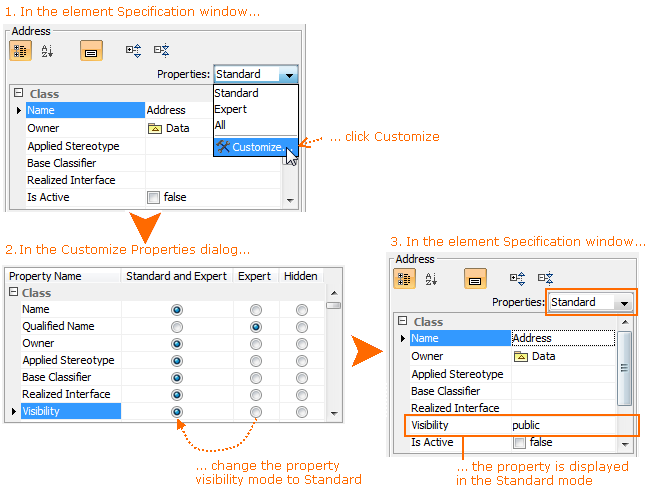
When the Customize Properties dialog is open from the element Specification window or the Element tab from the Model Browser, you can customize the list of properties in the element Specification window.
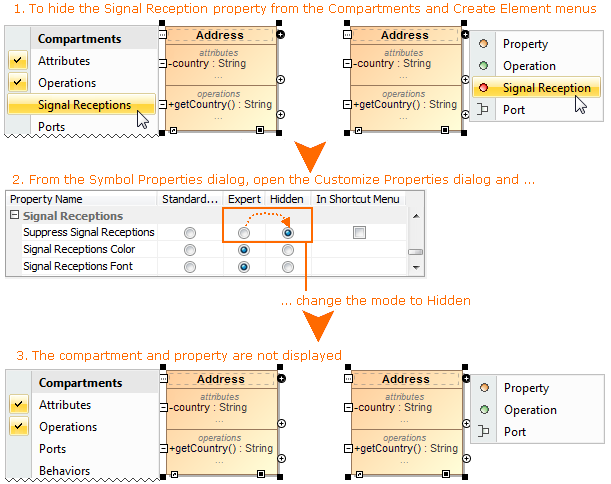
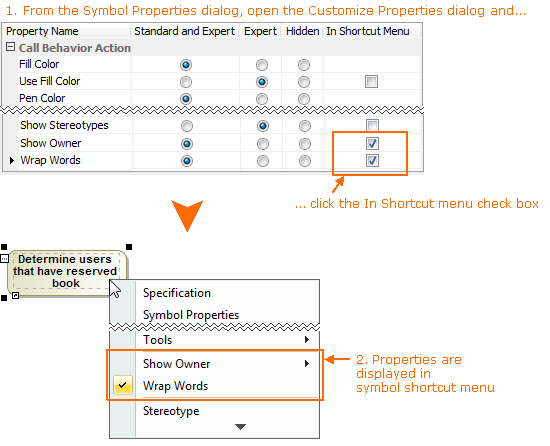
When the Customize Properties dialog is opened from the Symbol Properties dialog or the Symbol tab in the Model Browser, then you can customize the following:
- The list of properties in the element Specification window.
- The list of properties in the menus that opens after clicking the Compartments smart manipulator and after clicking the Create Element smart manipulator.
- The list of properties in the symbol shortcut menu.