Hierarchical tables are very useful for managing and reviewing data. Hierarchy in a table is a tree-like structure where all the rows are listed according to the elements containment.
Important
The hierarchy in the (2026x) Instance table is displayed according to an instance value that is a slot value of another Instance Specification. Composite instances are displayed.
Displaying elements hierarchically in a table
To display elements hierarchically
In the table toolbar, click .
Under the Display Mode option choose:
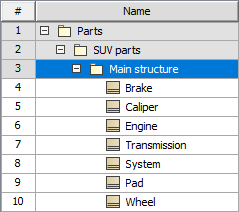
Complete tree to display row elements in a hierarchy where all the owners are represented in separate rows.
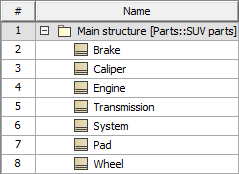
Compact tree to display row elements in a hierarchy where the common owners are grouped together in a separate row.
The hierarchy is created in the table by listing all the elements as they are shown in the Containment tree.
Displaying row elements in a custom hierarchy
To display elements in a custom hierarchy
In the Criteria area, next to the Scope box, click theicon.
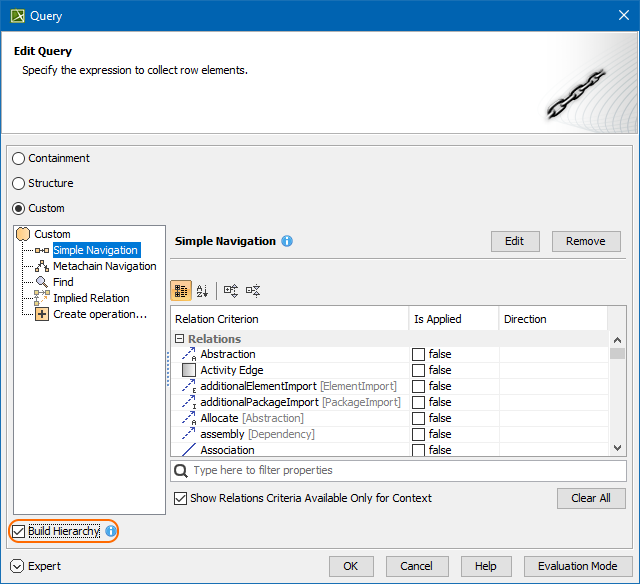
Specify the expression to collect table elements:
Select Containment to display the decomposition of elements related through the Containment relationship.
Select Structure to display the decomposition of Part Properties related through the Composition relationship.
Select Custom to display the decomposition of elements related through any criteria of your choice.