You can add new or manage existing hyperlinks in the Edit Hyperlink dialog, consisting of:
- Three main tabs containing all modeling tools: Address tab, File tab, and Element/Symbol tab.
- One tab required to install the Cameo DataHub Plugin: OSLC Link tab.
The following figure illustrates the tabs.
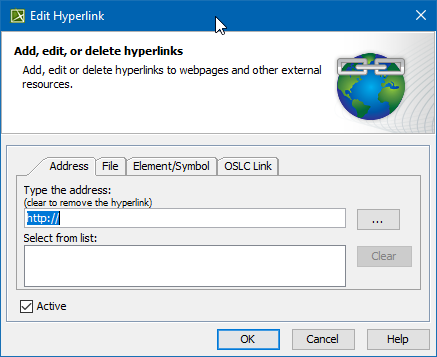
All available tabs in the Edit Hyperlink dialog.
Hyperlink types
The following table provides details of available hyperlink types.
| Tab in the Edit Hyperlink dialog | Hyperlink type | Required plugins | Tab descriptions |
|---|
| Address tab | Links to webpages or other external resources. | - | Address tab |
| File tab | Opens the file from your file system. | File tab |
| Element/Symbol tab | - In HTML text, opens the element Specification window.
- In plain text, on element/symbol, or diagram, opens the diagram.
| Element Symbol tab |
| OSLC Link tab | Links to OSLC resources. | | Learn more about OSLC Link tab >> |
Opening the Edit Hyperlink dialog
To open the Edit Hyperlink dialog