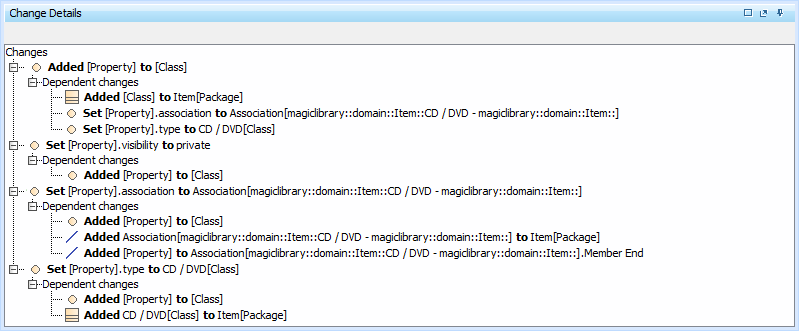
The Change details panel displays a tree structure reflecting the changes that occurred either on the element selected in the MergedResult tree/list or on the property selected in the Specification panel. The panel is located under the Specification panel on the Merge window.
The panel contains a tree structure that has two top-level branches – Source changes and Target changes – in 3-way merge, and 1 top-level branch – Source changes – in 2-way merge. In this panel, you can accept or reject changes using the shortcutmenu.
In this panel, you can see dependent changes. In order to see them, expand the Dependent changes branch under an element with dependent changes.
The Multiplicity attribute is merged as a string, meaning that Lower Value and Upper Value are merged and transformed to numerical/text types accordingly.