There are two rotating methods that you can use to rotate a given image by 90 degrees: (i) rotateRight for clockwise rotation and (ii) rotateLeft for counterclockwise rotation.
$image.rotateRight(image)
Return an image icon for an element.
Name
Type
Description
Parameter(s)
image
com.nomagic.magicreport.Image
An image object for the element icon.
Return
-
com.nomagic.magicreport.Image
The rotated image object for the element icon.
$image.rotateLeft(image)
Return an image icon for an element.
Name
Type
Description
Parameter(s)
image
com.nomagic.magicreport.Image
An image object for the element icon.
Return
-
com.nomagic.magicreport.Image
The rotated image object for the element icon.
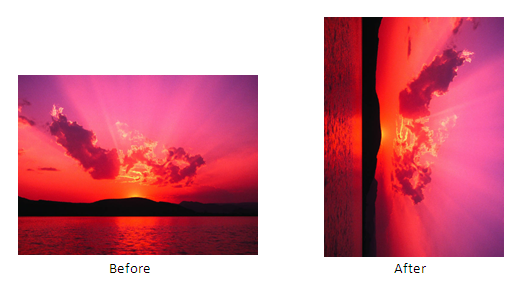
Use $image.rotateRight($diagram.image), for example, to rotate the image 90 degrees clockwise. The following photos show the result.
Results of using the image rotate right function.
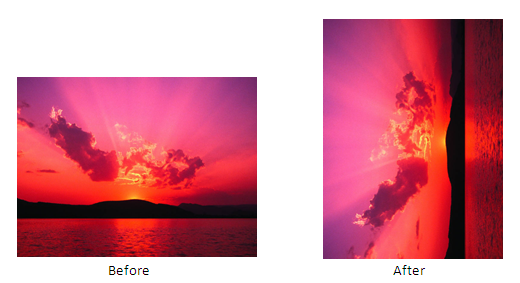
Use $image.rotateLeft($diagram.image), for example, to rotate the image 90 degrees counterclockwise. The following photos show the result.
Results of using the image rotate left function.
RTF Image rotation, with the scaling quality set to 'highest,' is not supported in any RTF document when opened with OpenOffice.org.