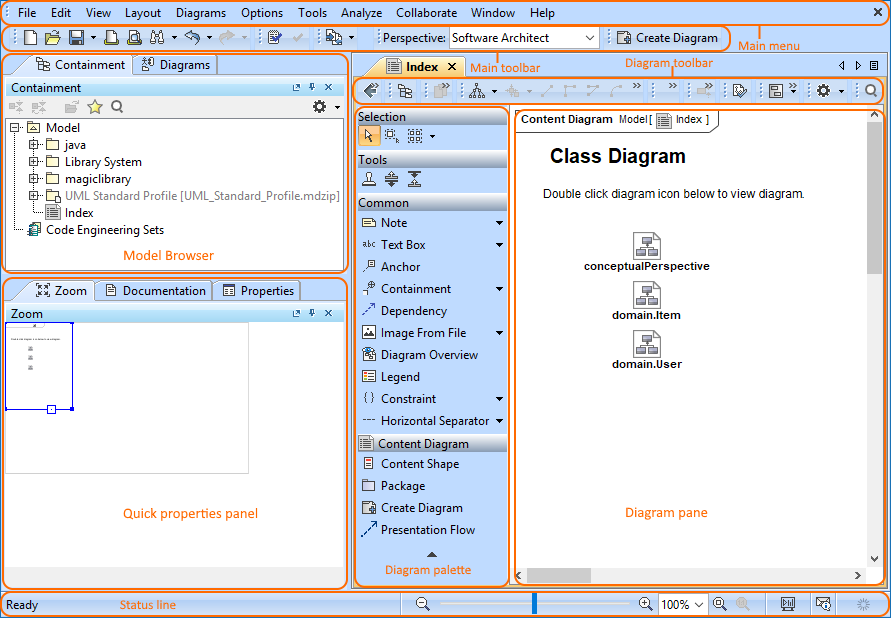
Modeling Tools Getting started Current: Understanding the user interface Understanding the user interface The user interface is where you will control your software installation. The modeling tool window contains the following:Main menuMain toolbarModel BrowserDiagram toolbarDiagram paletteStatus line Watch this demo to get familiar with the modeling tool working environment, main concepts, and functions. Related pagesGetting startedMost common shortcut keysCustomizing environment optionsCustomizing and Selecting PerspectiveConfiguration files ×