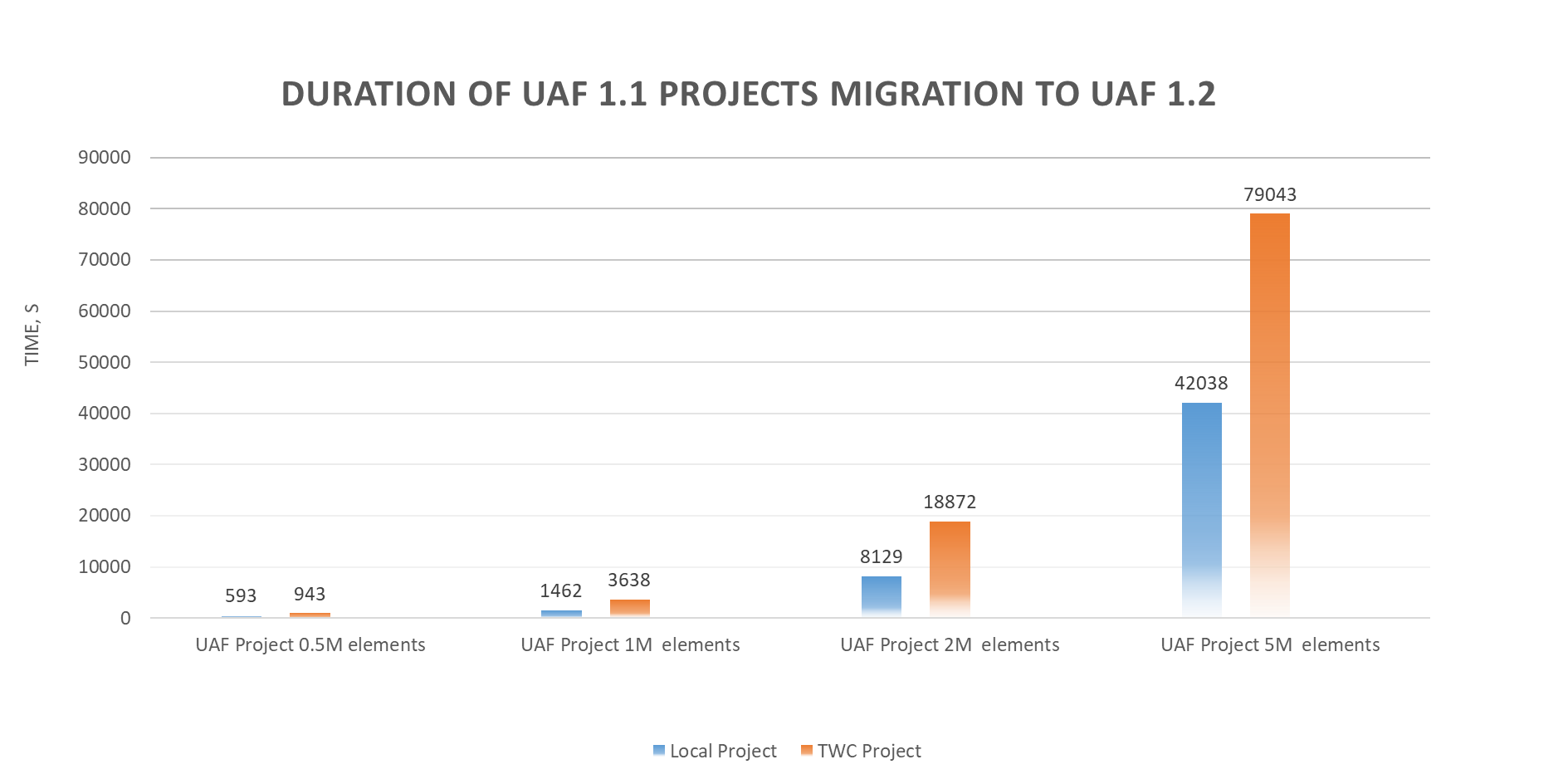
Modeling Tools UAF 1.3 modeling Migration User Guides UAF projects migration manual Current: Migration from UAF 1.1 to UAF 1.2 Migration from UAF 1.1 to UAF 1.2 After the migration to UAF 1.2, the following profile changes takes place: UAF 1.1 to UAF 1.2. Changes of element metaclass and type UAF 1.1 to UAF 1.2. New elements UAF 1.1 to UAF 1.2. Renamed and removed elements UAF 1.1 to UAF 1.2. Mapping solutions and issues UAF 1.1 to UAF 1.2. Changes in diagrams, tables, and matrices The duration of the projects migration from UAF 1.1 to UAF 1.2 depends on the project sizes. In the following chart, you can see the duration of local and Teamwork Cloud projects migration: For the recommendations of RAM for the projects migration, see Installation, licensing, and system requirements. ×