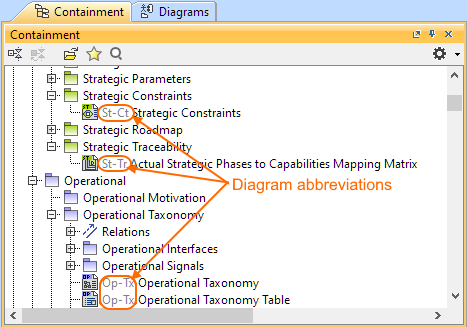
Modeling Tools UAF 1.3 modeling Procedures Current: Show diagram abbreviation in Containment tree Show diagram abbreviation in Containment tree You can choose whether or not to display the diagram abbreviations in the Containment tree. A Project option controls this functionality.To show the diagram abbreviations in the Containment treeIn the modeling tool main menu, click Options > Project.In the Project Options dialog, go to General > Browser.Set the Show Diagram Abbreviations option to true.Click OK. This Project option is by default true for the new projects: Blank UAF ProjectUAF ProjectUAF Project Template with Process GuideEA Project Template with Process GuideEA with BPMN Project ×