After model evaluation, the runtime values are stored in memory and reused for further evaluations, as shown in the example below.

Example

attribute myNumber : Real = randomNumberGen(); //The script that returns a random number is envoked.
attribute myNewNumber : Real = myNumber + 5; //The generated number is reused. Using the myNumber attribute will not trigger the generation of a new number.

The runtime values stored in memory are cleared when you do the following:

  • Modify the model.
  • Clear values using the view toolbar.
  • Clear values using the SysML v2 Model Evaluation console.

Clearing values via the view toolbar

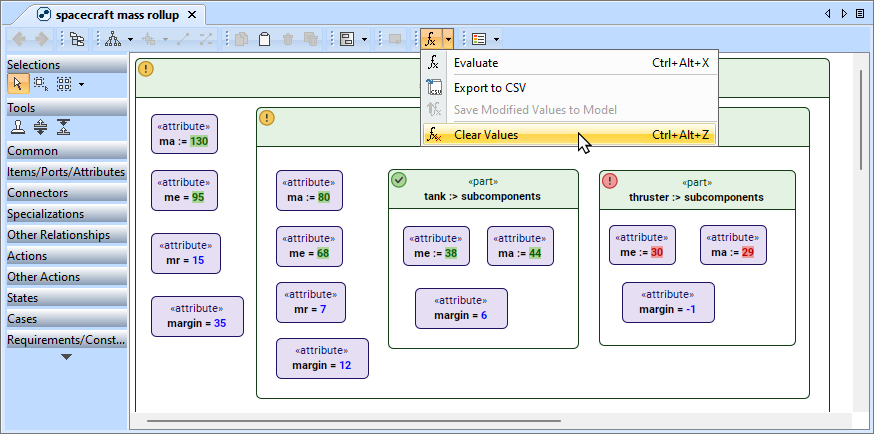
If you evaluated model elements using views, you can use the view toolbar to clear the runtime values.

To clear runtime values via the view toolbar


  • In the view toolbar, click the arrow next to and select Clear Values.

Clearing values via the SysML v2 Model Evaluation console

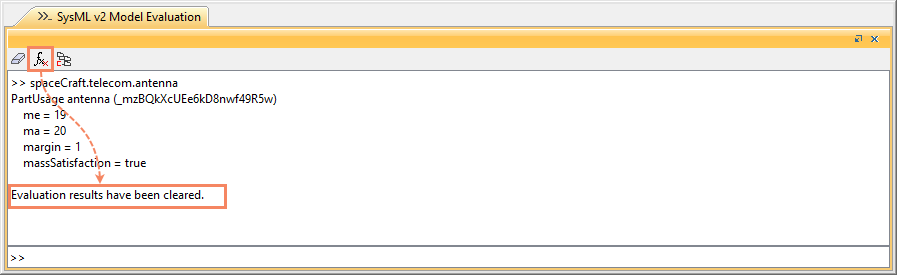
You can use the SysML v2 Model Evaluation console to clear runtime values, regardless of where you initiated model evaluation.

To clear runtime values via the SysML v2 Model Evaluation console


  • In the SysML v2 Model Evaluation console toolbar, click .