With the Object Management Group (OMG) releasing SysML v2, the community is eager to explore and learn this new language. To support this journey, our teams are introducing CATIA Magic/Cameo SysML v2 Community Edition – a game-changer for anyone looking to master SysML v2!
- 100% Standard Conformance
- Full adherence to the OMG SysML v2 specification metamodel.
- Textual and Graphical Syntax in Perfect Sync
- Instant two-way synchronization between textual and graphical representations.
- Designed for Learning and Training
- Model up to 500 major elements - ideal for practice and language exploration.
- Free of Charge
To download the CATIA Magic/Cameo SysML v2 Community Edition
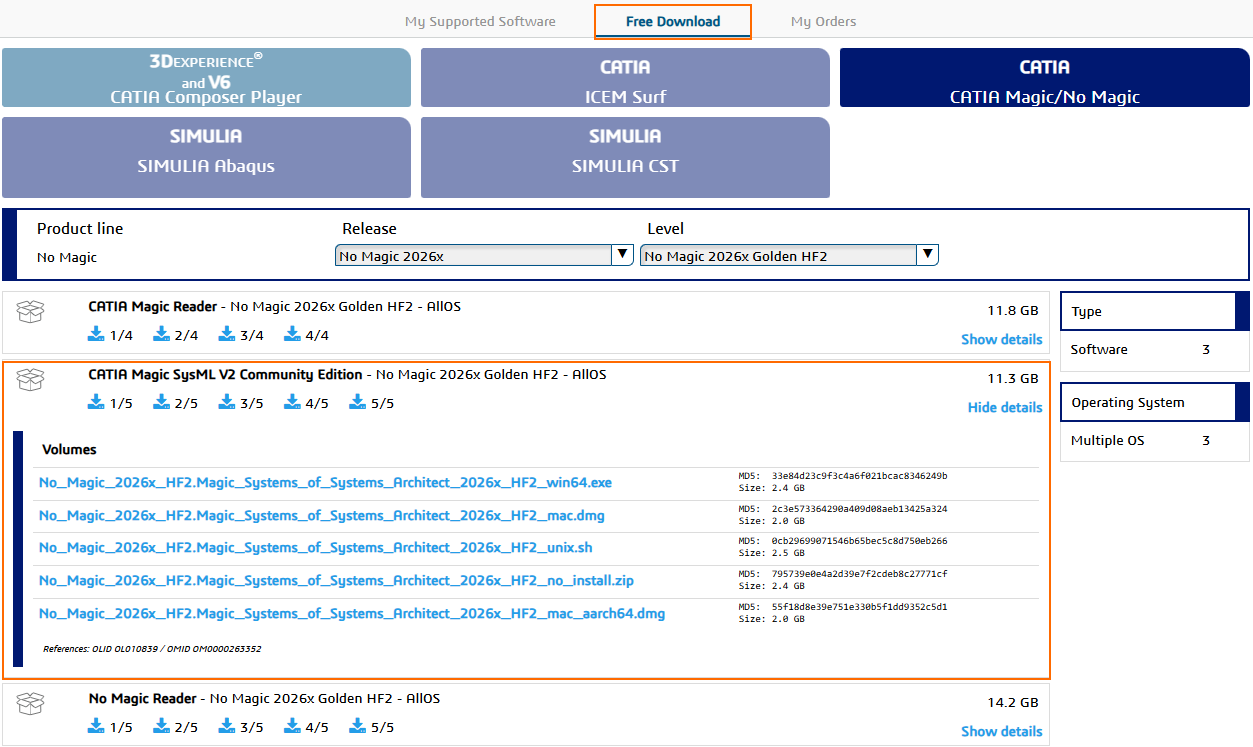
- Go to https://software.3ds.com/
- Create an account (if you don't have one yet) and sign in.
- Click Free Download > CATIA Magic/No Magic.
- Find CATIA Magic SysML v2 Community Edition in the list.
- Click 1/5 for Windows, 2/5 for Mac, 3/5 for Linux, 4/5 for Windows no install, or 5/5 for Mac aarch.
- Install the product you just downloaded (Magic Systems of Systems Architect, or MSOSA for short).
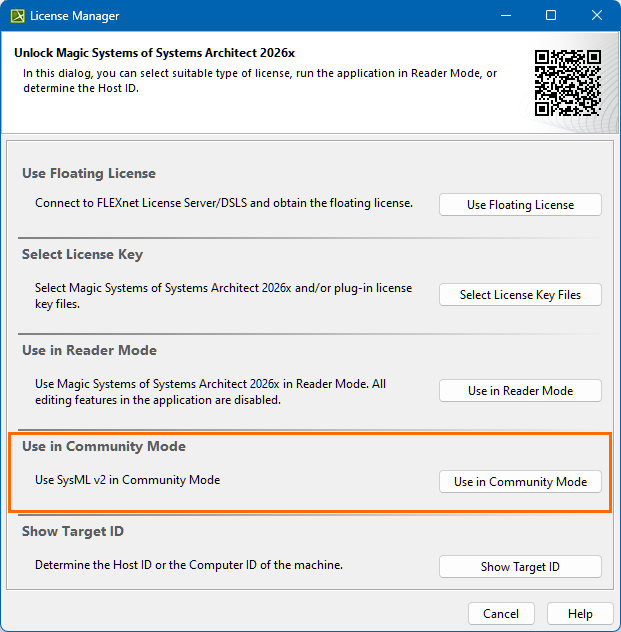
- Launch the Magic Systems of Systems Architect.
- In the License Manager, select Use in Community Mode.
- Read the license agreement and click I agree.
- Once the Welcome screen loads, you will see a prompt indicating that the SysML v2 plugin must be installed.
- Click the Install button in the prompt. The Resource Manager opens with the SysML v2 plugin already selected.
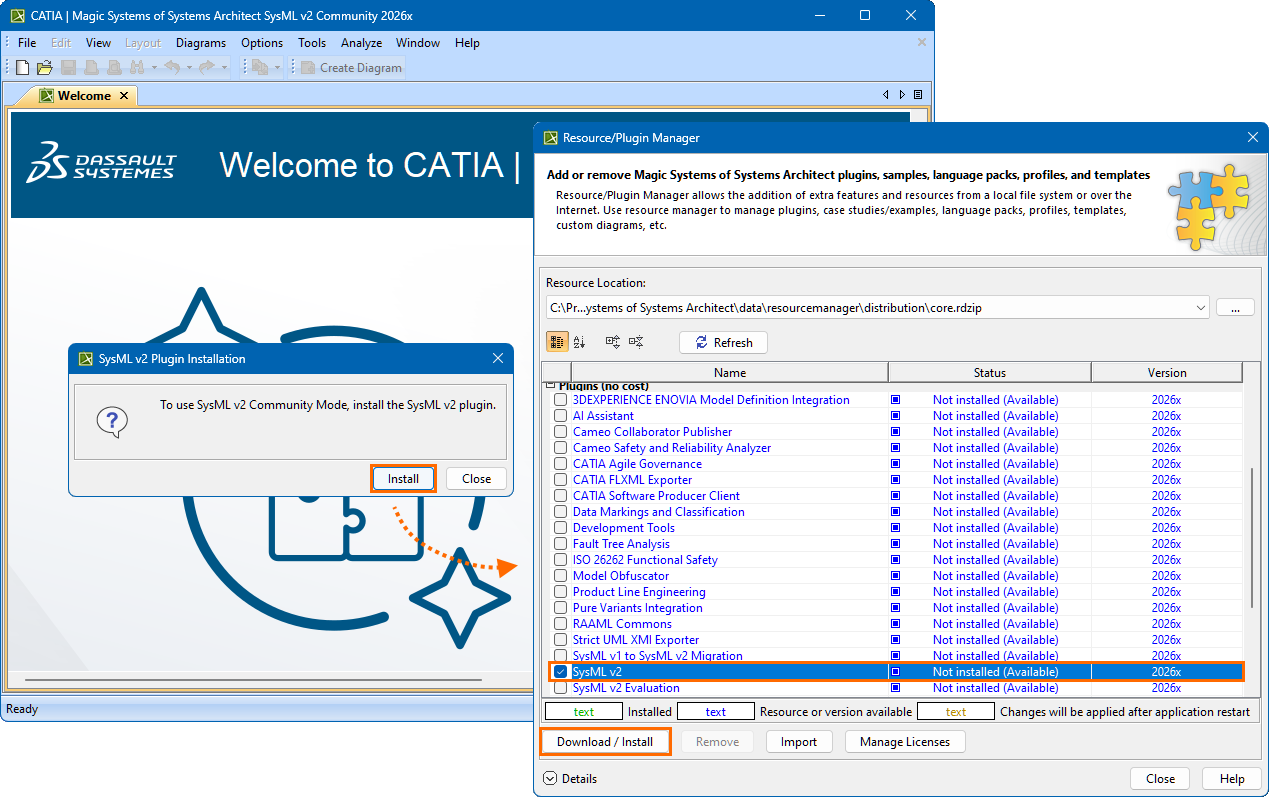
- In the Resource Manager, click the Download/Install button to install the SysML v2 plugin.
- Restart the tool. You are now running the modeling tool in SysML v2 Community Edition Mode.