Model Patch types
When creating a model patch, you have two options to choose from: All selected content and Changes from selected version to version #X. This topic explains the difference between the two options and when to use each one.
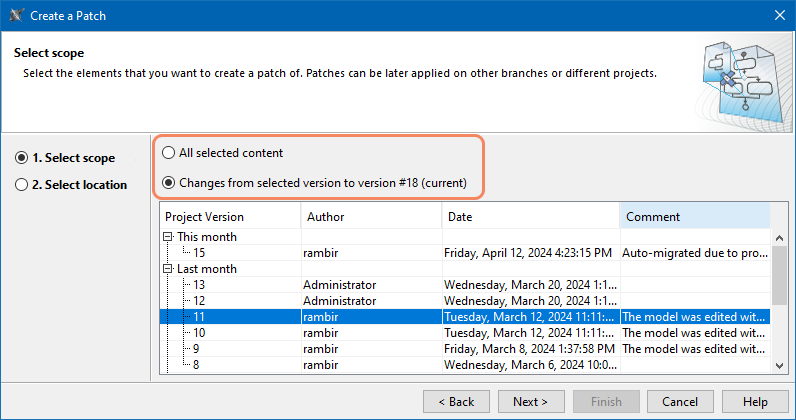
Selecting a model patch type.
All selected content

Model patches of the All selected content type can be created from and applied to local, Teamwork Cloud, and 3DEXPERIENCE platform projects.
Using this patch type, you can bring all the selected elements as they are. This patch type is always considered to be the source of truth, meaning that the patch content overrides your existing elements and/or adds elements that exist in the source version but not in the target.
Let's say that your source model contains the Requirements package with maxFuelFlowSpeed and minFuelFlowSpeed requirements, and your target model contains the Requirements package with maxFuelCapacity and minFuelCapacity requirements. If you decide to apply a model patch of the All selected content type containing the Requirements package to the target model, the maxFuelFlowSpeed and minFuelFlowSpeed requirements are added to the target model, while the maxFuelCapacity and minFuelCapacity requirements are deleted. In other words, the whole Requirements package in the target model is overwritten with data from the patch.
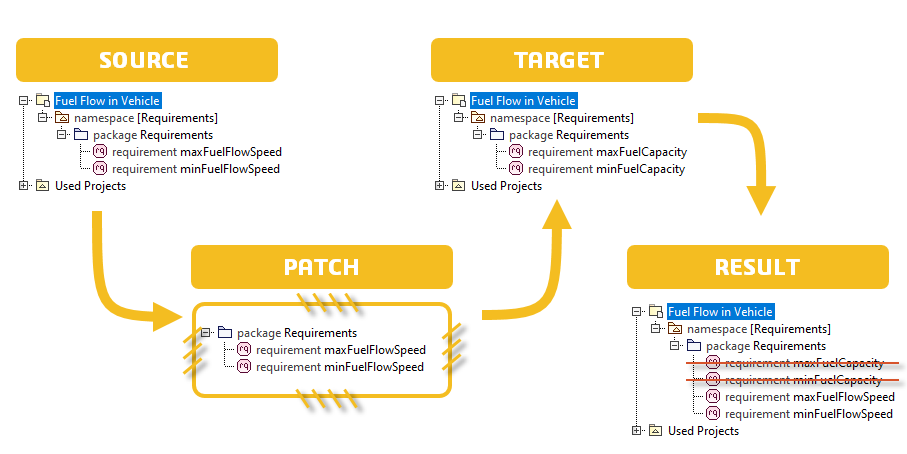
Applying a model patch of the All selected content type.
Changes from selected version to version #X

You can only create a model patch of the Changes from selected version to version #X type from a Teamwork Cloud project. However, you can apply this type of model patch to any project.
If you do not need to override existing elements in the target model but want to add them as concurrent changes, choose to bring changes from the selected version when creating a patch
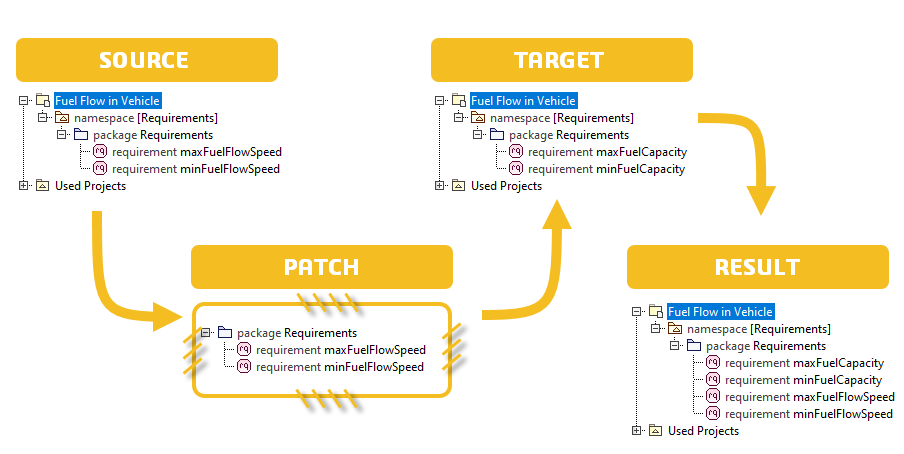
Let's say that your source model contains the Requirements package with maxFuelFlowSpeed and minFuelFlowSpeed requirements, and your target model contains the Requirements package with maxFuelCapacity and minFuelCapacity requirements. If you apply a model patch of the Changes from selected version to version #X type containing the Requirements package, the maxFuelFlowSpeed and minFuelFlowSpeed requirements are added from the patch while the maxFuelCapacity and minFuelCapacity requirements are retained the target model. In other words the target model data is not overwritten but complemented with data from the patch.