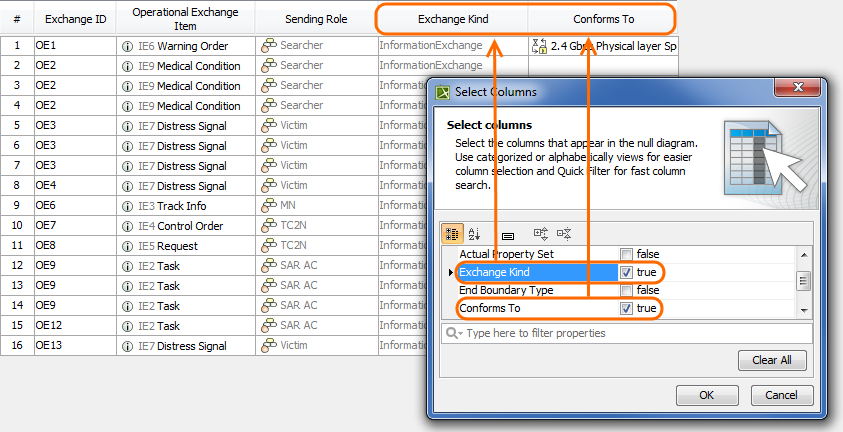
UPDM 2 Procedures Managing Tables Current: Adding custom columns in tables Adding custom columns in tables You can add any desired column to your table by clicking Show Columns button. When generating a report, only columns that are visible in your table will be included in the output. To add a custom columnOn the table toolbar, click Show Columns > Select Columns.In the Select Columns dialog, choose the columns you want to display in the table.Click OK, when you are done. This capability is not exhibited by CV-5, StV-5, NCV-5, SV-9, NSV-9, SvcV-9, TV-2, NTV-2, and StdV-2 tables. ×