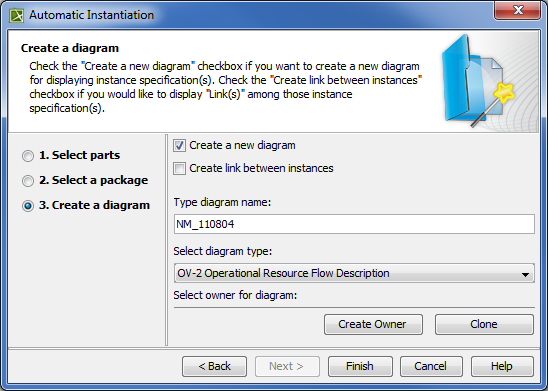
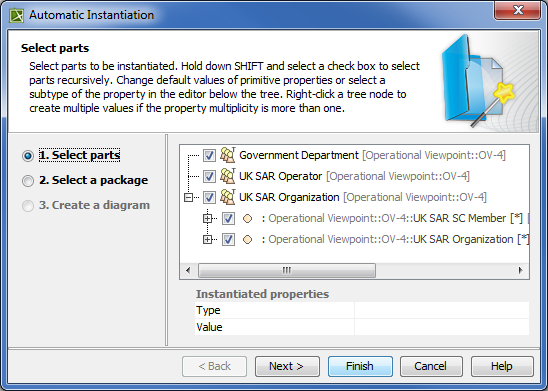
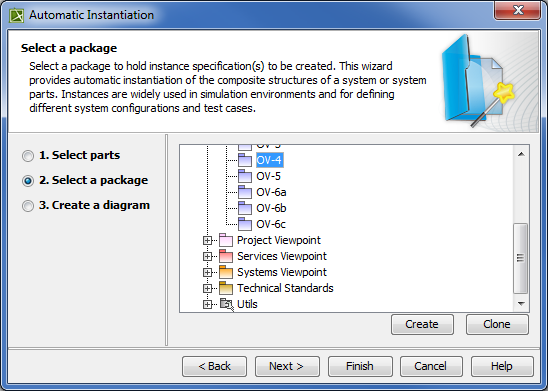
UPDM 2 Dialogs Current: Automatic Instantiation wizard Automatic Instantiation wizard The Automatic Instantiation wizard is used to automatically instantiate any typical structure of UPDM architecture.To open the Automatic Instantiation wizardSelect any number of instantiable UPDM elements and right-click them.On the shortcut menu, choose Tools > Create Instance.The Automatic Instantiation wizard opens.The wizard consists of these three steps:Selecting parts.How to select a part?In this step, select elements and their internal parts to instantiate.Selecting a package.How to select a package?In this step, select, create or clone the package to store the created actual structure.Creating a diagram.How to create a diagram?In this step, specify diagram name, select diagram type to visualize the actual structure and the package to store the diagram. Related procedures Instantiating Structures ×