Magic Collaboration Studio / Teamwork Cloud and Services
Released on: June 26, 2026
One of the most important additions in 2026x Refresh1 is MagicLab Collaborator, introduced to enable collaborative work on SysML v2 projects with branch-based feedback, commenting, and multi-branch review capabilities.
2026x Refresh1 release also delivers a brand new Resource Usage Map for SysML v2 resources that enhances impact analysis and a modernized Web Application Platform home page with a cleaner design and improved usability. Additional improvements include automatic SAML login redirection and configurable parallel execution of synchronization jobs.
Cameo Collaborator introduces a new Reader mode for distraction-free viewing, text comparison directly within tables, enhanced PDF export options with automatic tables of figures, diagrams, and tables, smoother zooming, and the ability to edit the To Do property.
MagicLab Collaborator
We introduce MagicLab Collaborator, a service that enables teams to collaborate on SysML v2 projects. Building on the capabilities of MagicLab, which is a read-only viewer, MagicLab Collaborator includes flexible collaboration features such as branch-specific feedback, commenting with search and editing, and support for working across multiple branches. Users can also open and review both current and historical branches, improving traceability and team coordination.
Commenting
Commenting features, available with a Cameo Collaborator license, provide flexible ways to collaborate on specific elements and to view all comments of the project with easy navigation.
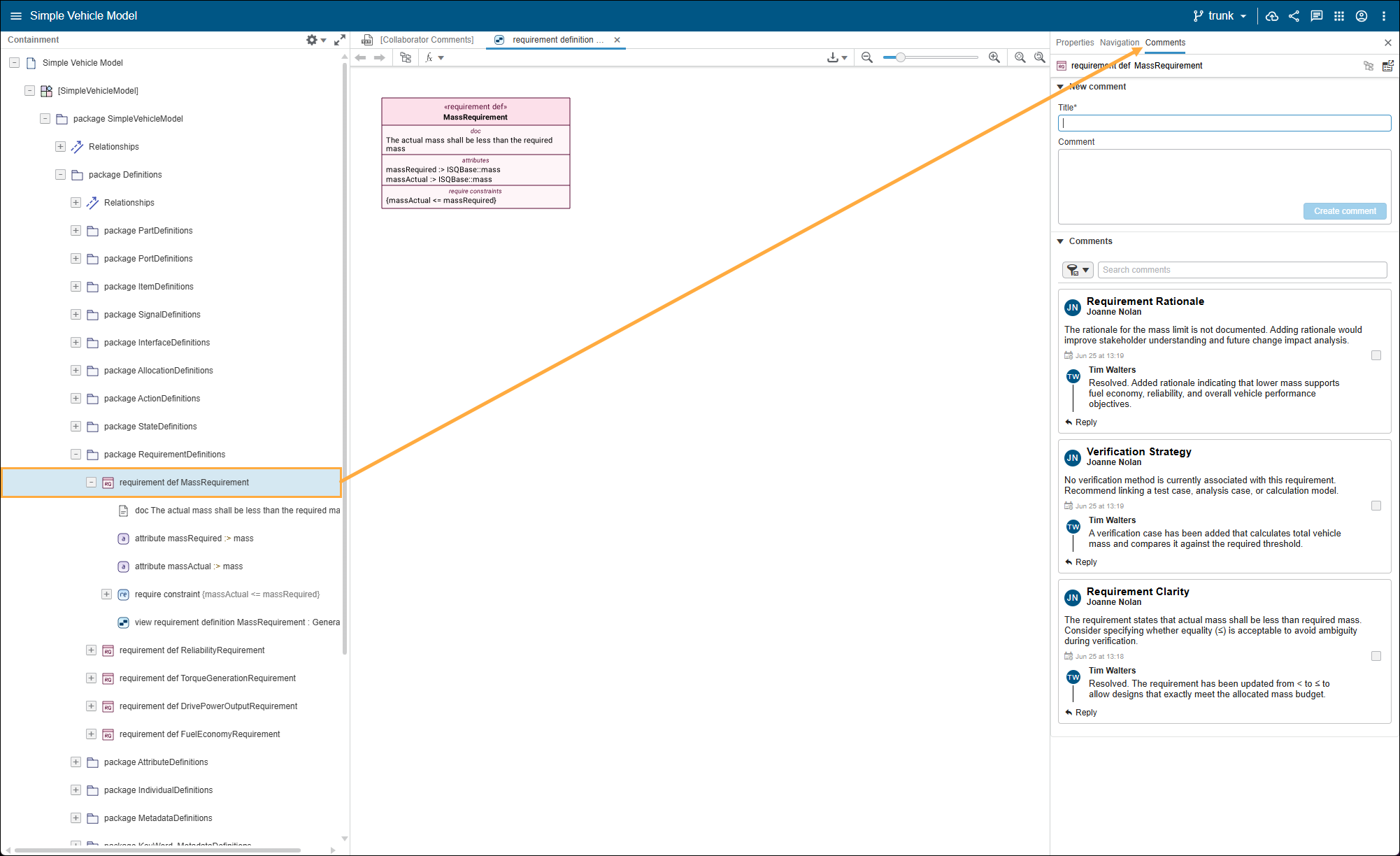
Viewing comments for a specific element in the element Specification panel.
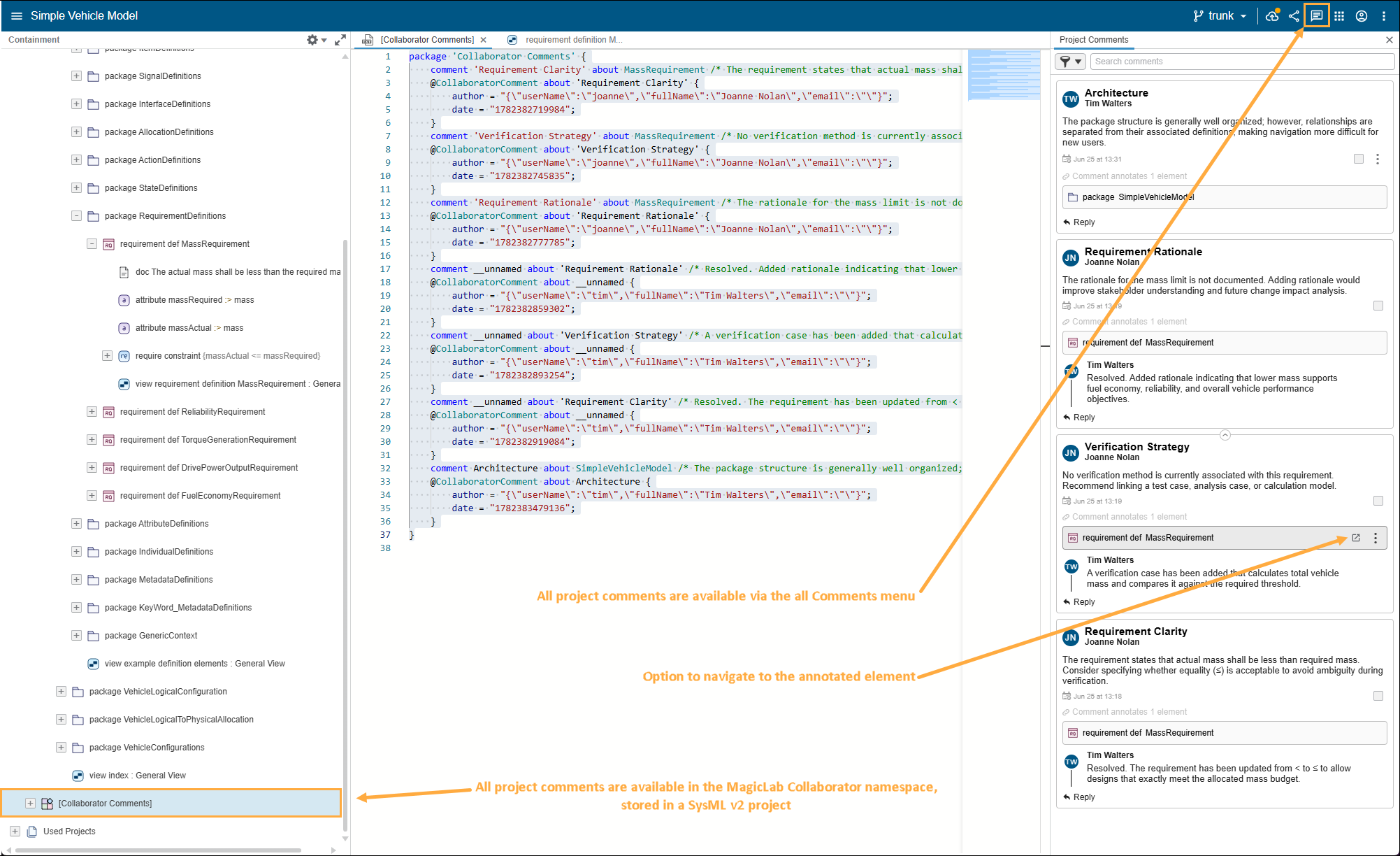
Commenting features of MagicLab Collaborator.
Teamwork Cloud
Resource Usage Map for SysML v2 Resources
Support for SysML v2 resources has been enhanced with the implementation of a dedicated Resource Usage Map. When selecting a SysML v2 resource in the Resources application, users can now access the new “Open in Resource Usage Map” action. The generated map visualizes all dependencies of the selected SysML v2 resource, providing improved transparency and impact analysis.
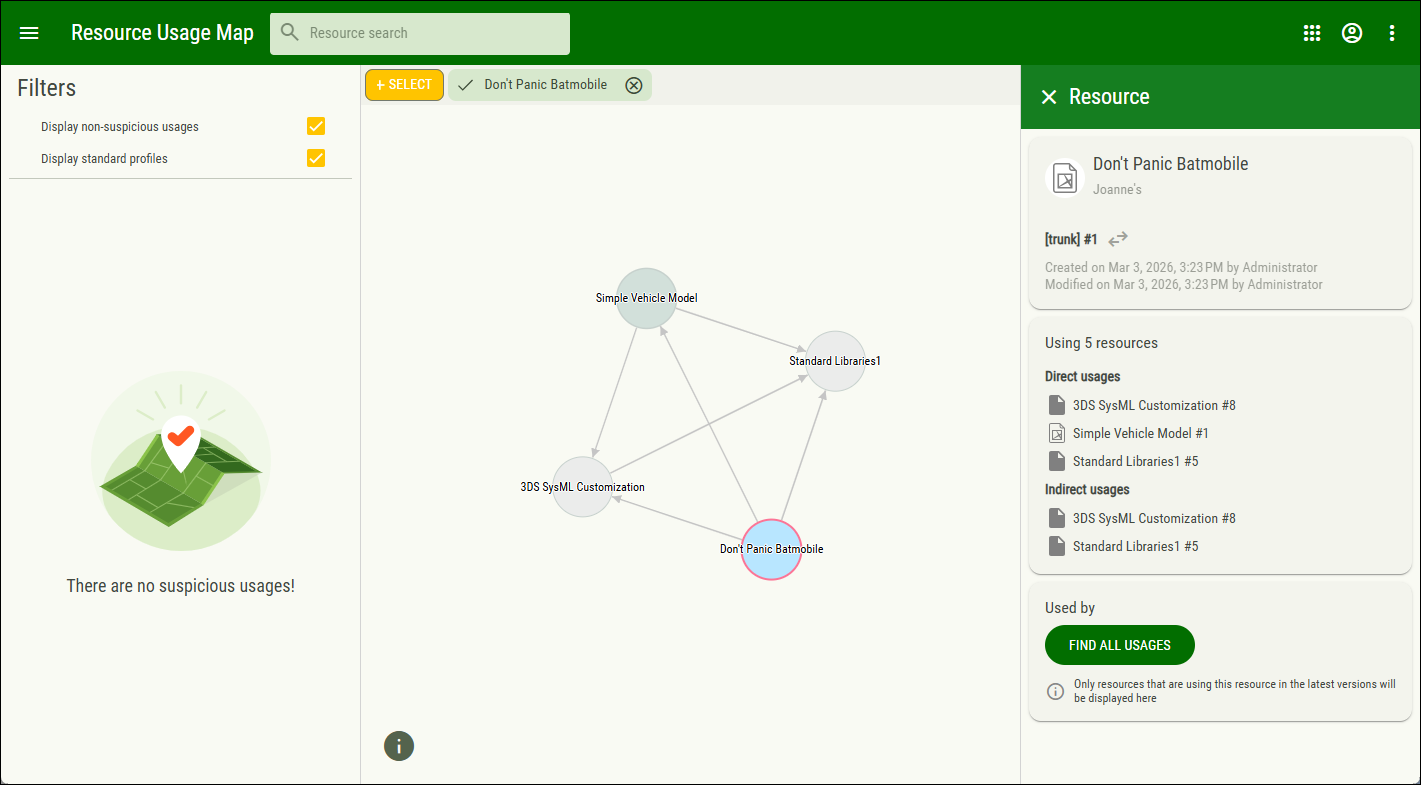
Displaying SysML v2 project usages in the Resource Usage Map.
Teamwork Cloud SysML v2 REST API extensions
This release introduces two additional SysML v2-focused API extensions for Teamwork Cloud, enabling powerful CI/CD workflows for MBSE models.
Textual API Services
The textual API provides services for retrieving the textual representation of a SysML v2 model from a specified namespace. Additionally, the textual representation can be used in the payload to update a namespace of an existing SysML v2 model.
Graphical API Services
The graphical API provides a service to retrieve the visual representation of a SysML v2 diagram by its View ID. The service returns an SVG image that preserves the original diagram layout and the content of the elements used to build it.
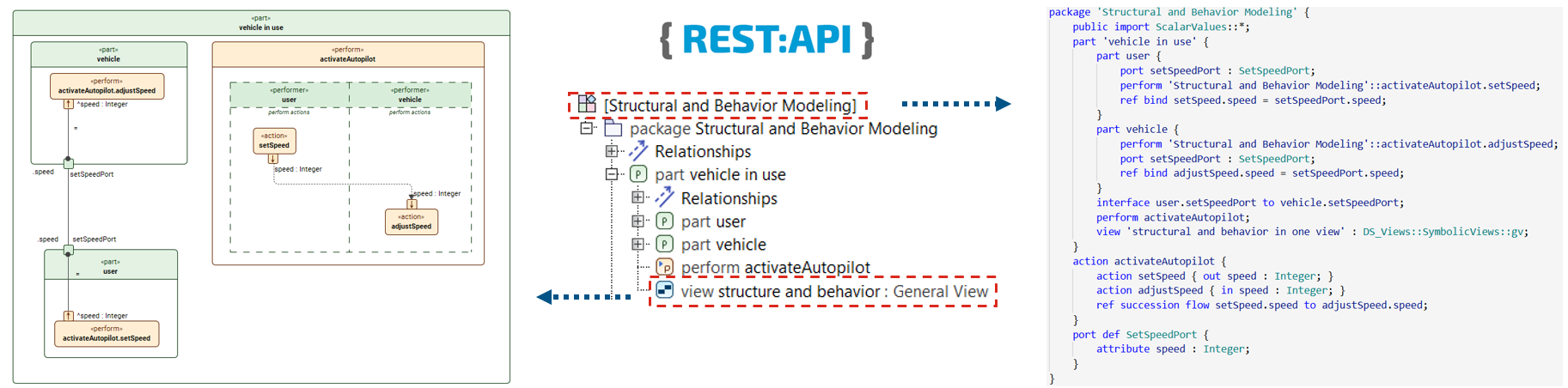
These services are available to Magic Collaboration Studio and Teamwork Cloud Enterprise edition users.
Multi-Threaded Cross-Cluster Synchronization
A new mechanism has been implemented to allow multiple synchronization configurations to run simultaneously, with the number of concurrent executors now fully configurable. This allows for a considerably faster synchronization process.
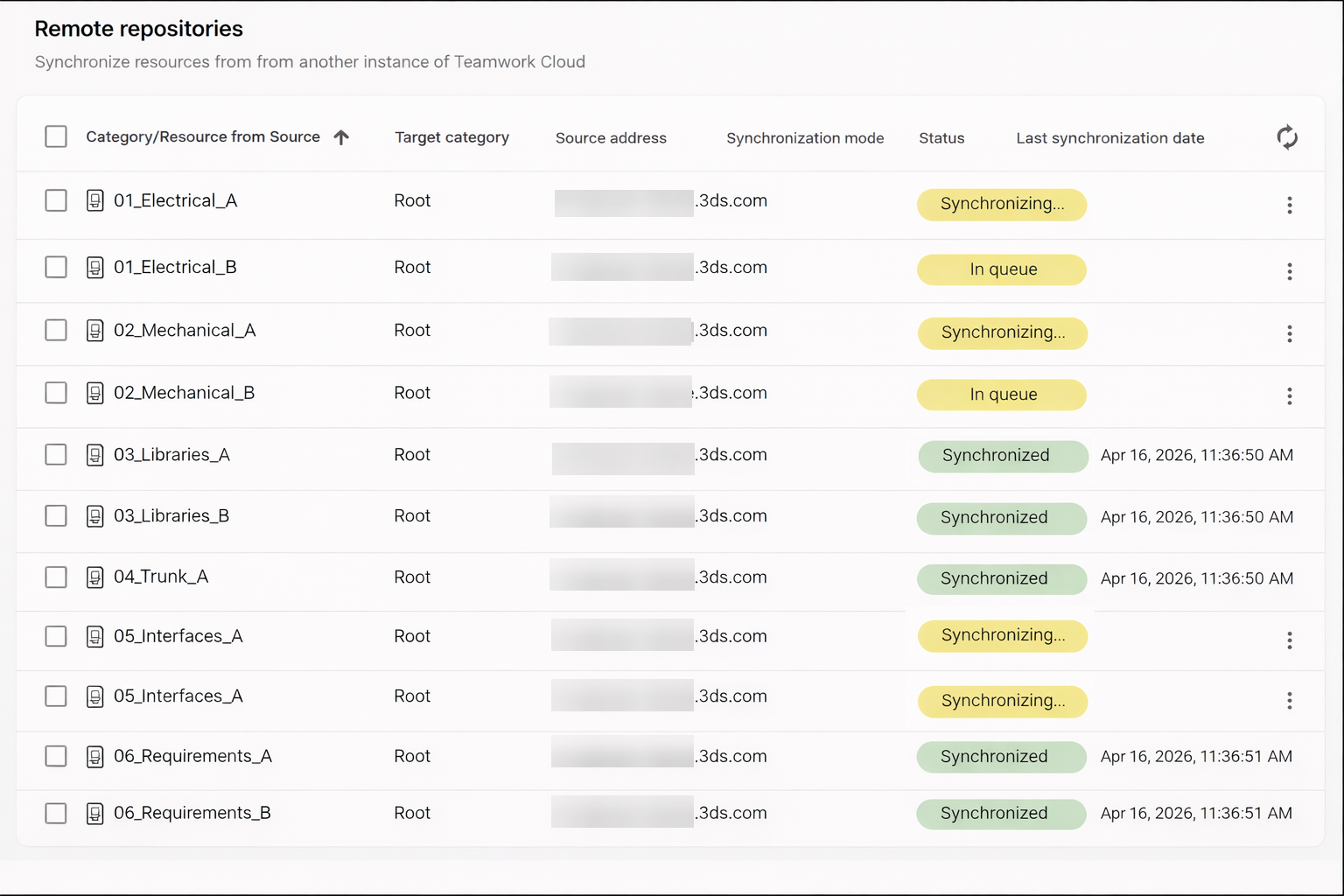
Synchronizing multiple resources.
Modernized Web Application Platform Home Page
The Web Application Platform home page has been refreshed with a cleaner, more modern design to enhance the overall user experience. The updated interface features a visually polished appearance, making it easier for users to access the apps and information. This modernization improves usability, performance, and provides a more intuitive digital experience.
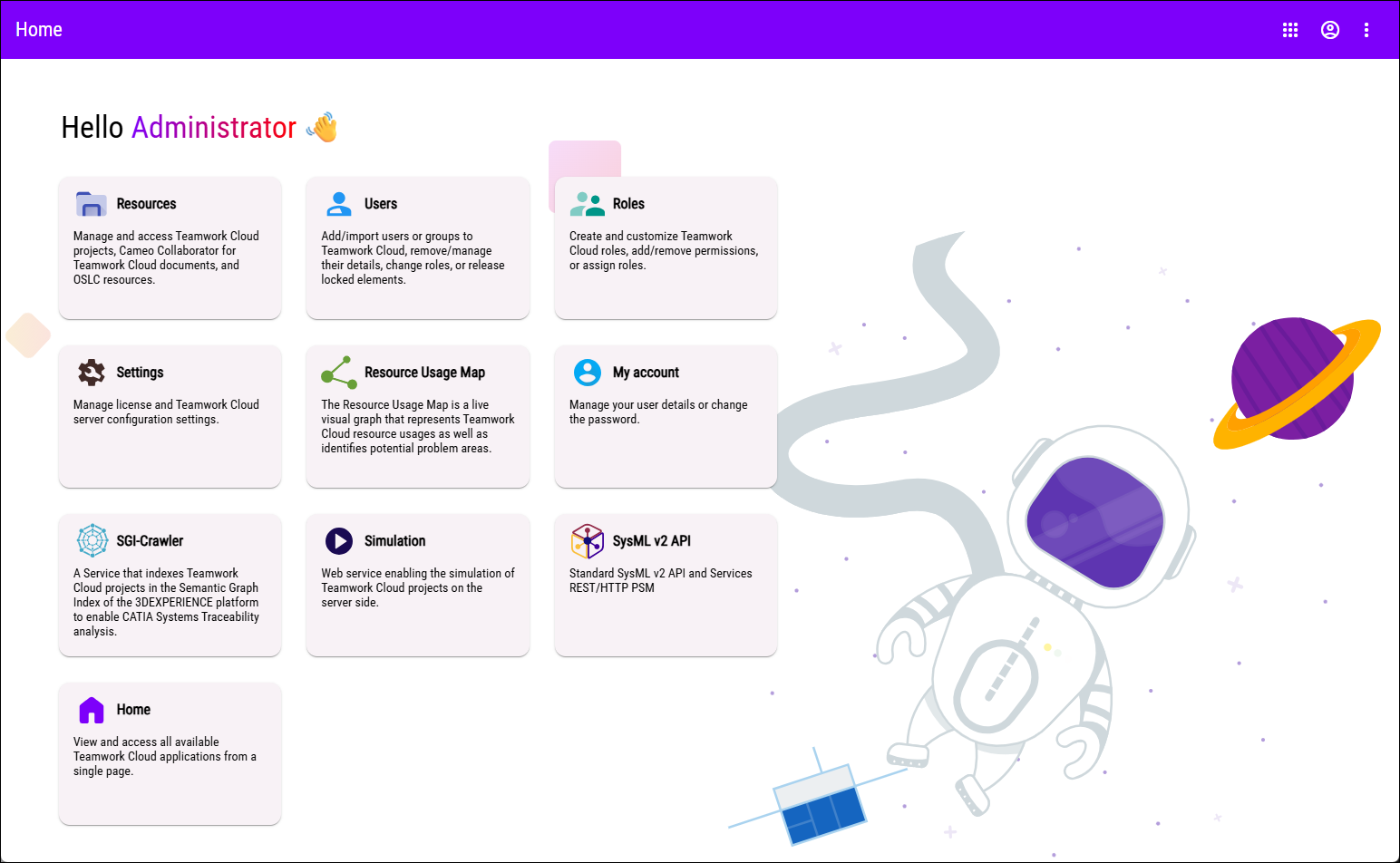
Modernized Web Application Platform home page.
Other
- A new improvement introduces automatic redirection to the configured Identity Provider’s login page when SAML is the only authentication option available on the authentication server login page. This addresses a common customer request for a more streamlined login experience.
Cameo Collaborator
New Reading Mode in Collaborator
A new Reading mode has been introduced in Cameo Collaborator to provide a focused, distraction-free viewing experience. When the Reading mode is enabled, commenting, editing, and simulation tabs are hidden, and existing comments are no longer displayed within the content. This allows users to review documents in a clean, read-only format, making it easier to concentrate on the content without interactive elements.
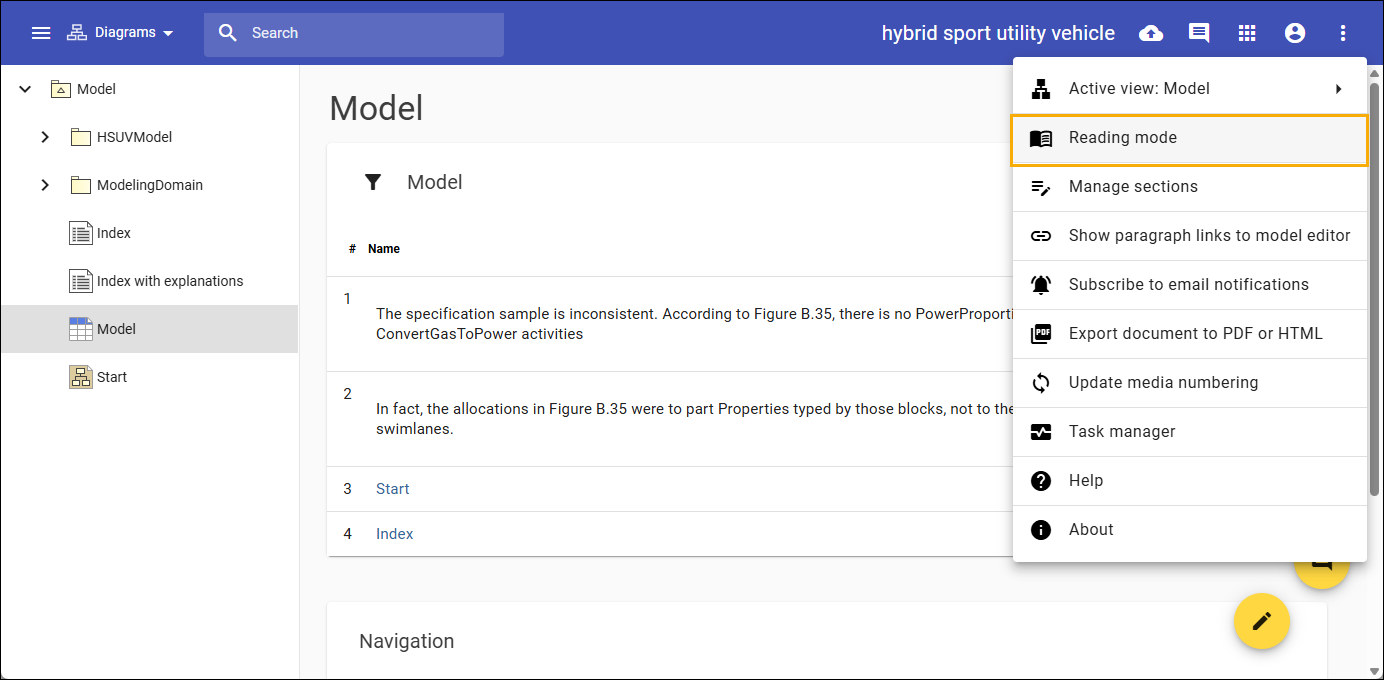
Enabling Reading mode in Cameo Collaborator.
Text Comparer in Tables
When comparing tables in Cameo Collaborator, a new “Compare texts” option is now available, enabling users to view differences directly in plain text within the table for added convenience and clarity.
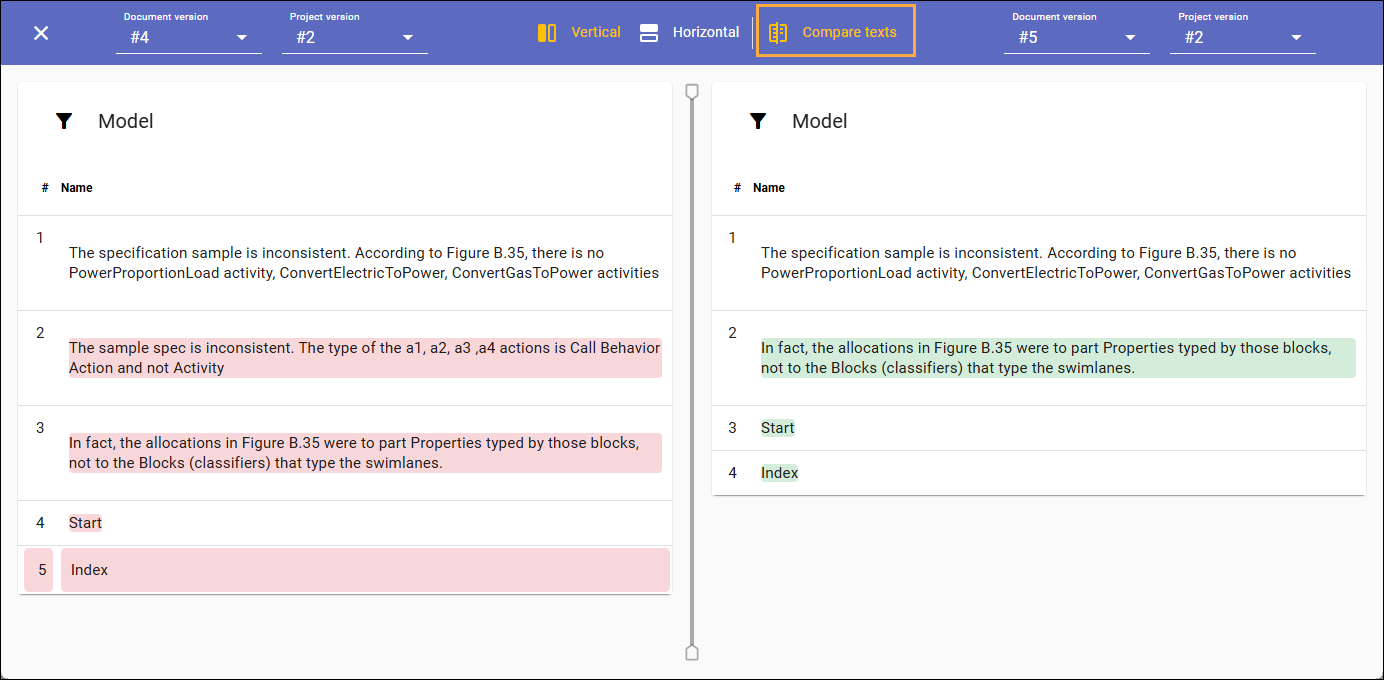
Comparing texts in a table in Cameo Collaborator.
Additional Table Export Options in Document Exporter
PDF export has been enhanced with the ability to automatically generate a Table of Figures, Table of Diagrams, and Table of Tables, providing improved document structure and navigation.
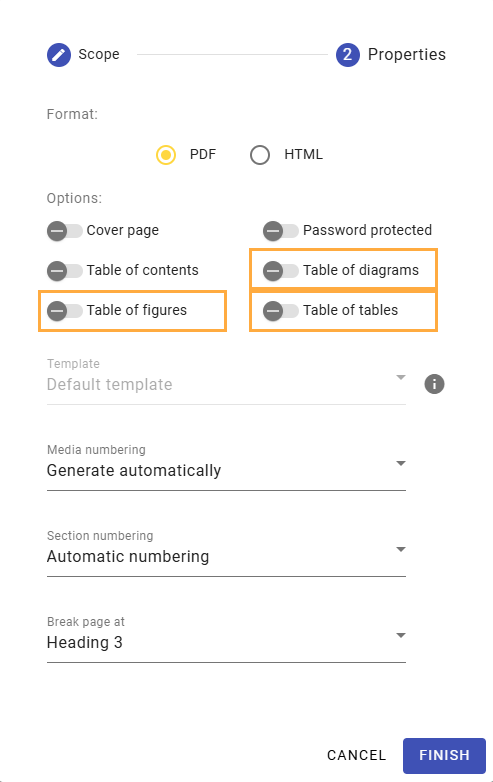
New Document Exporter options.
Authentication Using Personal Access Token
When publishing documents from the command line, you now have the option to use your personal access token instead of your username and password. This increases security as you do not have to input your data in plain text and eliminates the need to update the properties file in case your password changes.
Other
Zooming in Cameo Collaborator is now smoother for a better viewing experience.
- It is now possible to edit the To Do property directly in Cameo Collaborator.