Cameo Collaborator for Teamwork Cloud
Released on: July 7, 2023
Cameo Collaborator for Teamwork Cloud introduces powerful enhancements that provide greater flexibility when contextualizing documents. With the ability to create and manage document sections, you can now easily add explanatory texts and images anywhere in your document. Furthermore, the document export capability has been improved, allowing you to customize the appearance of exported documents by adding page breaks and disabling automatic section numbering. The release also includes other improvements, such as enhanced rich text editing, improved comment filtering, and more.
Document Contextualization Enhancements
Cameo Collaborator for Magic Collaboration Studio 2022x Refresh2 presents a powerful functionality that will give you even more flexibility when contextualizing Cameo Collaborator documents. It allows you to create new document sections, which means that you can add new content, like explanatory texts and images, anywhere in a document. With this game-changing capability, enriching the published data so it could be understood by stakeholders or customers who are not familiar with modeling languages will be easier than ever. In addition, managing new sections will not be a problem: you can rename and reorder them with just a few clicks.
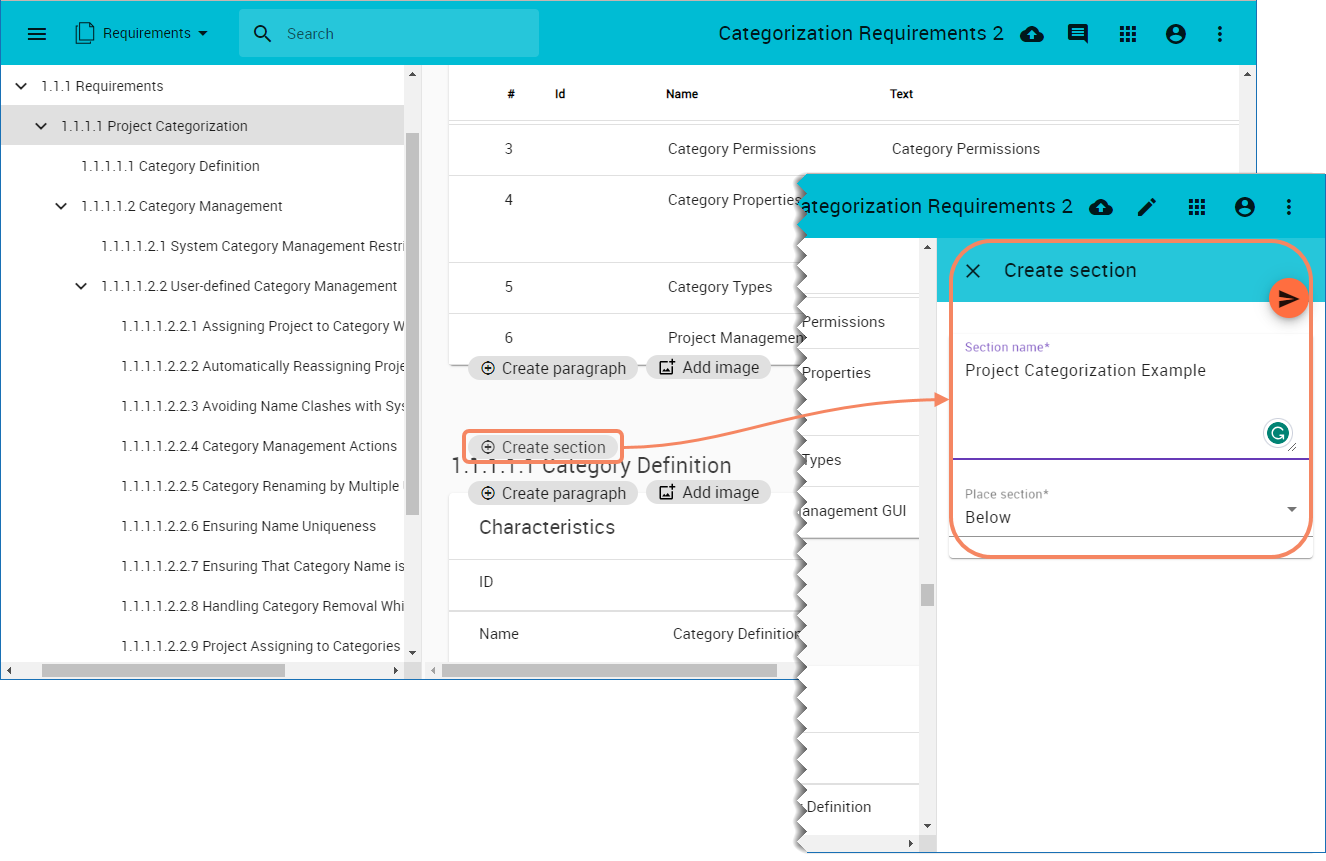
Creating document sections.
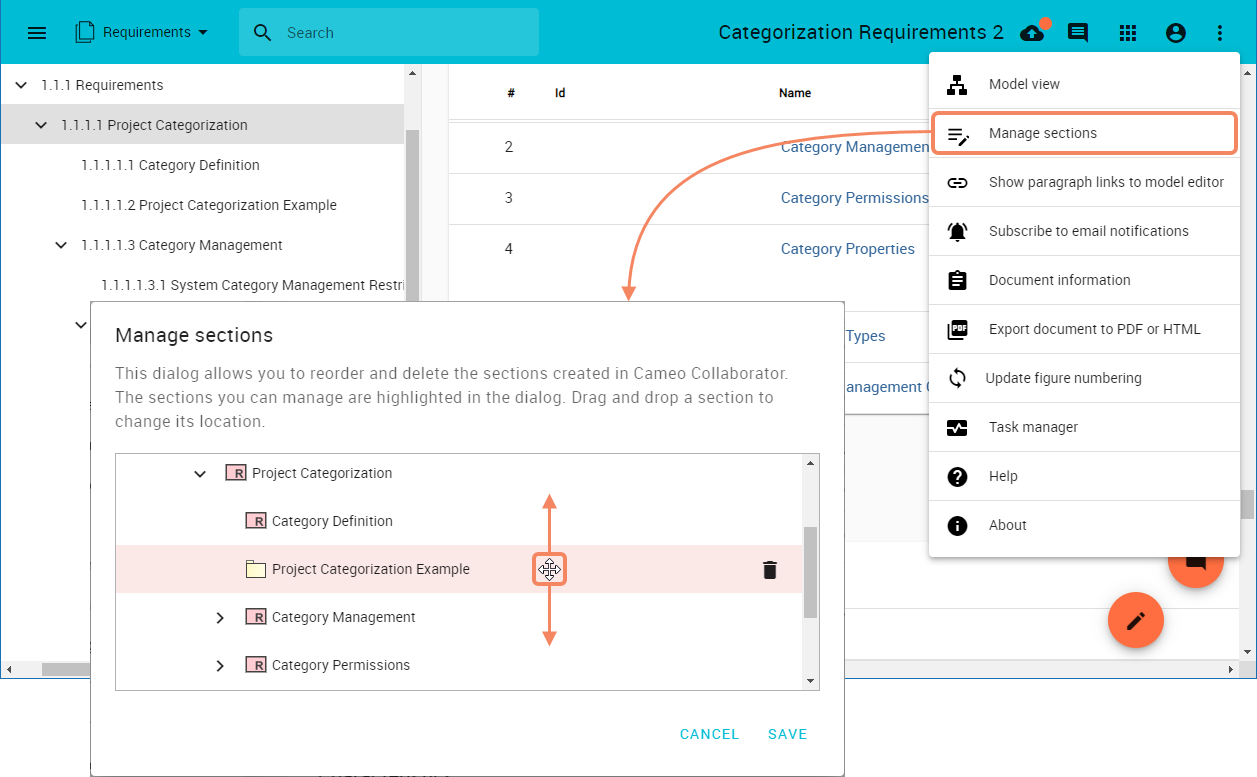
Reordering document sections.
Exporting Documents to PDF/HTML
The latest release of Cameo Collaborator for Magic Collaboration Studio introduces several improvements to the document export capability to give you more control over the appearance of exported documents:
- When exporting Cameo Collaborator documents to PDF, you can add page breaks after all sections with a specified heading level.
- When exporting documents to PDF or HTML, you can disable the automatic section numbering in the generated file. This functionality could be useful if document sections have custom numbering that you want to keep.
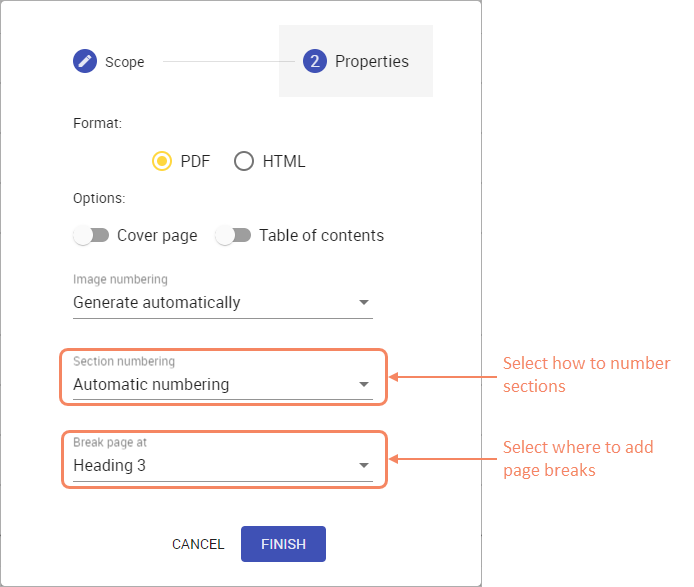
The second step of the document export wizard allows you to choose the section numbering and page break preferences.
Other Improvements
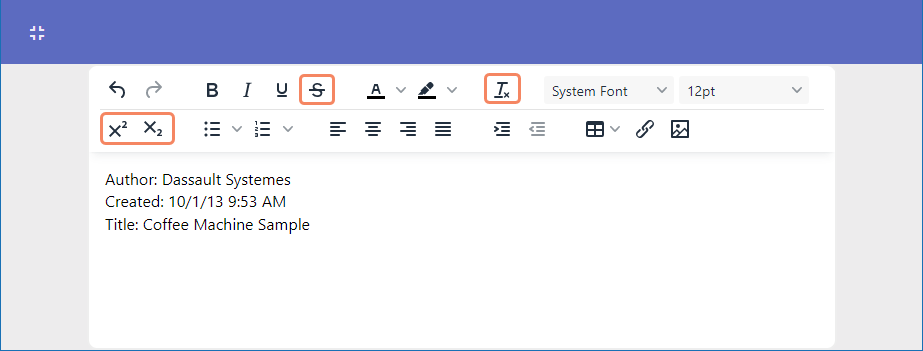
- The rich text editing window for textual properties has been updated and now includes the ability to use the Superscript, Subscript, Clear Formatting, and Strikethrough features.
- When you filter Cameo Collaborator comments by user, the user filter icon is highlighted to indicate that the filter is active. Also, the filter remains active after replying to comments.
- The new version of Cameo Collaborator for Magic Collaboration Studio allows you to simulate a model from any place in a document where the execution element is displayed. In addition, you can run multiple simulations at once, and they will be placed in a queue.
Deployment Changes
Now the access to ZooKeeper nodes can be based on Access Control Levels (ACL) for improved security. For more information about ZooKeeper access control using ACLs, refer to https://zookeeper.apache.org/doc/current/zookeeperProgrammers.html#sc_ZooKeeperAccessControl.