Cameo Collaborator for Teamwork Cloud
Released on: July 5, 2024
Version 2024x Refresh1 of Cameo Collaborator for Teamwork Cloud introduces major enhancements in commenting, PDF export, change tracking, and model hardening. Most notable improvements include the ability to create custom comment templates and a significant increase in PDF generation performance, as well as model hardening capabilities, including opening a document without publishing the project and linking Collaborator paragraphs to other model elements. For added convenience, we also introduced new document editing features, such as persisting commenting/editing mode, the ability to add a video, and a one-click saving option in Rich Text editor. But that‘s not all; we made other huge usability improvements, such as advanced comment customization options, support for diagram and table comparison, and the ability to open historical document versions.
Commenting
Cameo Collaborator now lets you customize comments by creating different comment types, such as issue, question, or comment, and adding as many additional input fields as necessary for each type. These extensions are essential to satisfy the specific needs of your project.
Ability to Customize Comments
This version includes a new ability to customize comment attributes through a Profile Diagram. Previously limited to modifying only the title, body, and urgency of comments, you now have the option to tailor additional input fields and properties to suit your specific needs.
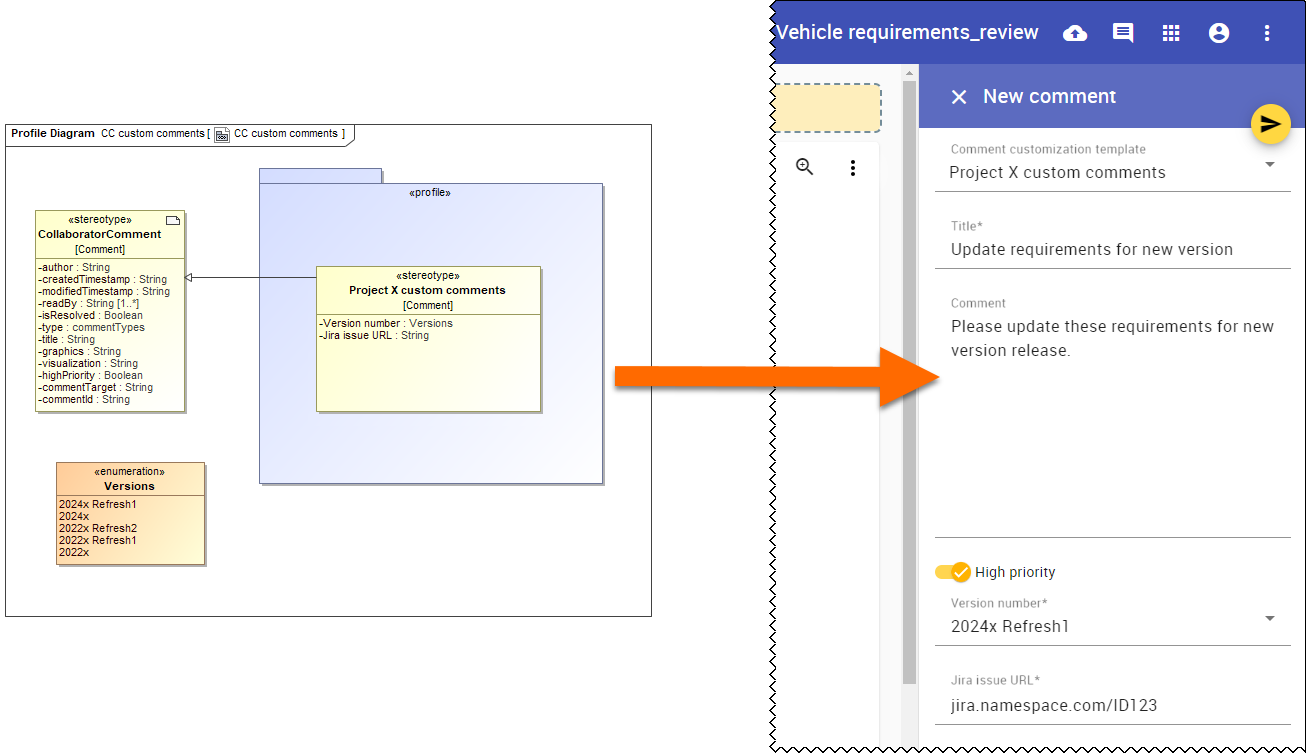
Customizing a comment template with a Profile Diagram.
Comment Table
We enhanced the comment review process in models by automatically generating a hierarchical comment table under the package that represents the document. This table is created when the very first comment is added and lists all comments, along with their priority and resolution status.
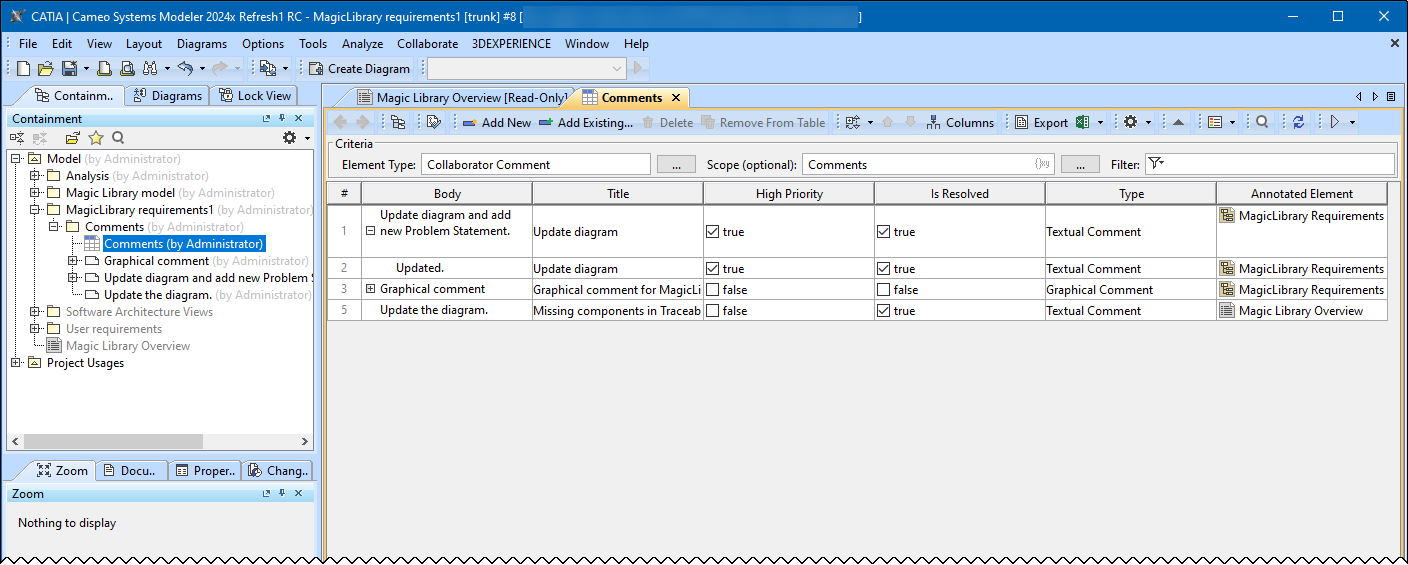
Viewing Cameo Collaborator comments table in the modeling tool.
Improved PDF Export
Significant Increase in Performance
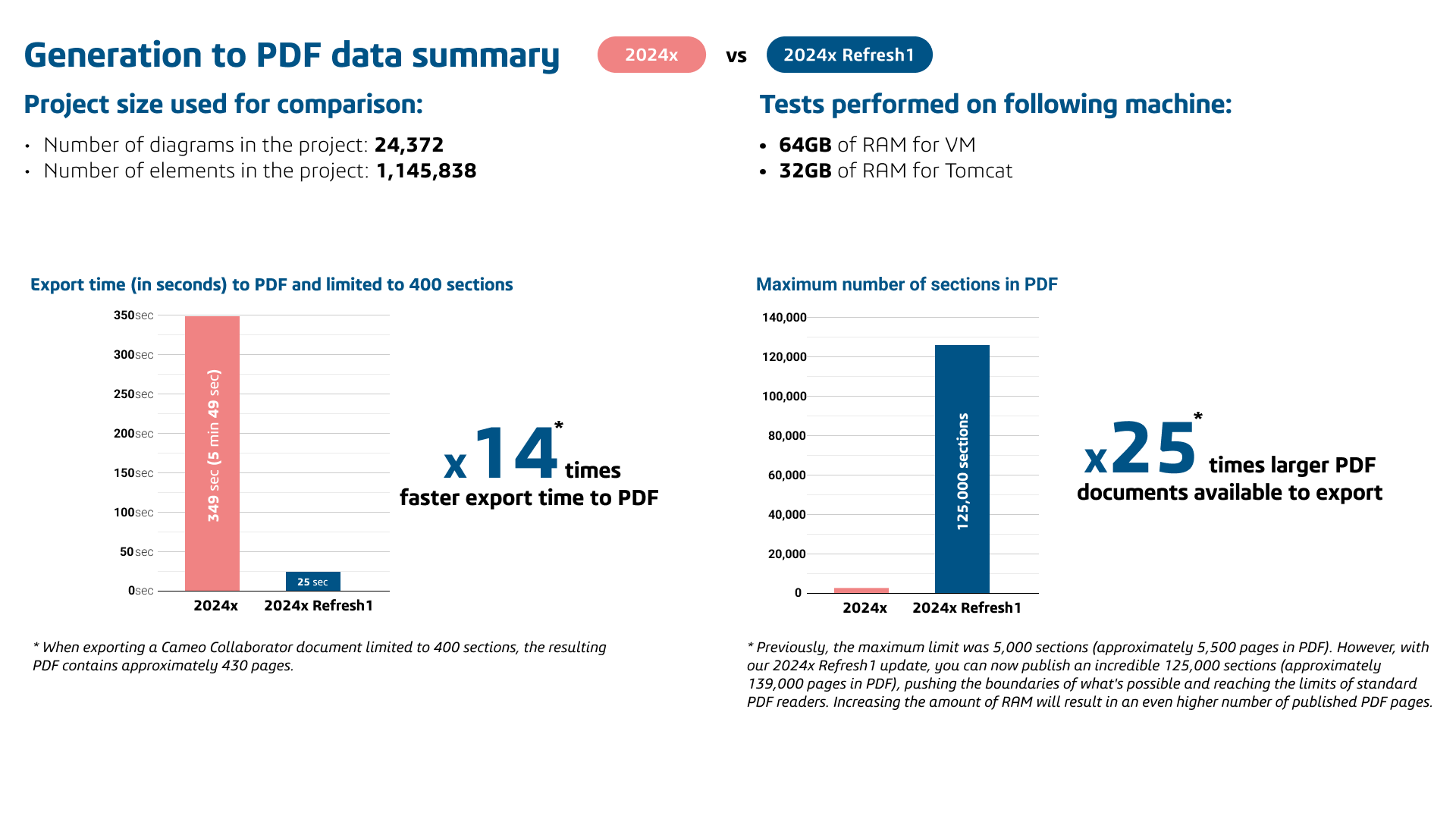
The performance of the PDF export functionality has greatly improved, resulting in much faster export times, as well as the ability to handle considerably larger documents.
Password Protection for PDFs
For added security of sensitive project information, you can now protect PDFs with a password when generating a file for export.
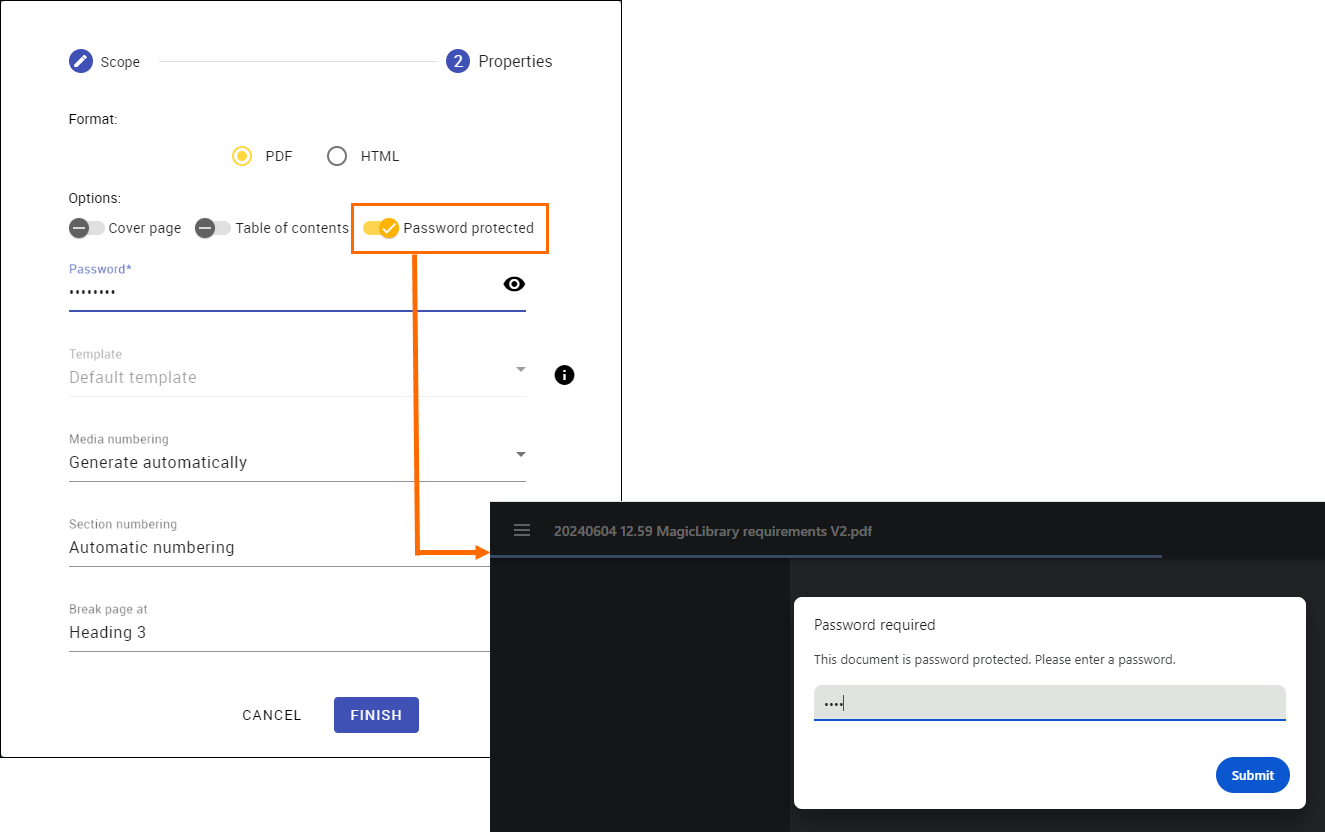
Protecting a generated Cameo Collaborator PDF file with a password.
Text Search in Diagrams
To help you manage project data more efficiently and locate specific information more quickly, we introduce the ability to search for text within diagrams in exported PDF documents.
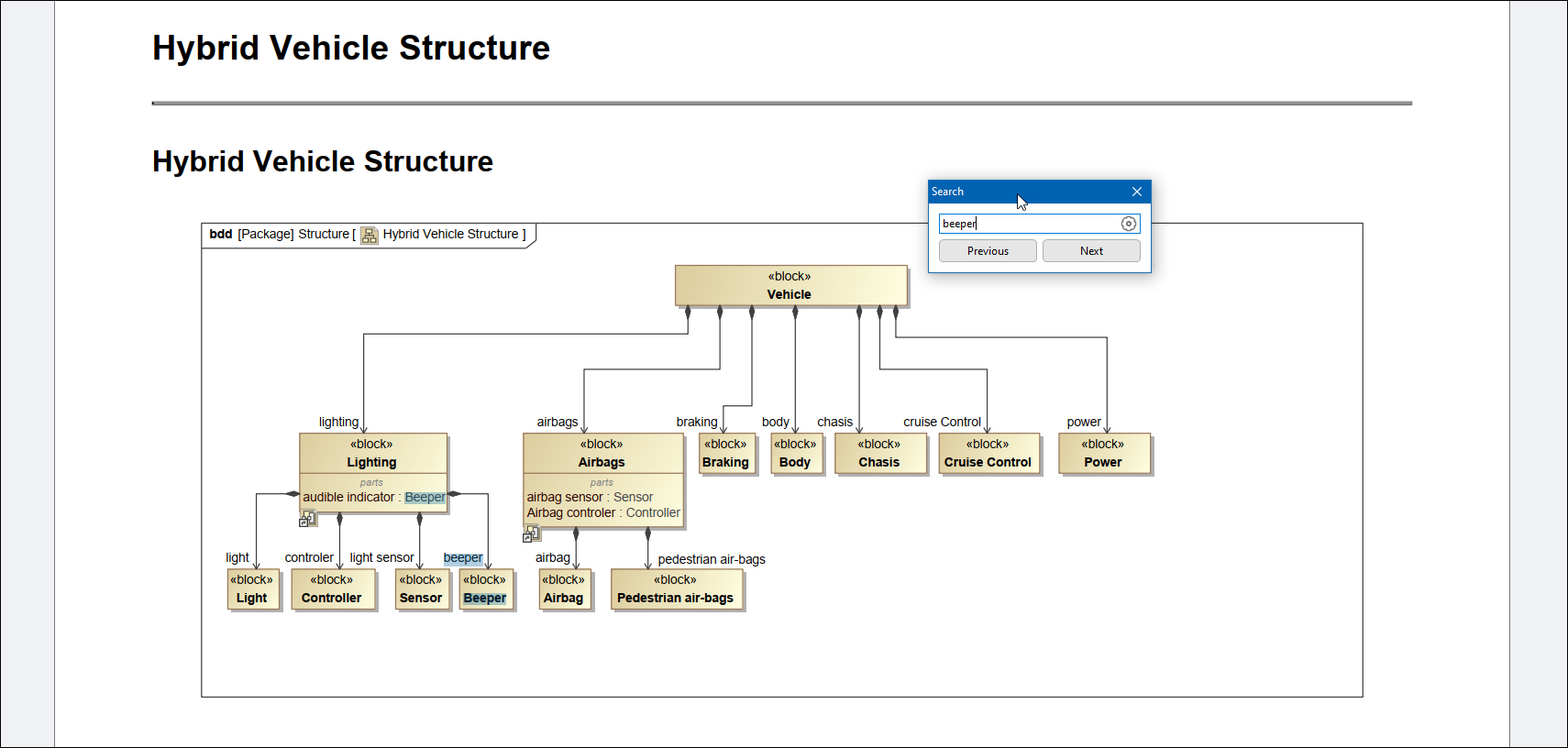
Searching for text within a diagram of an exported Cameo Collaborator document PDF file.
Exporting Section Titles as Bookmarks
Cameo Collaborator document section titles are now exported to PDFs as bookmarks, allowing you to navigate through the document with ease.
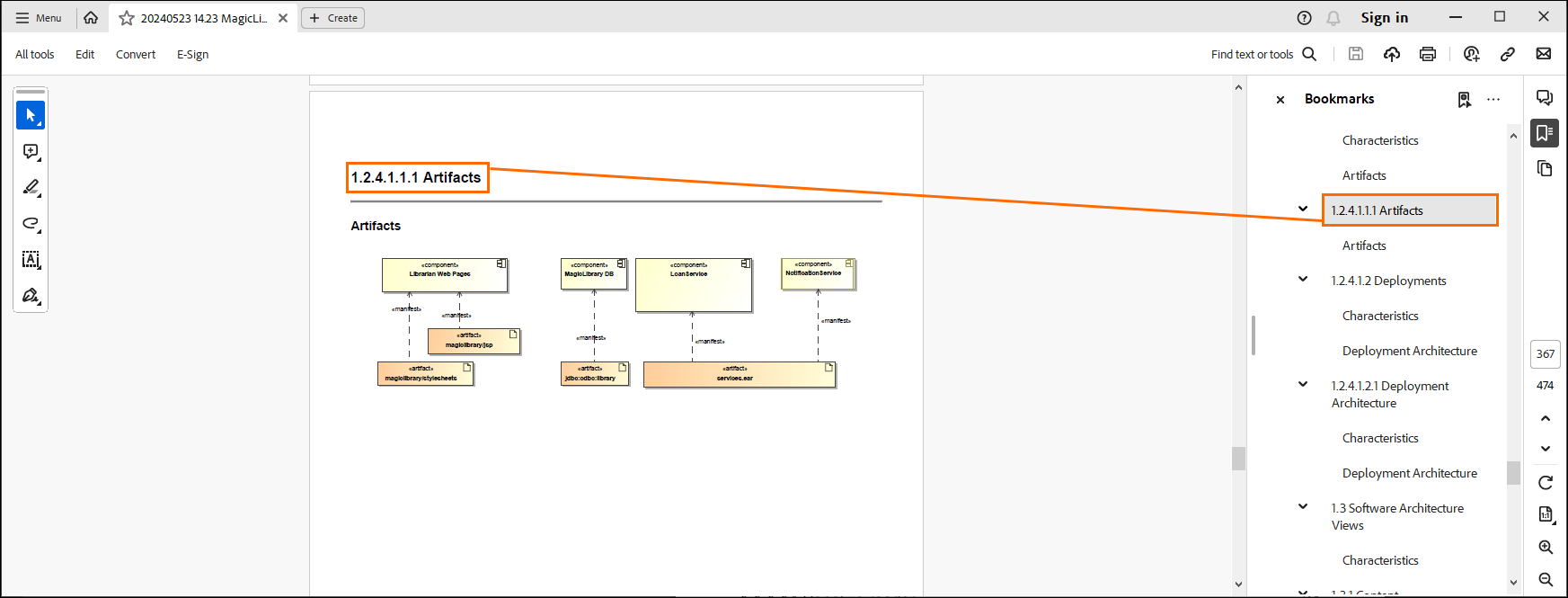
Section titles displayed as PDF document bookmarks.
Change Tracking
In response to customer feedback and critical requirements, we introduce major improvements to change tracking capabilities. You can now easily track changes in documents by opening historical versions and view what edits were made by which user at a specific time. Additionally, you can compare diagrams and tables across different versions, allowing you to understand how the model evolved, who was involved in the process, and how it led to important requirements and architectural decisions.
Accessing and Linking Historical Versions of Documents
You can access historical versions of Cameo Collaborator documents and open them in a read-only mode. This allows you to monitor content changes and make informed decisions, helping to review and improve project workflows.
Additionally, you can share a link to a specific document version. This is useful when a model has changes significant to system engineers, who can share the relevant version with others for review.
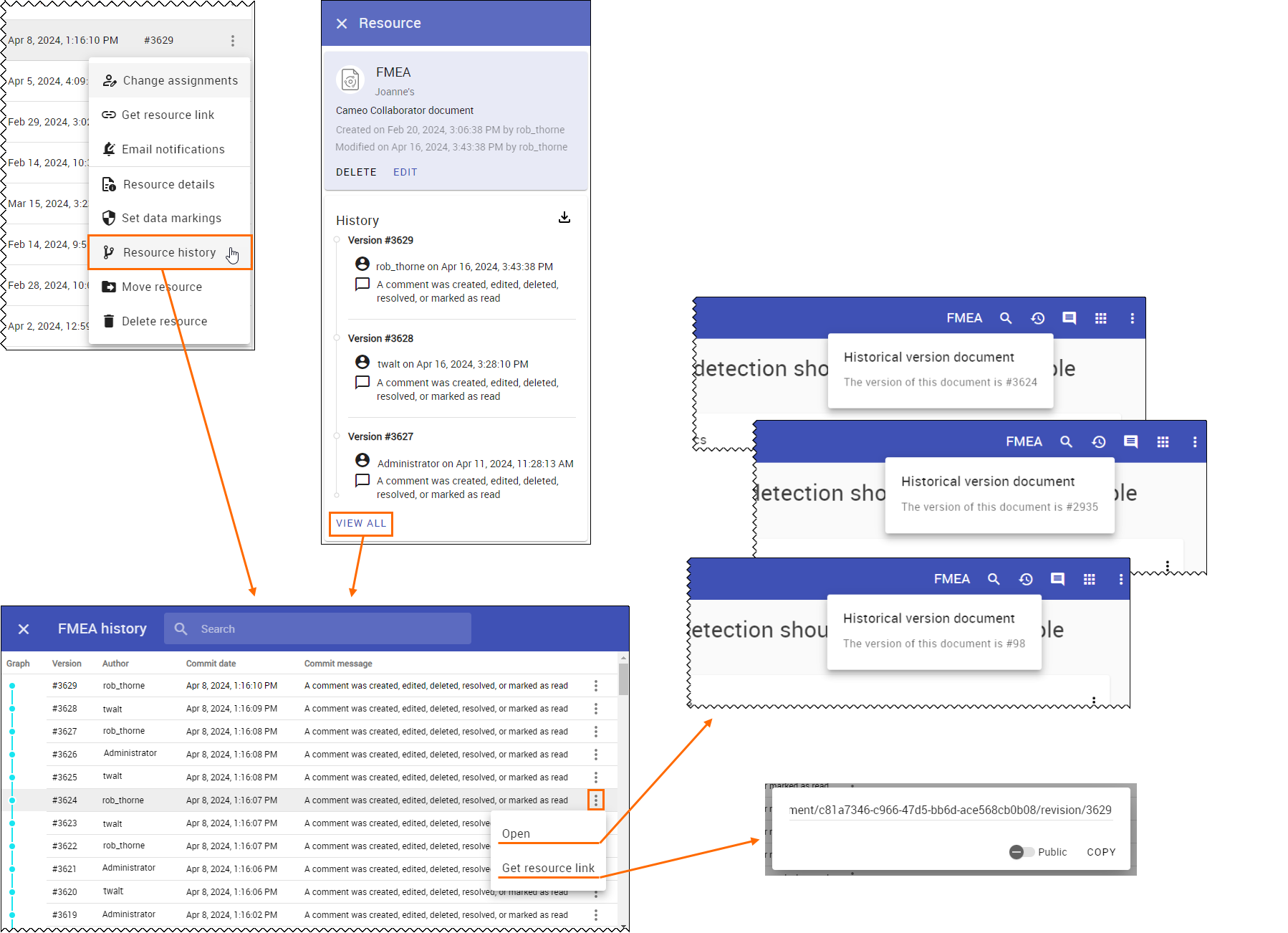
Viewing or linking a historical version of a document.
Comparing Diagrams and Tables from Different Document Versions
We implemented the ability to easily compare diagrams and tables across different versions of a document. This allows you to effortlessly track the evolution of your content and gain valuable insights into how your elements have evolved over time.
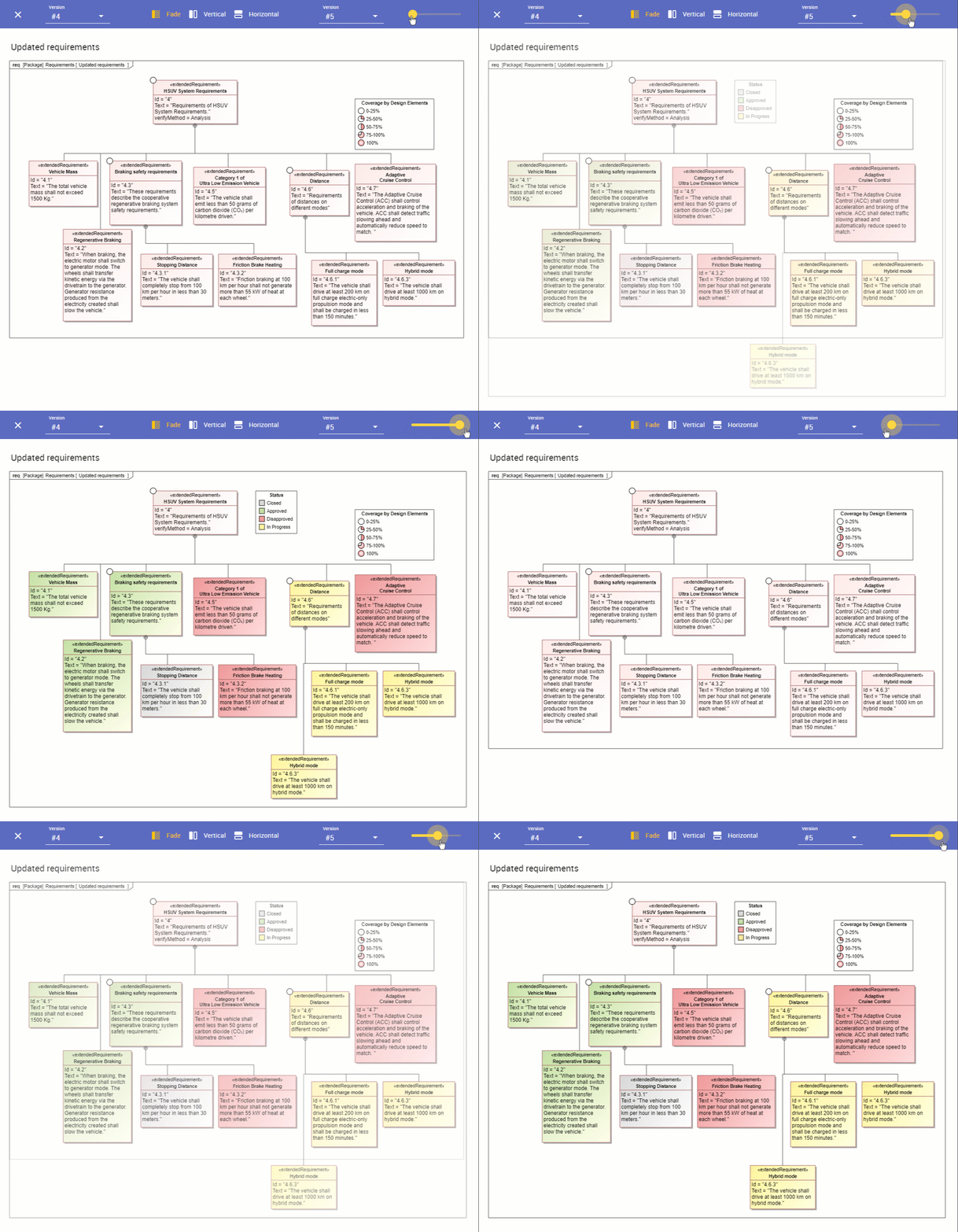
Comparing diagrams in different Cameo Collaborator document versions using Fade mode.
Model Hardening
In the initial phases of systems engineering, informal ideas often arise, necessitating lightweight capturing methods. Recognizing this need, Cameo Collaborator now enables non-modelers to easily suggest project changes in a wiki form, which engineers can then use to build models. They can input requirements or other data which modelers can then convert into SysML/UAF models.
Opening Cameo Collaborator Document Without Project Publishing
To help non-modelers share ideas more quickly and efficiently, we introduce the ability to open a Cameo Collaborator document without publishing the associated project first.
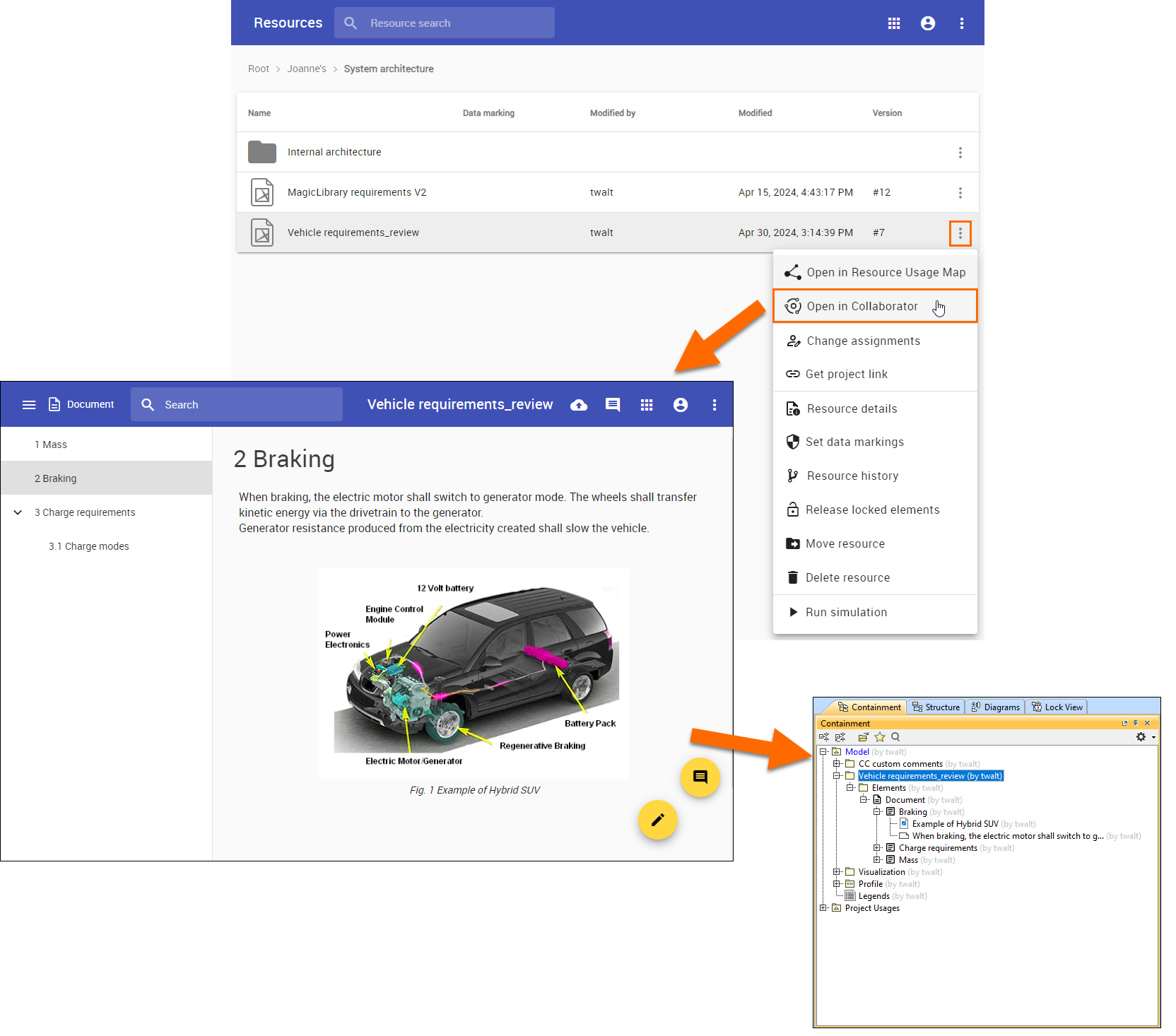
Opening a document of an unpublished project with changes reflected in the modeling tool.
Linking Cameo Collaborator Paragraphs to Other Model Elements
We now allow linking Cameo Collaborator paragraphs to model element properties of numerical or textual type. This allows you to view up-to-date information and edit a Cameo Collaborator document without the need to manipulate the actual model in a modeling tool.
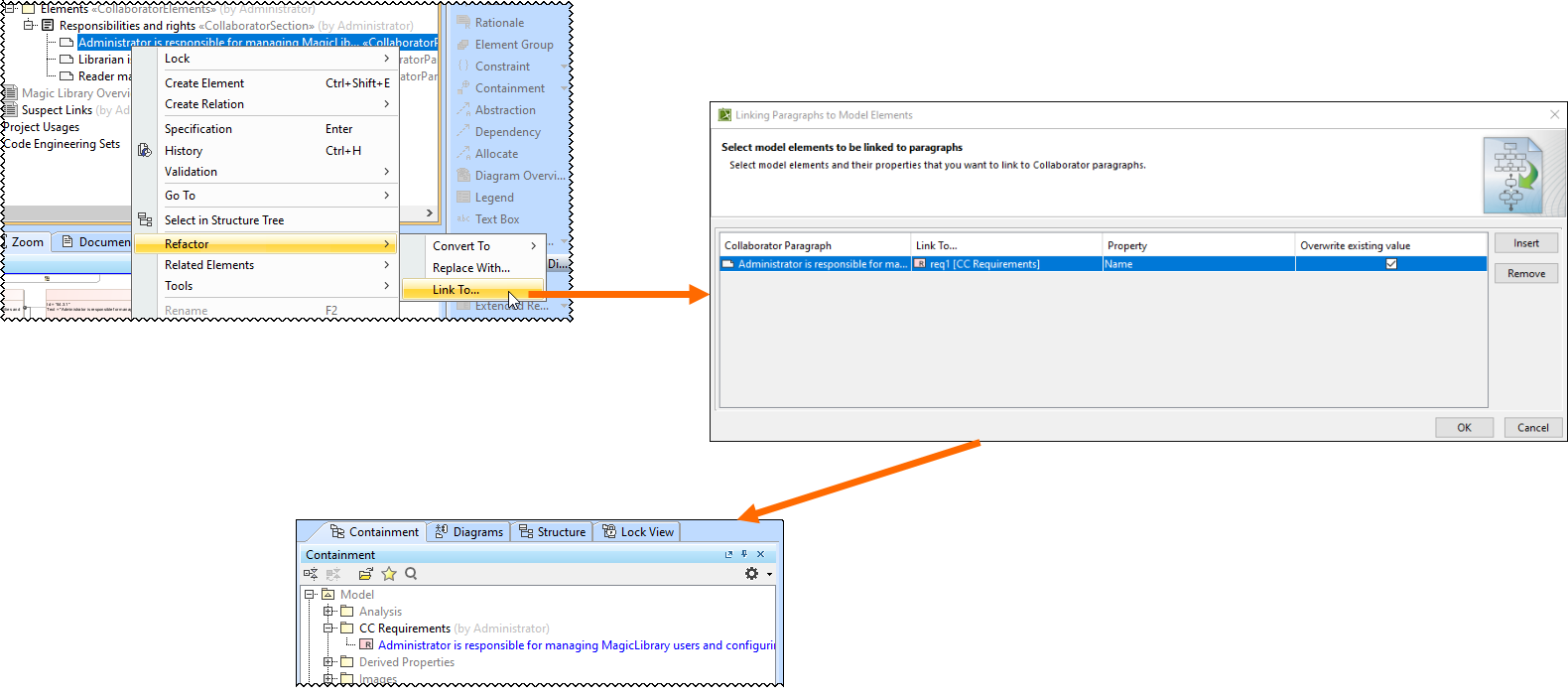
Linking Cameo Collaborator paragraphs to other model elements.
User Experience Improvements
Persisting Commenting or Editing Mode
When you enter commenting or editing mode, it will no longer close automatically after creating or editing a comment. Instead, the mode will persist until you manually close it or choose to discard/commit your changes to the server.
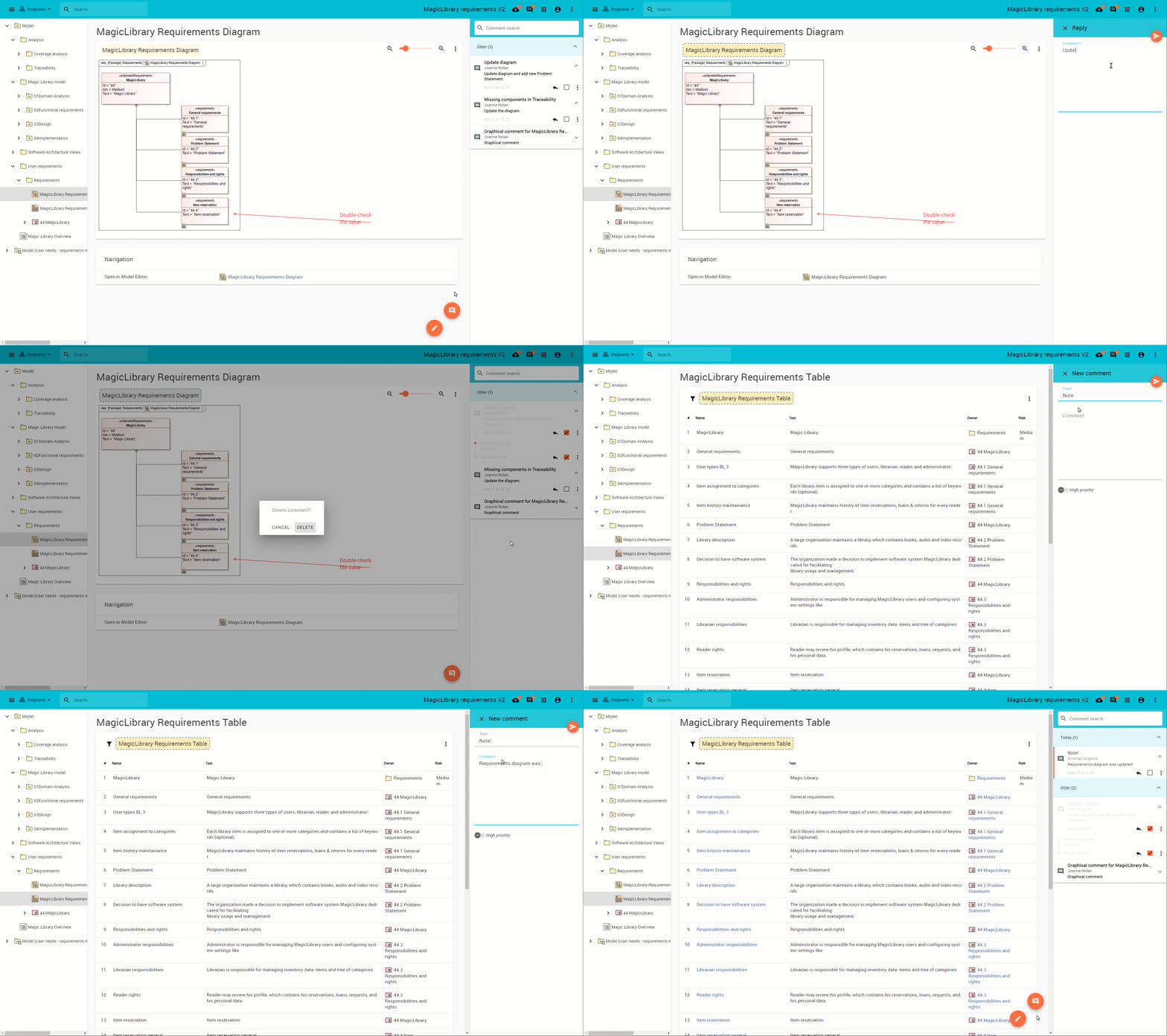
Commenting mode in Cameo Collaborator remains active when managing comments.
One-Click Saving in Rich Text Editing Form
Now you can save your edits with just one click while editing values in Rich Text Editing forms, eliminating the need to minimize the form. Introducing the Save button in the toolbar simplifies the workflow, enhancing user experience by reducing the steps required to save changes.
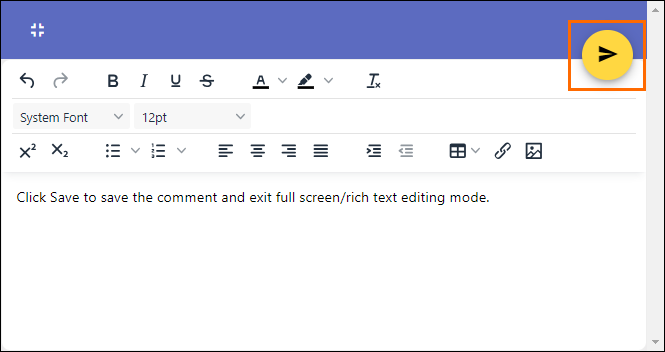
Clicking Save to save the comment and exit Rich Text editing mode.
Ability to Add Video to a Cameo Collaborator Document
You can now enrich your Cameo Collaborator documents with dynamic multimedia content by adding a video instead of a still image. This enhances communication and collaboration between teams and creates a more engaging and comprehensive experience.
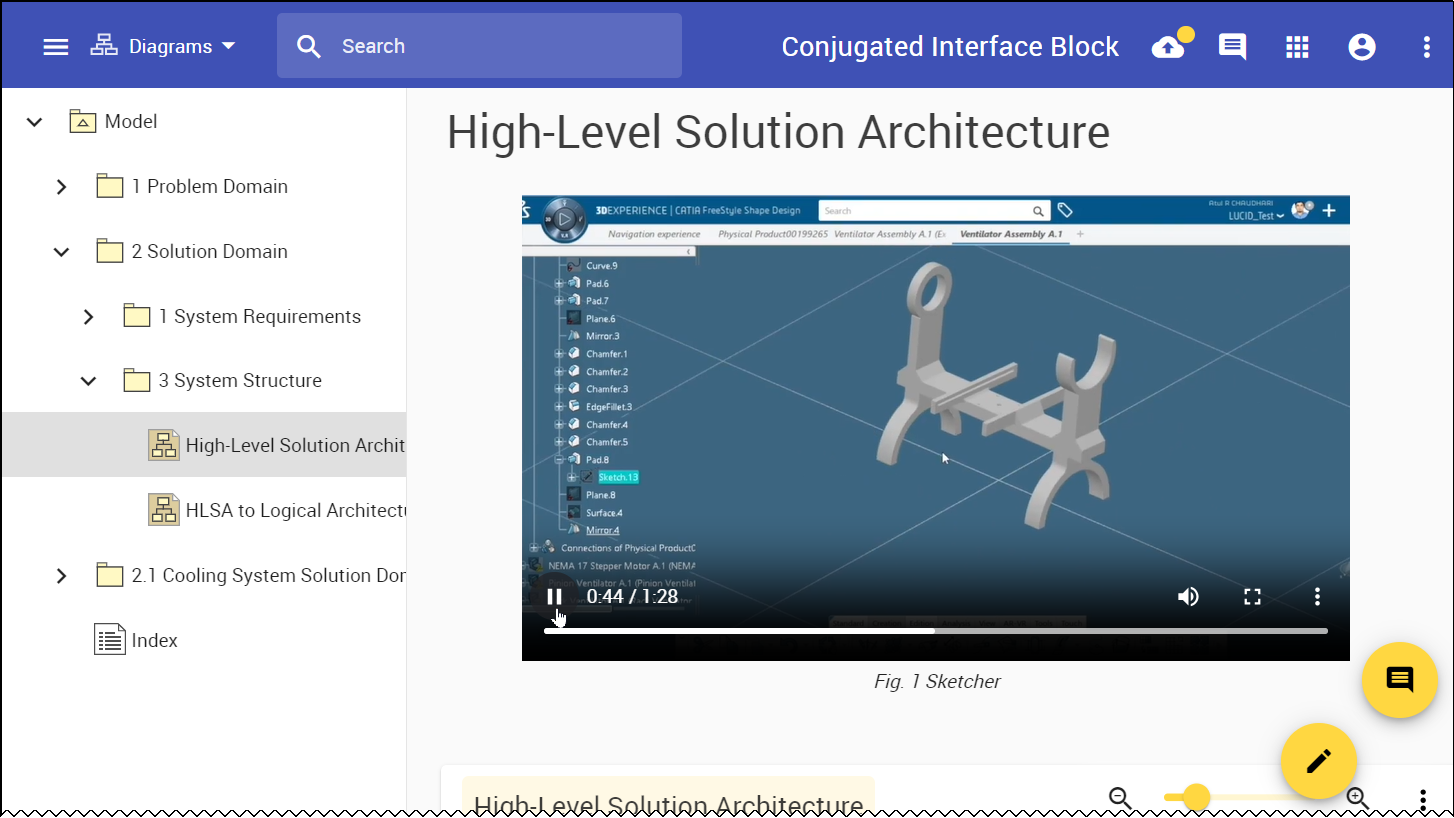
Video in a Cameo Collaborator document.
Legend Support in Non-editable Documents
Addressing customer feedback, we introduce the ability to display table legends in non-editable Cameo Collaborator documents.
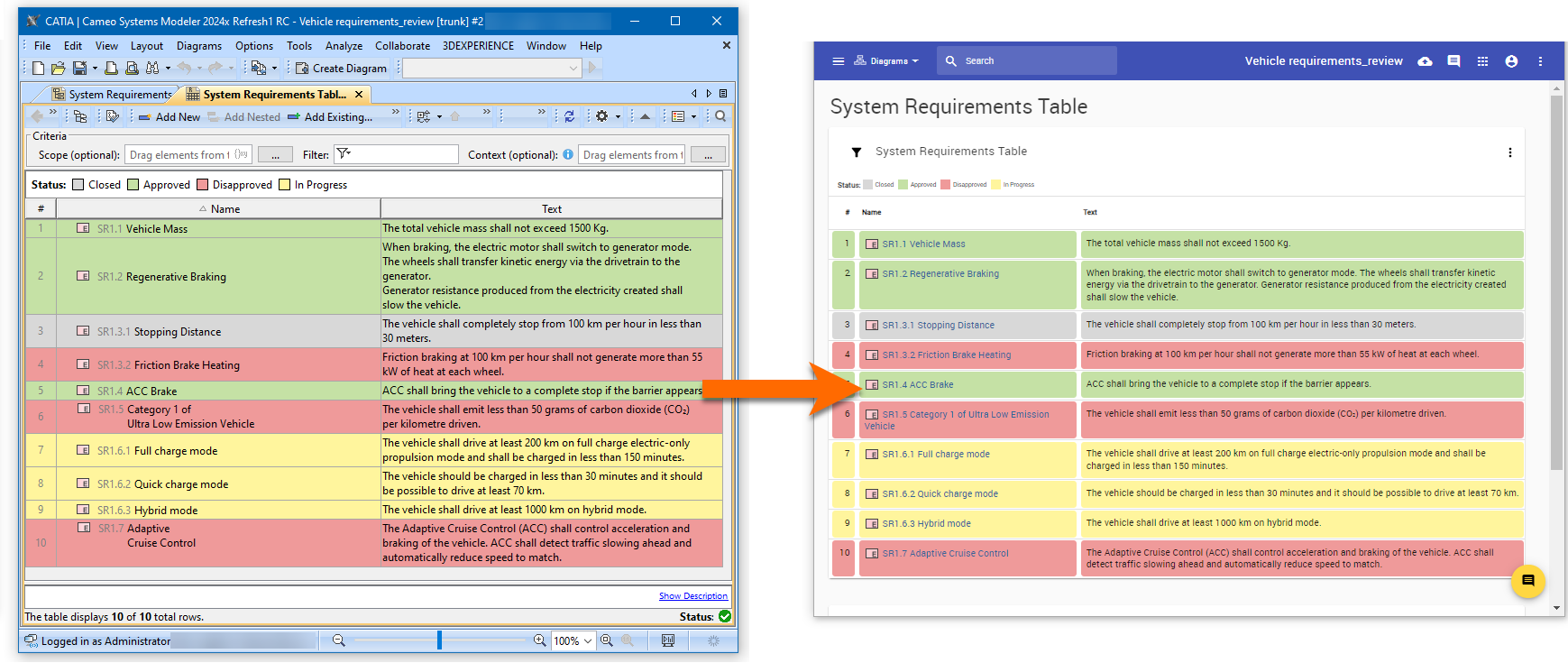
Viewing a corresponding table with its legend in the modeling tool and Cameo Collaborator.
Other Fixes/Improvements
- It is no longer necessary to specify a Cameo Collaborator URL in modeling tool Environment options, as the URL is retrieved automatically.
- Minor usability improvements in the Comments panel in modeling tools.
- You can now set up a redundant three-server configuration for Flexnet License Server.
- We added the option to export tables to CSV and JSON formats in addition to PDF and HTML.
- Users are now informed about a possibly outdated Cameo Collaborator document if the project it was published from has a newer version.
- SLF4J was removed and Log4j is now used for logging.