The global element usage search allows you to check the usages of elements . This makes it The command is only available for the elements in an open (main) project. You cannot execute it if: - the selected element is from a Used Project
- the selected element has not yet been committed to the server
- multiple elements are selected
To find element usages
- Do one of the following:
- In the Containment tab, right-click an element and select Related Elements > Used by in Server.
- On the diagram pane, right-click an shape and select Related Elements > Used by in Server.
The element usage search results panel opens with a list of server projects that use the selected element: 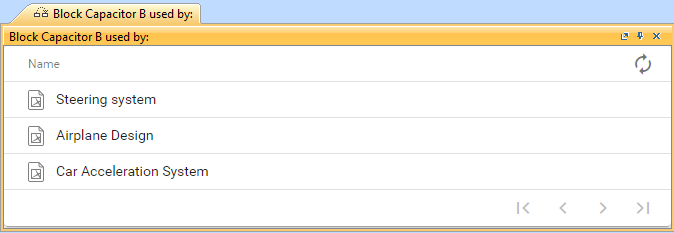
or example, if an element is used in the historical version but is no longer in use, it is not displayed in the element usage search results panel. |
If you see a warning message (see below), it means that you do not have permission to read the project(s) using the element you performed the usage search for. 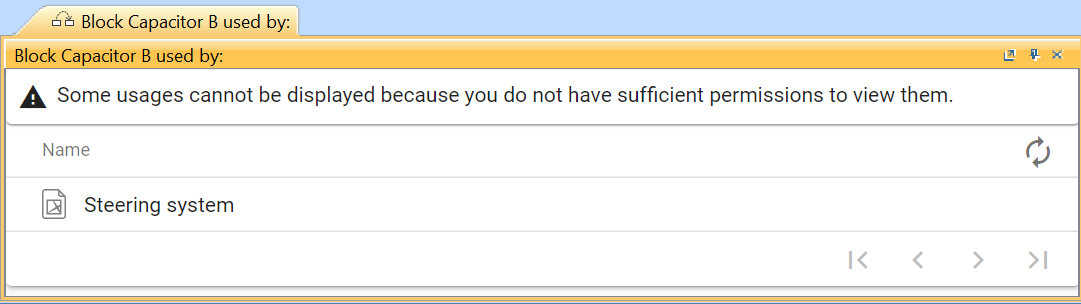
Press the Refresh button  to see the latest information on element usage. to see the latest information on element usage. |
2. Select a project to see a list of project branches and versions that use the element. 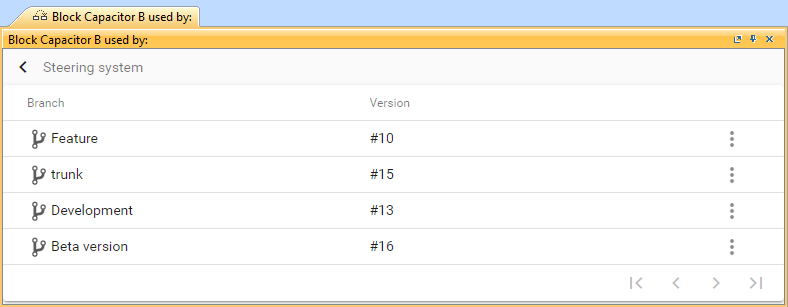
Press Actions  > Open project to open the specific project branch that uses the element. > Open project to open the specific project branch that uses the element. |
3. To investigate element usage , select a specific branch. This shows usage details at the element level: 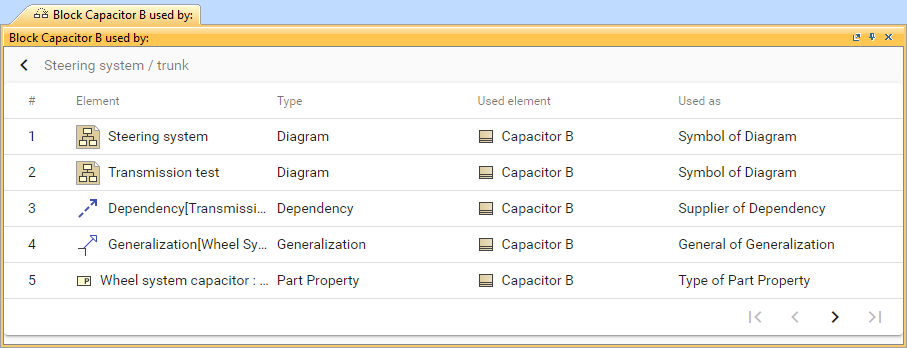
|