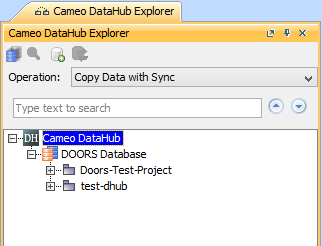
The DataHub Explorer tab has toolbar options for the following actions
You can use DataHub Explorer toolbar buttons and shortcut menu items to connect, add, or remove Data Sources. You can also use it to view drivers, Data Sources, and items of the connected Data Sources in the DataHub tree. You can also apply a filter to display only the connected Data Sources in DataHub Explorer.
To open DataHub Explorer
The DataHub Explorer tab contains the following
Related pages