button and select <<ExistenceVariationPoint>> and <<InvisibleStereotype>>. Click Apply.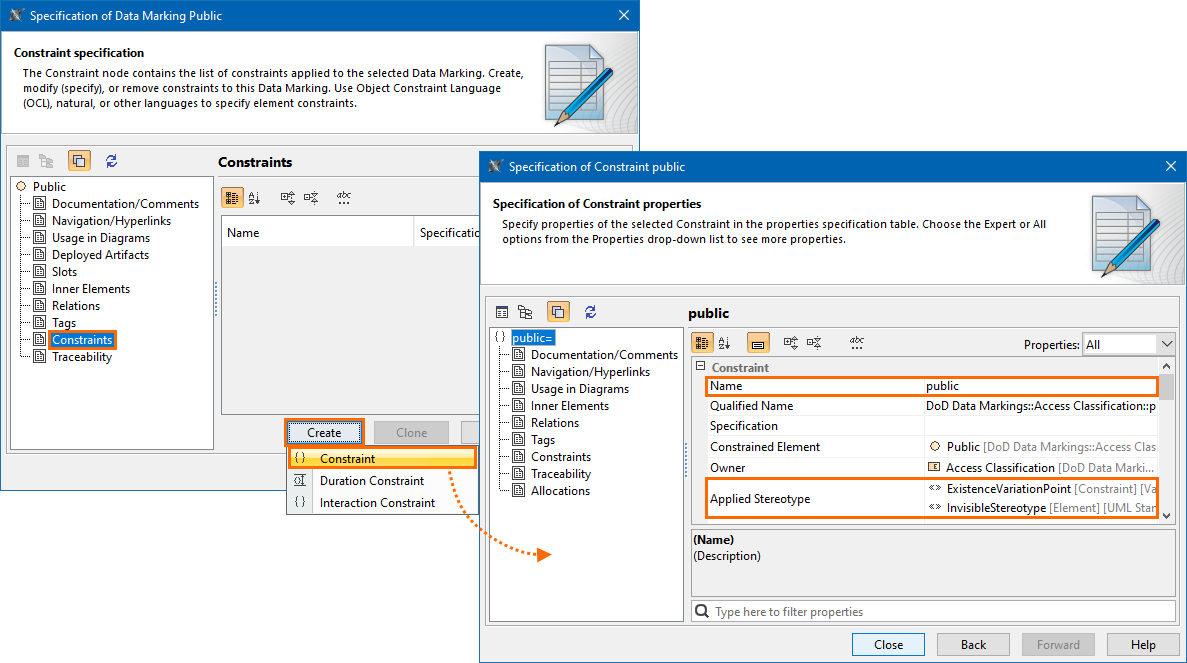
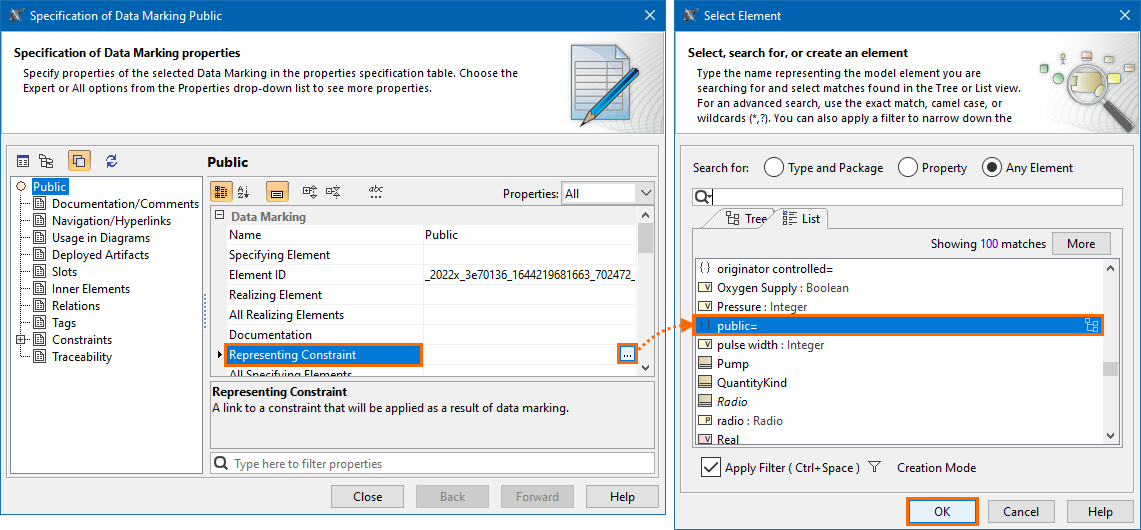
A representing constraint is a link to a constraint that will be applied as a result of a Data Marking. Each Data Marking must have a representing constraint in order for the Data Marking to be added on elements. You need to create the constraint first, in order to link it to the Data Marking element via the representing constraint property.
To create a constraint for a Data Marking
button and select <<ExistenceVariationPoint>> and <<InvisibleStereotype>>. Click Apply.To specify the representing constraint for a Data Marking
button. Select Element dialog opens.In the dialog, select the newly created constraint element. Click OK.
If you cannot see the newly created constraint element, make sure the search is specified for Any Element. You can use the search box to find the constraint element faster. |
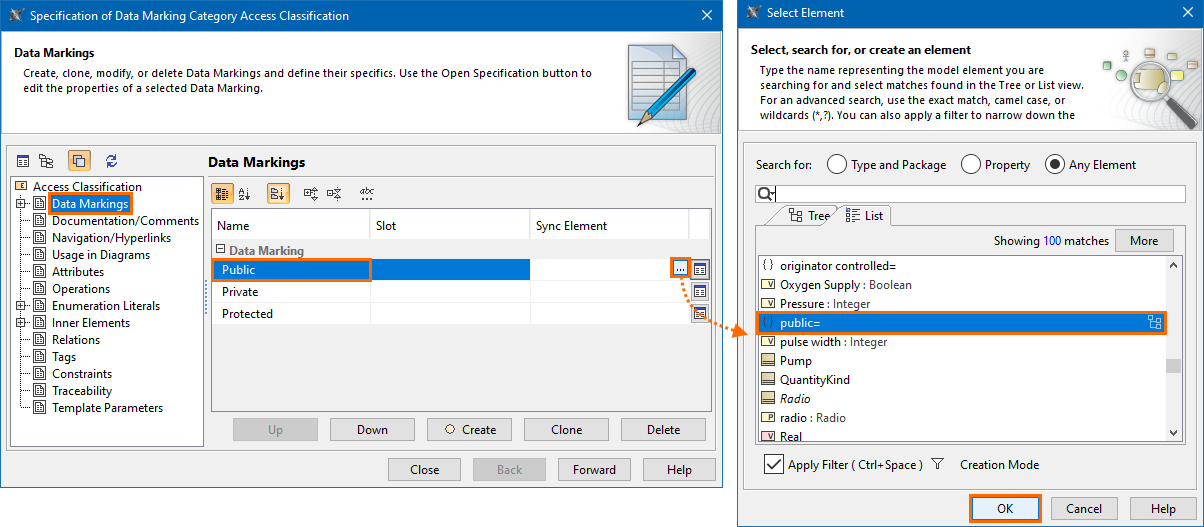
button in the Sync Element column. Select Element dialog opens.In the dialog, select the newly created constraint element. Click OK.
If you cannot see the newly created constraint element, make sure the search is specified for Any Element. You can use the search box to find the constraint element faster. |