On this page
Since model elements are usually related to and depend on other elements, you must include the necessary elements in the scope. The Model Patch mechanism does not automatically check dependencies or include them in the patch data. To avoid data loss:
For example, you have Part A that has Type B. If you want to bring Part A, you must either:
Failure to do this will lead to data loss, as Part A will be created without a type. |
Creating a model patch
To create a model patch
- Open the source project.
- Do one of the following:
- Select Tools > Patch > Create Patch...
- Right-click an element in the Containment tree and select Tools > Create Patch.
- Select the elements you want to include in the patch using the Add / Remove / Remove All buttons.
Note: if you select an element that has child elements, all child elements are automatically included in the patch: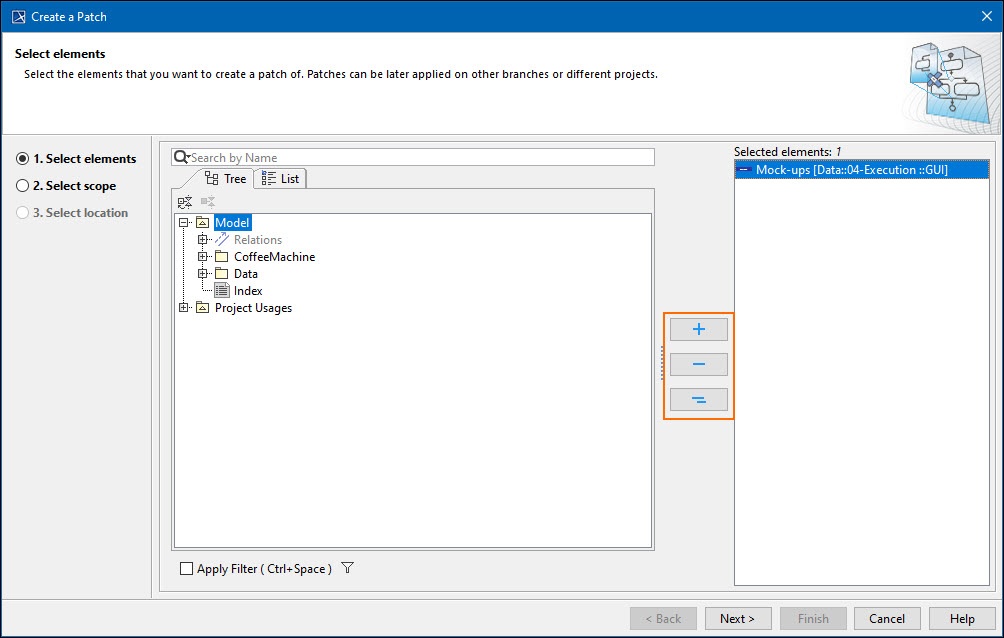
- Click Next.
- In the next step, select the type of patch you want to create:
- All selected content or
- Changes from specific version. If you choose this option, also select a project version in the dialog. All changes from the selected version, subsequent versions, and the version you are currently working on will be included in the patch.
Note that this option is only available for Teamwork Cloud projects!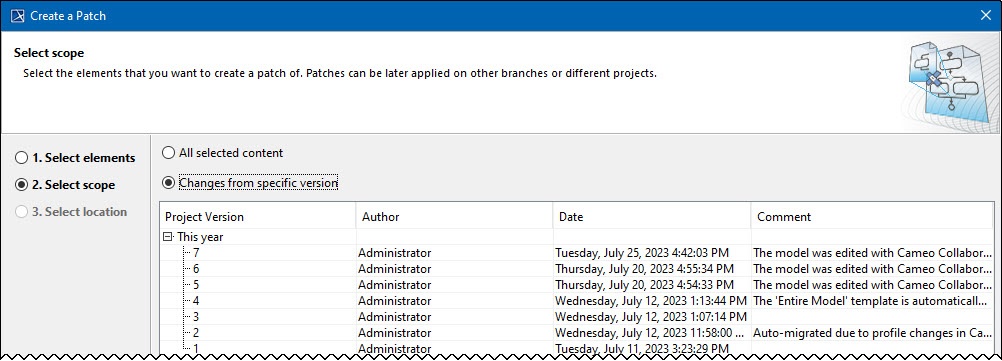
- Click Next.
- Click
 and select the location to save the patch file.
 - Click Save.
Applying model patch
To apply a model patch
- Open the target project.
- Select Tools > Patch > Apply Patch...
- Select the patch file and click Open.
- Investigate the patch results.
Patch applied successfully: if the dialog shows this message, it means all changes from the patch were successfully applied. The results you see depend on the type of patch you applied.
If you see a warning (i.e., The patch has been applied, but some changes could not be applied. You can review changes that could not be applied.), see the error messages in the Notification Window.
The technology preview version of Model Patch may show similar errors: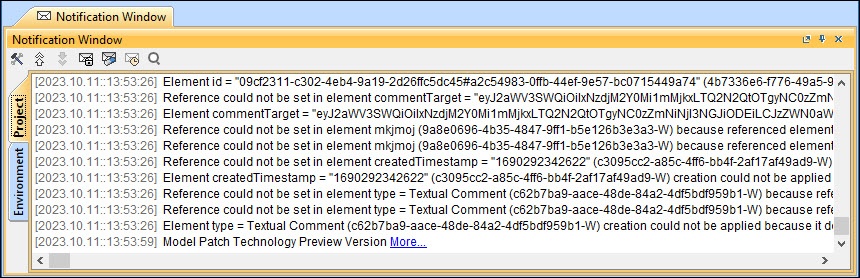
To avoid these errors, remember to check element dependencies before creating a model patch.