Before adding the JAMA Connect data source, you need to add the JAMA Connect server certificate. Make sure you have a valid certificate file before initiating the certificate addition process. To learn more about adding server certificates, refer to Server Certificates

You must add the server certificate before adding the JAMA Connect data source otherwise, it may lead to a possible crash of your modeling tool.


To add JAMA Connect Data Source


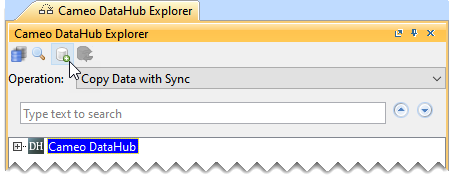
  1. In the Cameo DataHub Explorer toolbar, click the Add Data Source.


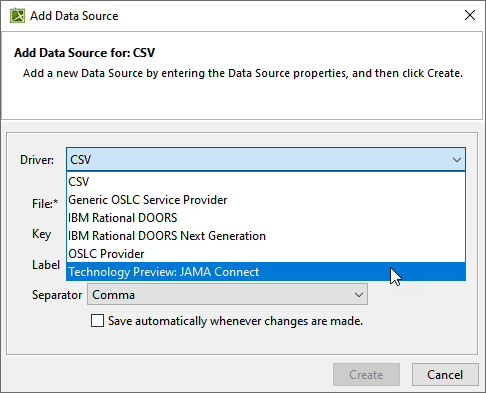
  2. In the Add Data Source dialog, from the Driver drop-down list, select JAMA Connect.


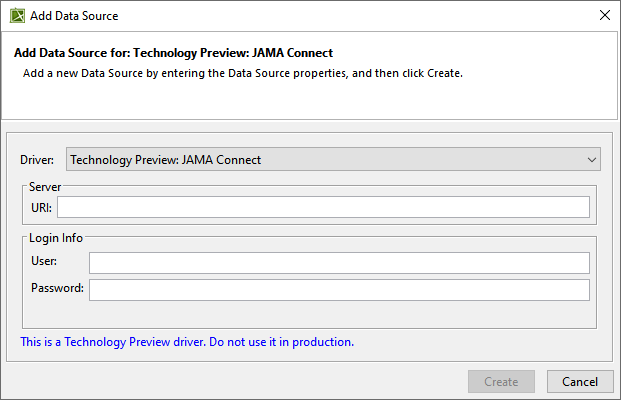
  3. Enter the server URL and login information and click Create.


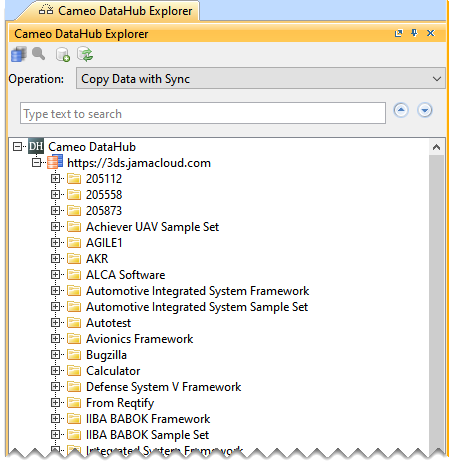
The data source is added in the Cameo DataHub Explorer panel.