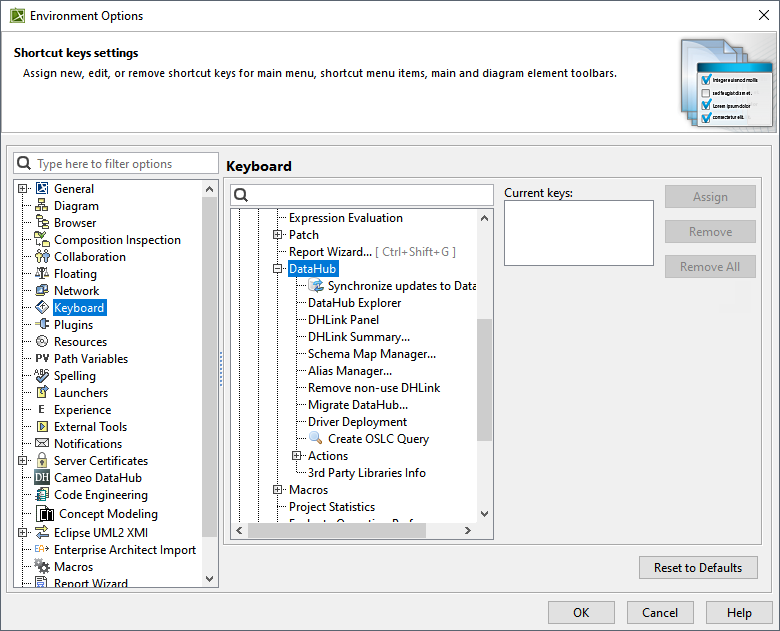
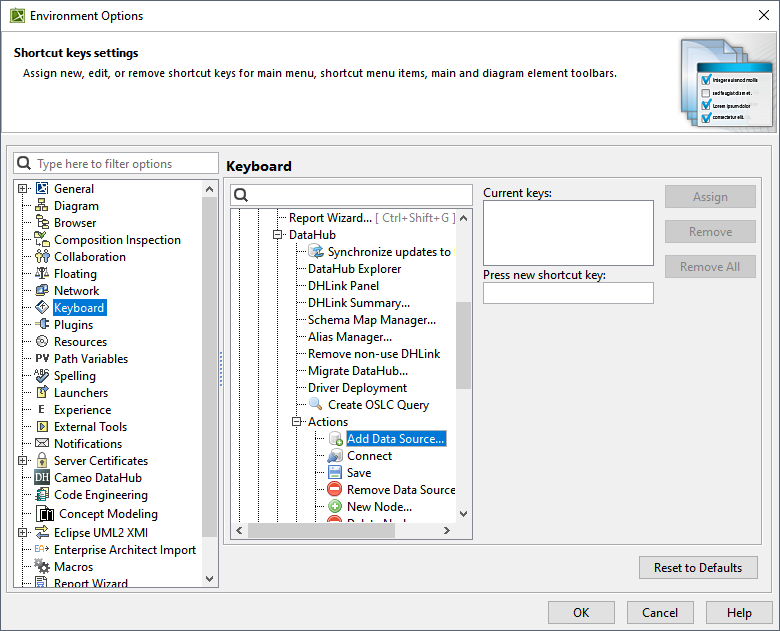
The DataHub hotkeys are available in MagicDraw®. You can define a set of hotkeys to execute particular DataHub commands as follows


To assign a hotkey to any of the available DataHub functions


  1. From the MagicDraw main menu, click Options > Environment. The Environment Options dialog opens.
  2. On the left-hand side, select Keyboard. From the expandable list, select DataHub.


  3. From the expandable list, select the function you want to create a hotkey for.


  4. In the Press new shortcut key box, click in the box and press any key or key combination (holding one or two keys while pressing another key) you want to designate.
  5. Click Assign.

If the key or key combination you have pressed has already been assigned to another function, it will display "Currently assigned to: <assigned function>" below the Press new shortcut key box. In this case, choose another key combination.