On this page
 Creating a diagram
To create an Services Connectivity diagram
- In the Containment Tree, select the Services Connectivity and do one of the following:
- From the selected package's shortcut menu, select Create Diagram > Services Connectivity.
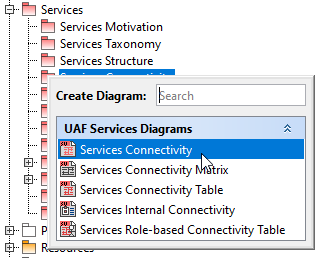
- In the modeling tool's main menu, click Create Diagram, search for Services Connectivity and select it.
- From the selected package's shortcut menu, select Create Diagram > Services Connectivity.
- Name a diagram or leave it with the default name.
Creating an element
When the diagram is created, you can start creating the appropriate elements. An example is described using Service element, but the same is valid for other Service specialization elements.
To create a Service in a diagram
- In the diagram palette, click Service and then click the appropriate place on the diagram pane.
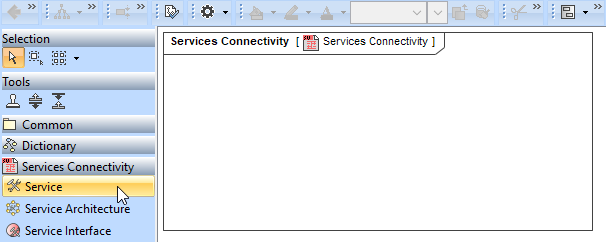
- Name the element.
To create a Service in a Containment tree
- In the Containment tree, right click the Service Structure package and from the shortcut menu, select Create Element. Search for the Service and select it.
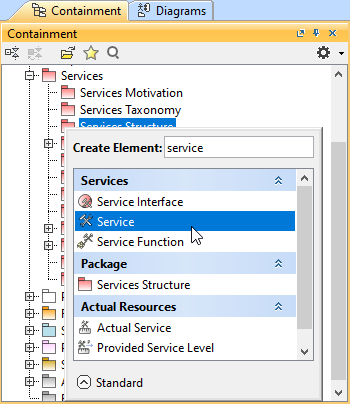
- Name the element.
- Drag the created element from the Containment tree to the diagram pane.
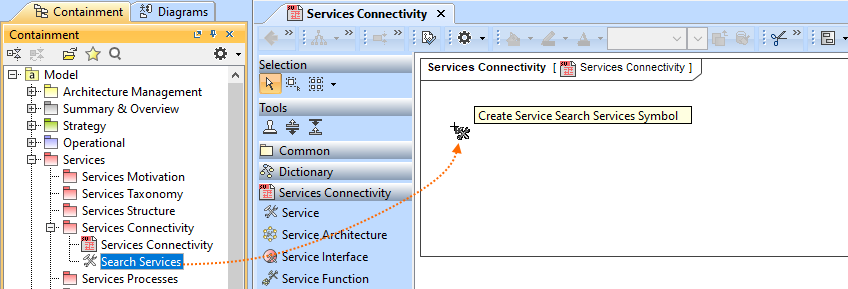
| The structure of each Service can be modeled using the Service Internal Connectivity diagram. |
To create the elements from other resources (e.g. Word, Excel, HTML)
- Copy a list in your resource.
- In a diagram, press Ctrl+V and from the Paste Special dialog, choose Element.
- From the Select Type dialog, choose Service (or other appropriate elements).
For more information about creating the elements from other resources, see Creating elements from other resources. |
A Services Connectivity view also allows you to show mappings among Capabilities and Services, Physical Location requirements, Operational Performers.
The structure of each Service can be modeled using the Service Internal Connectivity diagram.
Creating Service Exchanges
Before creating Service Exchanges, one or more exchange items should be created (e.g. Operational Information, Service Signal, Resource Performer). Then you can start creating Service Exchanges.
To create a Service Exchange in the Service Connectivity diagram
- Do one of the following:
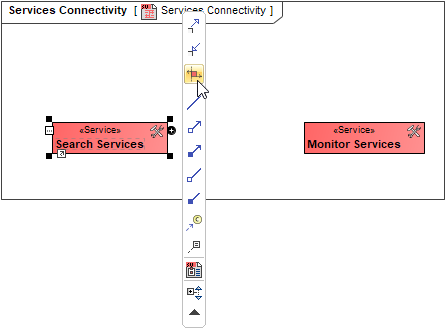
- On the diagram pane, select a Service and in the smart manipulator toolbar, click the Service Exchange button. Click another Service to connect.
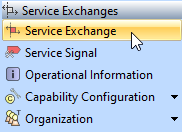
- In the diagram palette, click Service Exchange and on the diagram pane, connect Services.
The Realized Service Exchange wizard opens.
- On the diagram pane, select a Service and in the smart manipulator toolbar, click the Service Exchange button. Click another Service to connect.
Specify the Exchange Kind, Conveyed Item, and Direction.
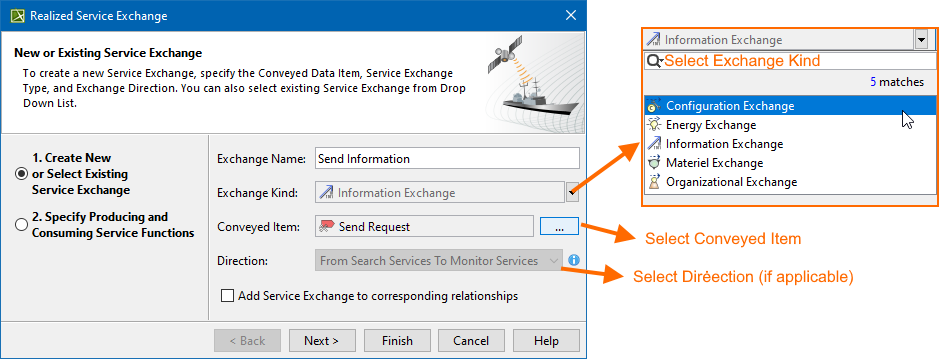
The Conveyed Item depends on the selected Exchange Kind.
- Click Next to specify Producing and Consuming Activities. (Optional)
- Click Finish when you are done.
You can use Service Exchange Manager dialog that enables you to analyze and manage the Service Exchanges data. |
Realizing Service Exchanges on Associations
When you have Services connected with an Association, there are two ways to create service exchanges:
- Opening Exchange Manager.
- Dragging the Exchange Items on an Association.
Opening the Exchange Manager
To create a new Service Exchange on the Association
- Click the Association between Services.
- In the smart manipulator toolbar, click New Service Exchange. The Realized Service Exchange wizard opens.

Specify the Exchange Kind, Conveyed Item, and Direction.
The Conveyed Item depends on the selected Exchange Kind.
- Click Next to specify Producing and Consuming Activities. (Optional)
- Click Finish when you are done.

Once an Association Relationship is created between two structural elements, all existing exchanges between the elements are visible in the Service Exchange Manager dialog.
To open a Service Exchange Manager dialog
Select an Association (also Operational Connector, Operational Control Flow, Operational Object Flow, or Operational Message) in the diagram pane.
- In the smart manipulator, click
 .
.
The Service Exchange Manager dialog opens.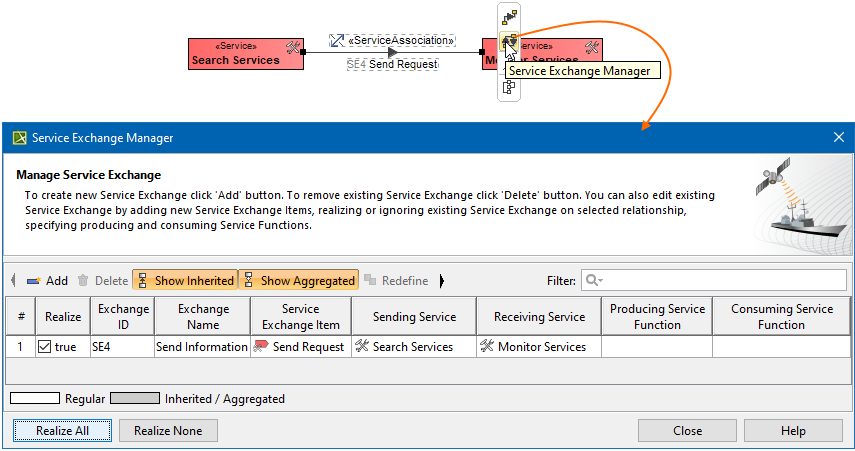
Click to select or clear the check box in the Realize column to show (realize) or hide Service Exchanges on the Association.
Dragging the Exchange Item on the Association
You can create the Service Exchanges on the Association by dragging the Exchange Elements onto the Association. When you drop the Exchange Element on the Association, the Realized Service Exchange wizard opens.
In the wizard, specify the needed information.
In the Operational Exchange drop-down list, the existing Operational Exchanges will be listed.