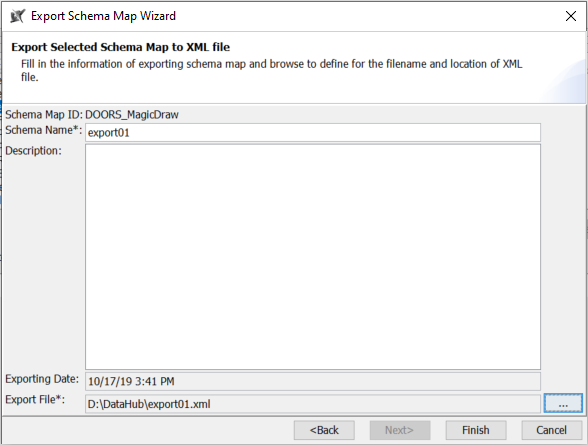
To export a schema map as a new template
- On the main menu, click Tools > DataHub > Schema Map Manager. The Schema Map Manager dialog opens. There are some properties with pre-mappings.
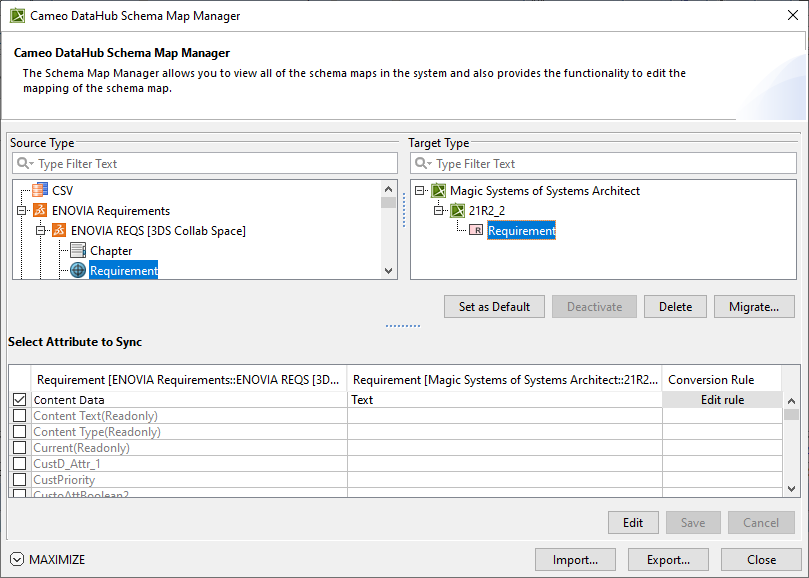
- Click Export. The Export Schema Map Wizard appears.
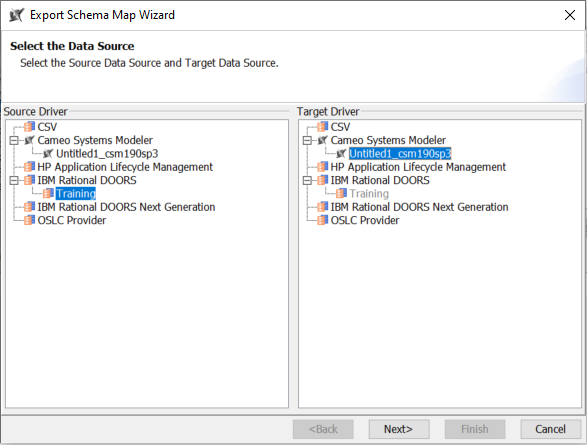
- Select the source and target driver of the map and click Next.
- Do one of the following:
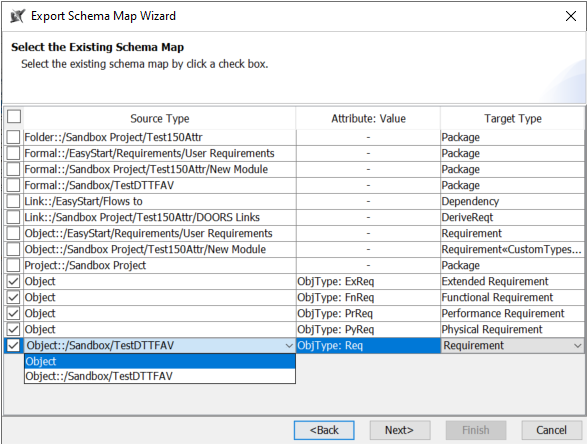
- If any maps are not attribute-defined, select the box(es) in front of the maps and click the selected map to choose the type object, e.g., DOORS, to change it to a generic type. Click Next.
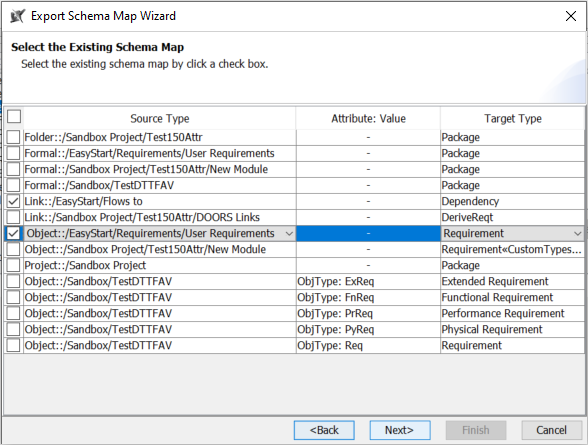
- If any maps are attribute-defined, select all the box(es) in front of the maps that contain defined attributes and click the selected map to choose the type object, e.g., DOORS, to change it to a generic type. Click Next.
- Name the schema and the exported file. Click Finish.