To use single sign-on authentication, follow the instructions provided here. |
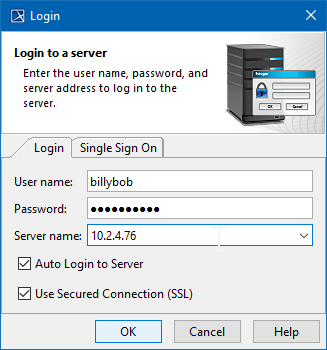
In the Login dialog, fill in the following boxes:
- To login using "username/password" authentication:
- Click the Login tab.
Type your user name and password.
- For users having a single ID and password for multiple software systems (valid only for Teamwork Cloud Server):
- Click the Single Sign On tab.
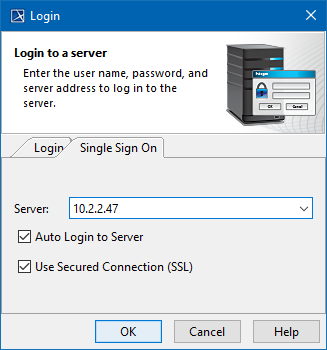
- Click the Single Sign On tab.
Provide the server name (address). If you need to specify a server port, type < server name> : <port number> , for example 10.2.2.47:3579 .
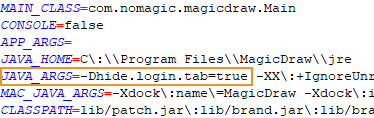
If you prefer to have only a Single Sign On login option, you can enable it by adding an argument to the properties file of the modeling tool:
|
If you need to connect to the server using the SSL connection, select the Use Secured Connection (SSL) check box.
The SSL connection must be established on both the server and the client side. |
Click OK.
Wait while you are connected to the server, and then you can start performing collaborative tasks.