

Released on: November 8, 2024
Magic Collaboration Studio
Creating Branches via Web UI
We are excited to announce a powerful new feature - the ability to create project branches directly from the web user interface! This eliminates the need for having access to a modeling tool, making it easier and faster than ever to manage your projects.
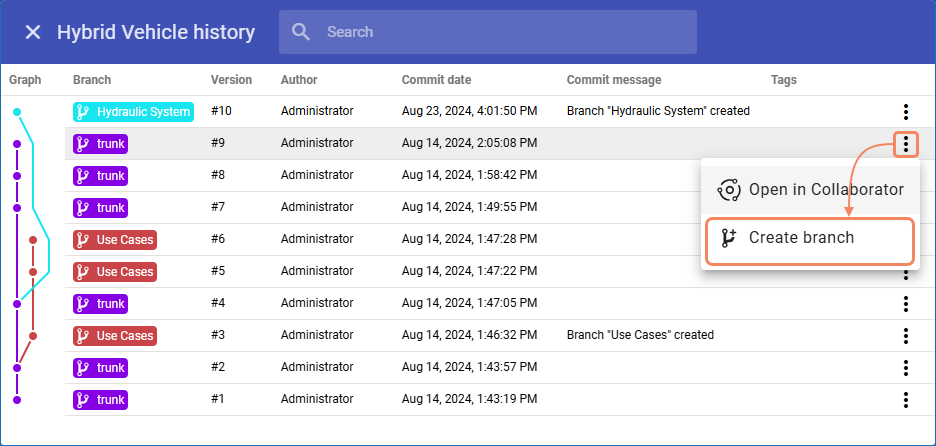
Using the resource history dialog to create project branches.
Webhooks for Project Branches
You can now create webhooks not only for the project trunk but also for its specific branches. This enhancement allows you to have more flexibility and control when monitoring model change events.
Personal Access Token
You can now use the My Account application to generate a personal access token, providing a secure and convenient way to authenticate command-line tools. With this token, you can authenticate without needing to enter your username and password, enhancing both security and ease of use.
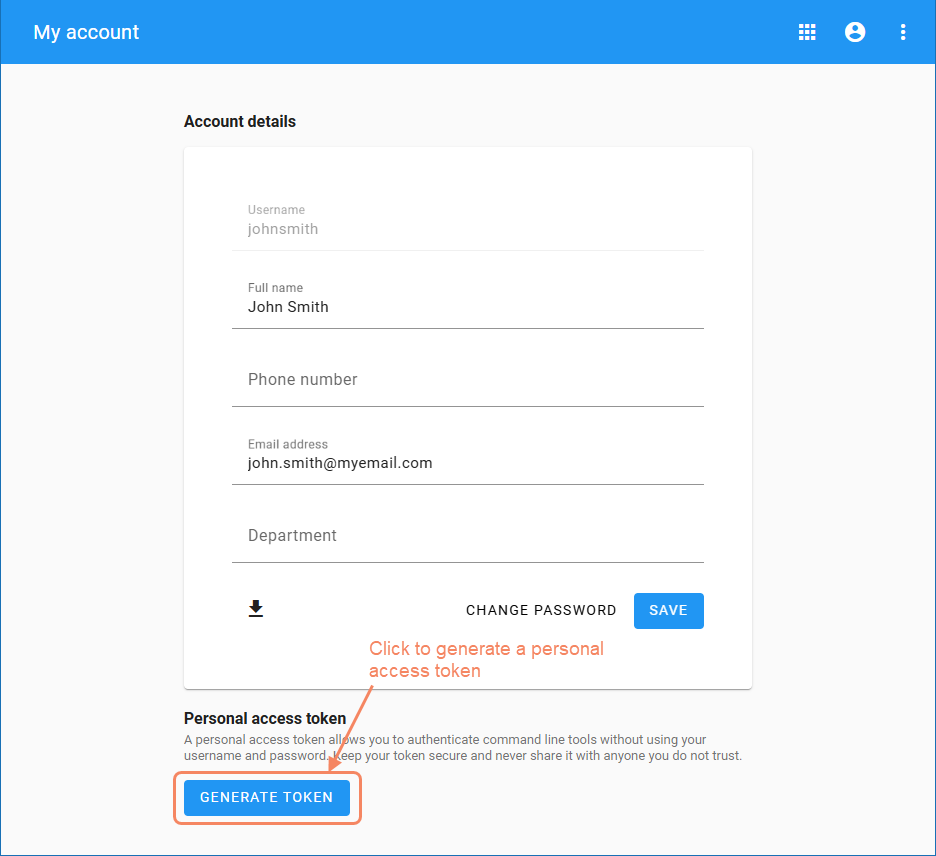
Generating a personal access token in the My Account application.
Conditional User Groups
In this release, Magic Collaboration Studio introduces dynamic user access control powered by SAML IdP attributes. This new feature allows you to create conditional user groups that automatically adjust based on criteria such as user location, ensuring that users must meet specific conditions each time they log in to Magic Collaboration Studio.
Other
Magic Collaboration Studio 2024x Refresh2 comes with improved visual branch representation for mobile devices.
Cameo Collaborator for Teamwork Cloud
Cameo Collaborator Integration with the 3DEXPERIENCE Platform
We are excited to announce that starting with version 2024x Refresh2 Cameo Collaborator has been integrated with the 3DEXPERIENCE platform. In addition to the existing support for Magic Collaboration Studio, you can now publish and view Cameo Collaborator documents on the 3DEXPERIENCE platform.
We are excited to announce that with the release of version 2024x Refresh2, Cameo Collaborator is integrated with the 3DEXPERIENCE platform. This enhancement expands the Cameo Collaborator capabilities, allowing you to not only work with documents on to Magic Collaboration Studio but also publish and view them on the 3DEXPERIENCE platform.
Displaying Content from Another Document
We are excited to announce a powerful feature that provides a new way to augment Cameo Collaborator documents. You can now include content, such as diagrams and tables, from one document into another. You can keep the included content up-to-date by selecting to display its latest version or you can include the current content version to make sure it will stay the same.
New Way to Link Paragraphs to Model Elements
In the previous version of Cameo Collaborator we introduced the ability to link paragraphs to numerical and textual model element properties. This release brings further improvements to this functionality allowing you to link paragraphs not only in a modeling tool but in Cameo Collaborator as well.
Other Improvements
Editable Cameo Collaborator documents are often adorned by adding images. Now, when exporting these documents to PDF or HTML formats, all attached images are included in the generated files.