You can generate an FMU (Functional Mock-up Unit) for external co-simulation of dynamic models that enables the exchange of simulation results between different simulation tools. The generated FMU exposes the defined input and output parameters of a model, as specified in a Simulation Configuration. The generated FMU runs the server-side simulation of a particular Simulation Configuration using given inputs and returns the outputs after each time step. FMUs can be generated for two platforms: Linux 64-bit and Windows 64-bit.
|
FMU generation uses selected Simulation Configuration properties, and can contain the following defined data:
- Start Time, End Time and Step Size property values.
- Input Parameters property value: the default values from the defined input parameters will be included in the generated FMU.
- Output Parameters property value: the default values from the defined output parameters will be included in the generated FMU.
To generate an FMU
- Open a Teamwork Cloud project.
- Right-click a Simulation Configuration and select Simulation > Generate FMU.
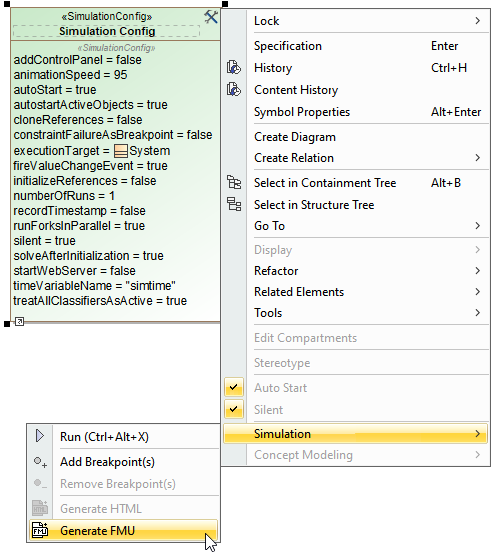
- In the Generate FMU dialog specify the following:
- In the File Directory box, specify the location where the generated file should be stored.
- Select the Win64 or Lin64 radio button, depending on the platform on which you will run the generated FMU.
Optionally, select the Include login credentials check box and specify a server-side simulation server address and login credentials to be stored in the generated FMU file.
You can leave the Include login credentials check box empty and provide the login credentials later as FMU parameters while importing an FMU file. In this case, the credentials will not be stored in the generated FMU file.

- Click Generate.
In the case of an FMU file generation error, see the detailed error message in the log file. |