- On the main menu, click File > New Project.
- Click the
 button on the File toolbar.
 - Press Ctrl + N.
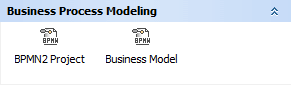
To create a new project from template, you can choose one of the following templates:
The Cameo SOA+ plugin is discontinued. However, you can load projects created in earlier versions with this plugin in your modeling tool. SoaML diagrams will be converted to pure UML diagrams and maintenance of the SoaML profile will continue. The SoaML Profile is available through the Resource / Plugin Manager. |
To create a new workspace for an empty project
button on the File toolbar. If you work not in the Business Analyst perspective, a message asking whether you want to change the perspective will open. Click Yes to switch to the Business Analyst perspective supporting business modeling diagrams. |