On this page
Required *.json file:
The following components are deployed on each Teamwork Cloud/Cassandra node:
- Telegraf - system metrics collector
- Dropwizard metrics-graphite-3.1.2.jar - metrics publishing agent for Java
Install Telegraf
- Install Telegraf in the Teamwork Cloud/Cassandra node
- If you have not created the influxdb.repo as in step 1a of the Monitoring Mode, do so at this time.
Install with the command:
sudo yum install telegraf
- Edit /etc/telegraf/telegraf.conf as follows
- Locate the section titled "[[outputs.influxdb]]"
Edit the line with the urls = tag as follows:
urls = ["http://monitoringnode_ip:8086"] where monitoringnode_ip is the IP address of the node where infuxdb is installed (if it is located on the same machine, you may use 127.0.0.1).
Enable the Telegraf service on startup:
sudo systemctl enable telegraf
Start the Telegraf service:
sudo systemctl start telegraf
Restart the Teamwork Cloud service:
sudo service twcloud-svc restart
- Modify Cassandra to allow remote monitoring
- Download metrics-graphite-3.1.2.jar from http://central.maven.org/maven2/io/dropwizard/metrics/metrics-graphite/3.1.2/metrics-graphite-3.1.2.jar
Change permissions to allow execution:
sudo chmod 755 metrics-graphite-3.1.2.jar
- Copy metrics-graphite-3.1.2.jar to /usr/share/cassandra/lib/
Edit /etc/cassandra/default.conf/cassandra-env.sh, adding the following at the bottom:
# Enable metrics reporting to InfluxDB using the yammer library
METRICS_REPORTER_CFG="metrics-reporter-graphite.yaml"
JVM_OPTS="$JVM_OPTS -Dcassandra.metricsReporterConfigFile=$METRICS_REPORTER_CFG"
Create a file /etc/cassandra/default.conf/metrics-reporter-graphite.yaml with the following content:
graphite:
  -
    period: 30
    timeunit: 'SECONDS'
    prefix: 'HOST_NAME'
    hosts:
     - host: 'IP_ADDRESS'
       port: 2003
    predicate:
      color: 'white'
      useQualifiedName: true
      patterns:
        - '^org.apache.cassandra.+'
        - '^jvm.+'
- Replacing HOST_NAME with the Cassandra node's hostname, and IP_ADDRESS with the IP address of the monitoring node (where Influxdb is installed).
Restart Cassandra:
sudo service cassandra restart
Configure Grafana
- Configuring Grafana monitoring dashboard
- Log in to http://MONTORINGNODE_IP:3000 - you will be displayed the Grafana Login Screen - default credentials are admin/admin. Upon logging in, you will be prompted to change the admin password.
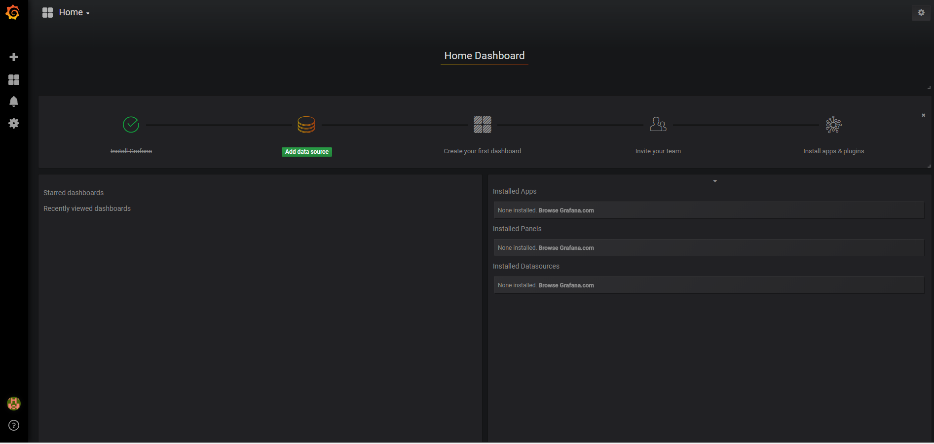
- You will be presented with the following screen, click Add data source:
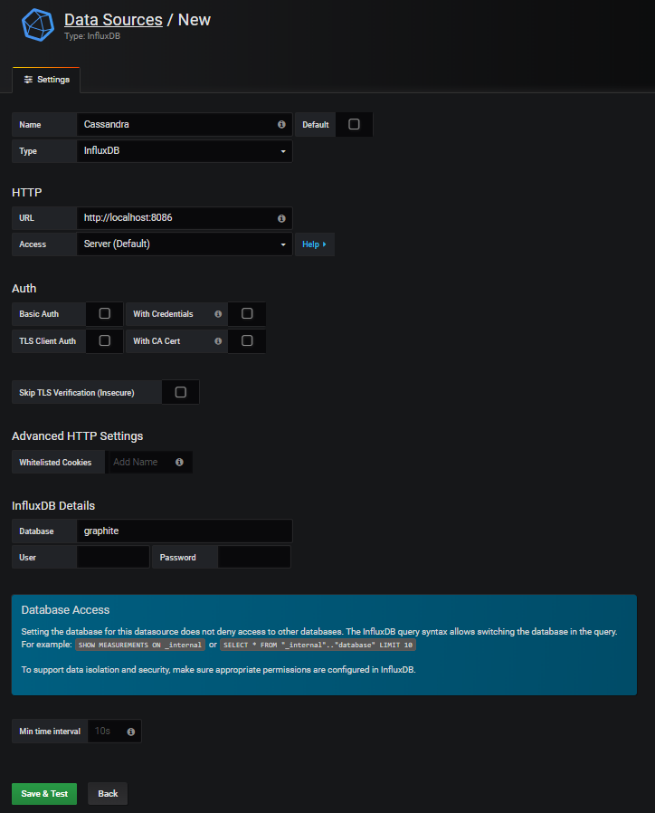
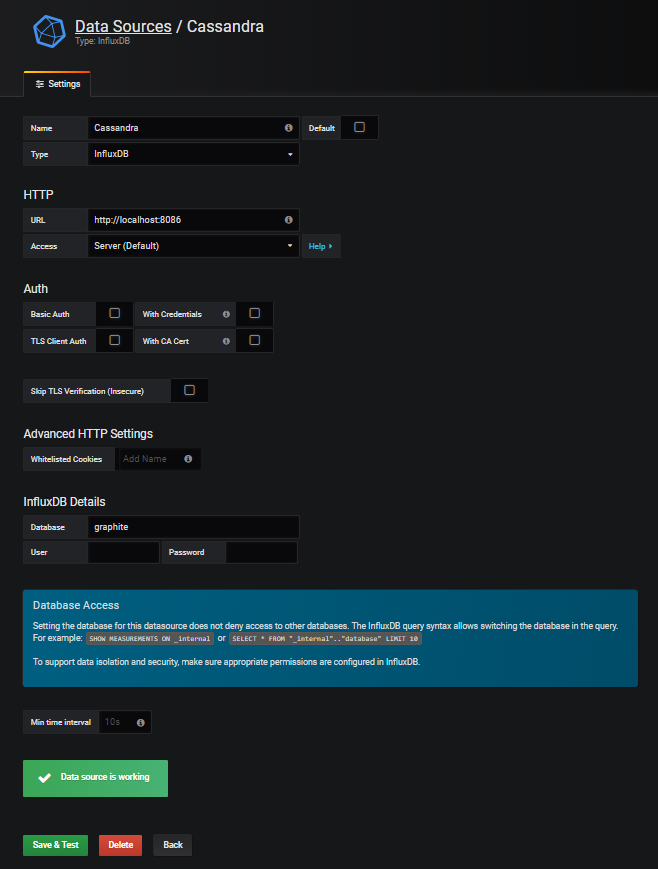
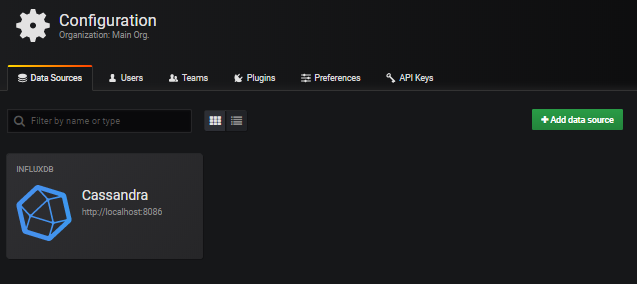
Create the data sources, enter the information as in the following screenshots, and press Save & Test for each. After the data source gets created, click the Data Sources link to continue adding data sources.
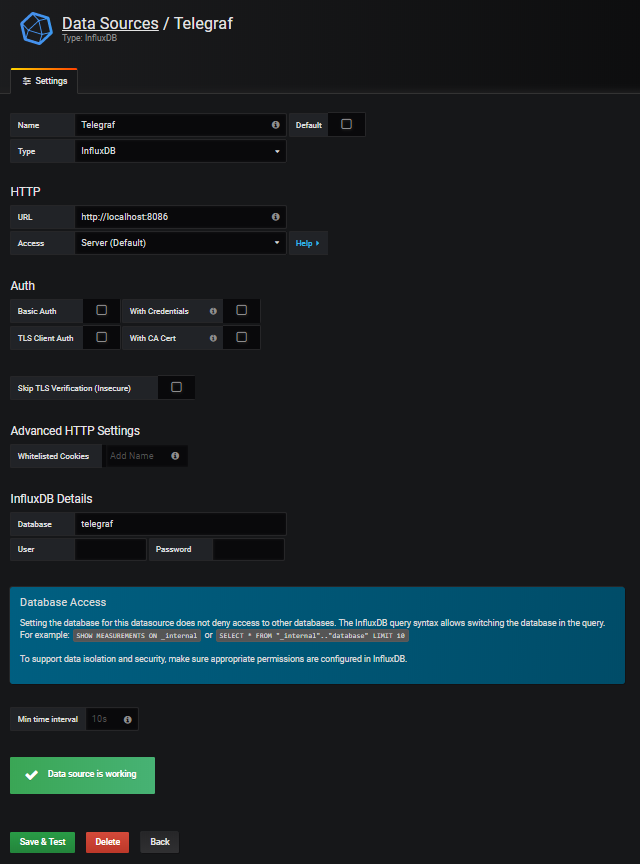
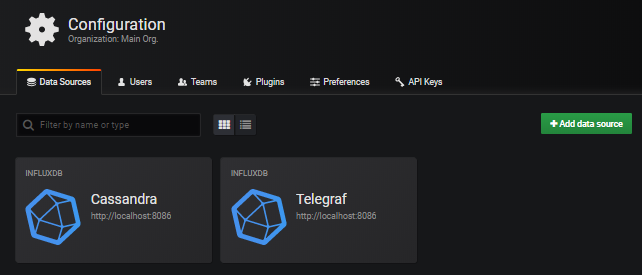
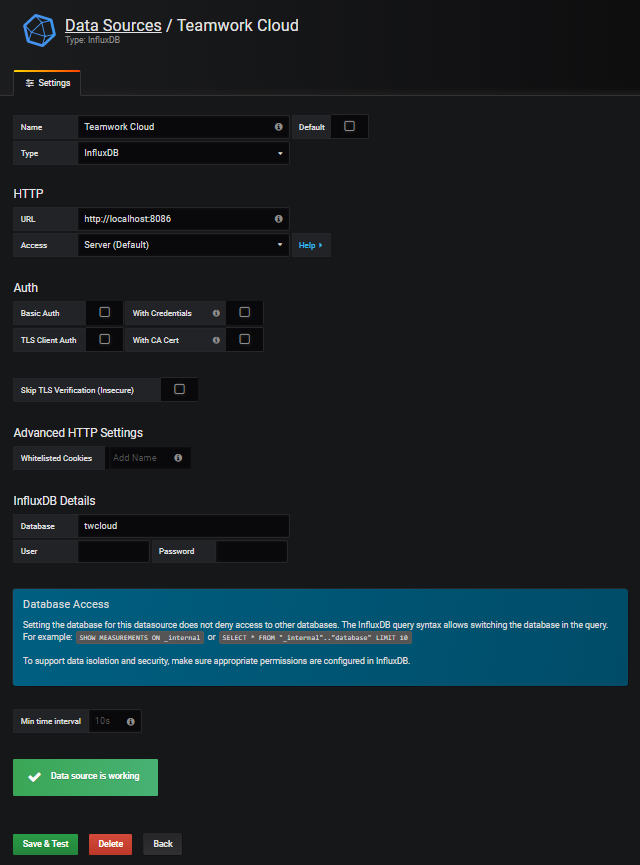
- Now that the data sources have been added, select the option to import a dashboard
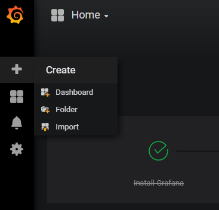
- To upload .json file, click the Upload .json File
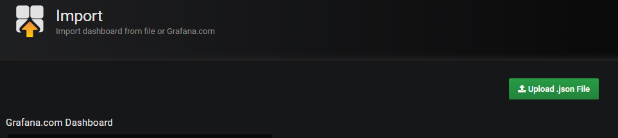
- Select the provided Teamwork_Cloud_Dashboard.json.
- At this point, you will be presented with the following screen, in which you will need to map the data sources
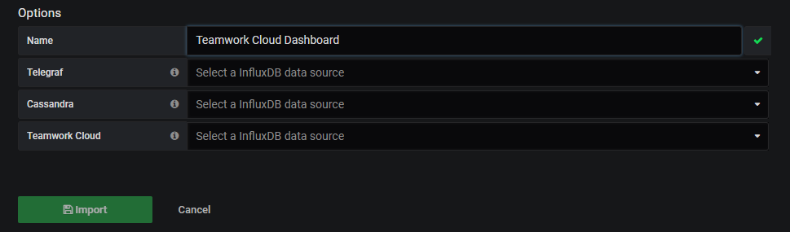
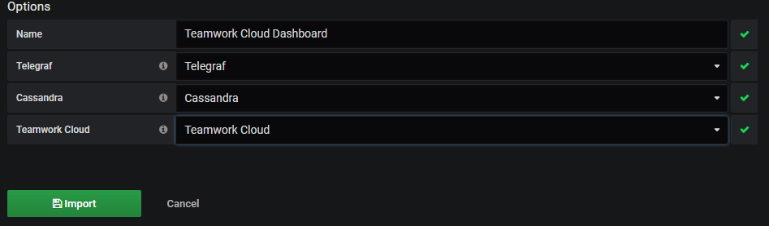
- Map the data sources as shown below and click the Import button
- To make the Teamwork Cloud dashboard your home dashboard, perform the following steps:
- Mark the Teamwork Cloud Dashboard as a favorite

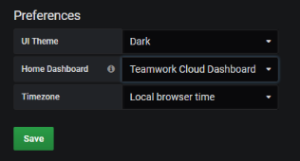
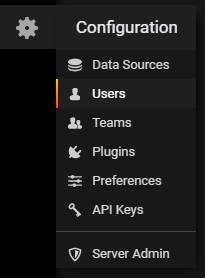
- Select Configuration > Preferences
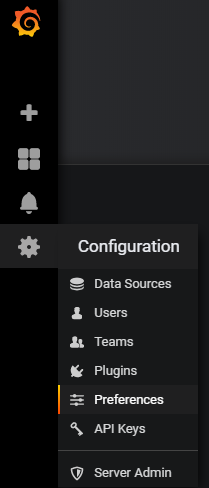
- Select the Teamwork Cloud Dashboard to be your Home Dashboard and click Save.
- The admin user has permissions allowing full access. Create a limited access user who will be allowed to view the dashboard without the ability to make modifications. Click Users.
- You will be presented with the following screen. Click Invite.

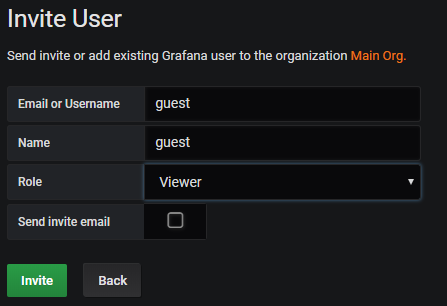
- Create a guest user by entering the information as below, and clicking Invite.
- You will be shown a screen as below. Click the Pending Invites button.

- Click the Copy Invite button.

- Paste the link which was copied to your clipboard on a new browser window, and replace "localhost" with the IP address of the monitoring node. You will be presented with the following screen. Change the email field from "guest" to "guest@localhost", enter a password and click on the Sign Up button.
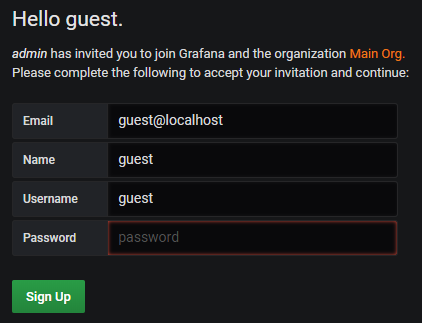
At this point, you will be redirected to the Grafana dashboard under the new login. Sign out, and sign back in as admin.
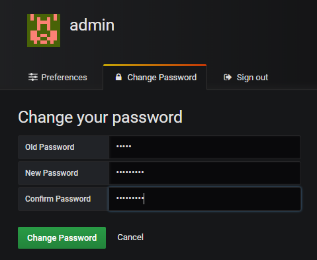
- At this point, change the default admin password.
- Mark the Teamwork Cloud Dashboard as a favorite