Released on: July 1, 2022
The new release of Magic Collaboration Studio includes fresh and exciting features, such as newly introduced data markings and powerful reporting capabilities. Together with other usability changes, these new features allow for easier installation, more powerful access control, and better insights into what’s happening with your Magic Collaboration Studio data.
In addition to the Role-Based Access Control (RBAC) mechanism, you can now apply even stricter access rules using Data markings. This feature allows you to mark resources, categories, users, and user groups with custom-defined hierarchical access levels. You can employ these levels as additional security layers when listing or accessing resources on the server. After enabling data markings in the Settings app, you can set the clearance levels of users and user groups in the Users app and set the classification levels of resources and categories in the Resources app. This allows you to restrict access to certain resources, categories, users, and user groups.
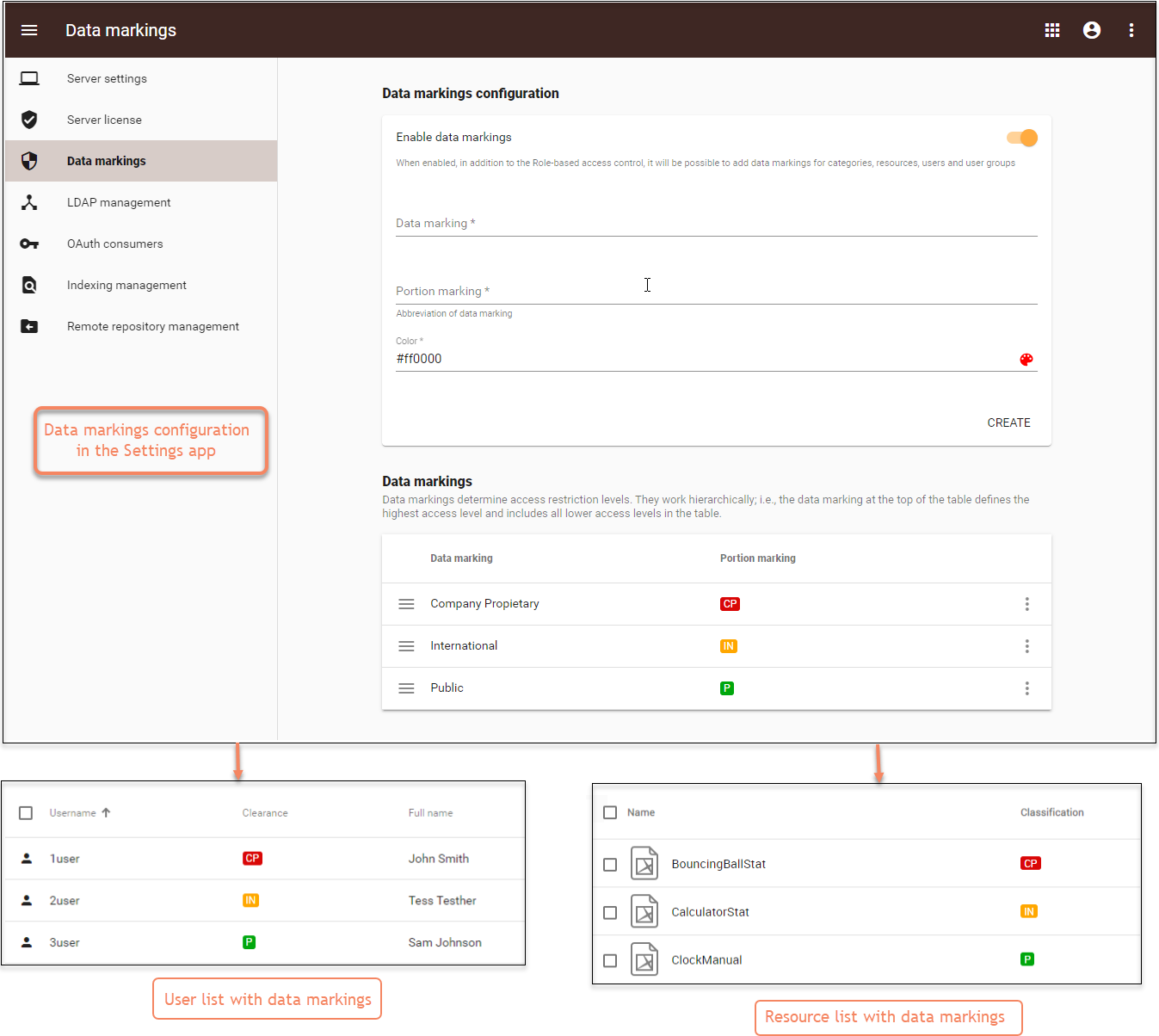
The video below explains how the new Data markings feature works:
In order to have better insights into what’s happening with Magic Collaboration Studio data, we are introducing the new Reports app. It enables audit-oriented generation of exportable reports on user, resource activity, permission changes, and much more with just a couple of clicks. The new Reports app allows you to track, record, and export the information related to Magic Collaboration Studio usage. This app is available directly through the Teamwork Cloud Web Application Platform or the app bar menu:
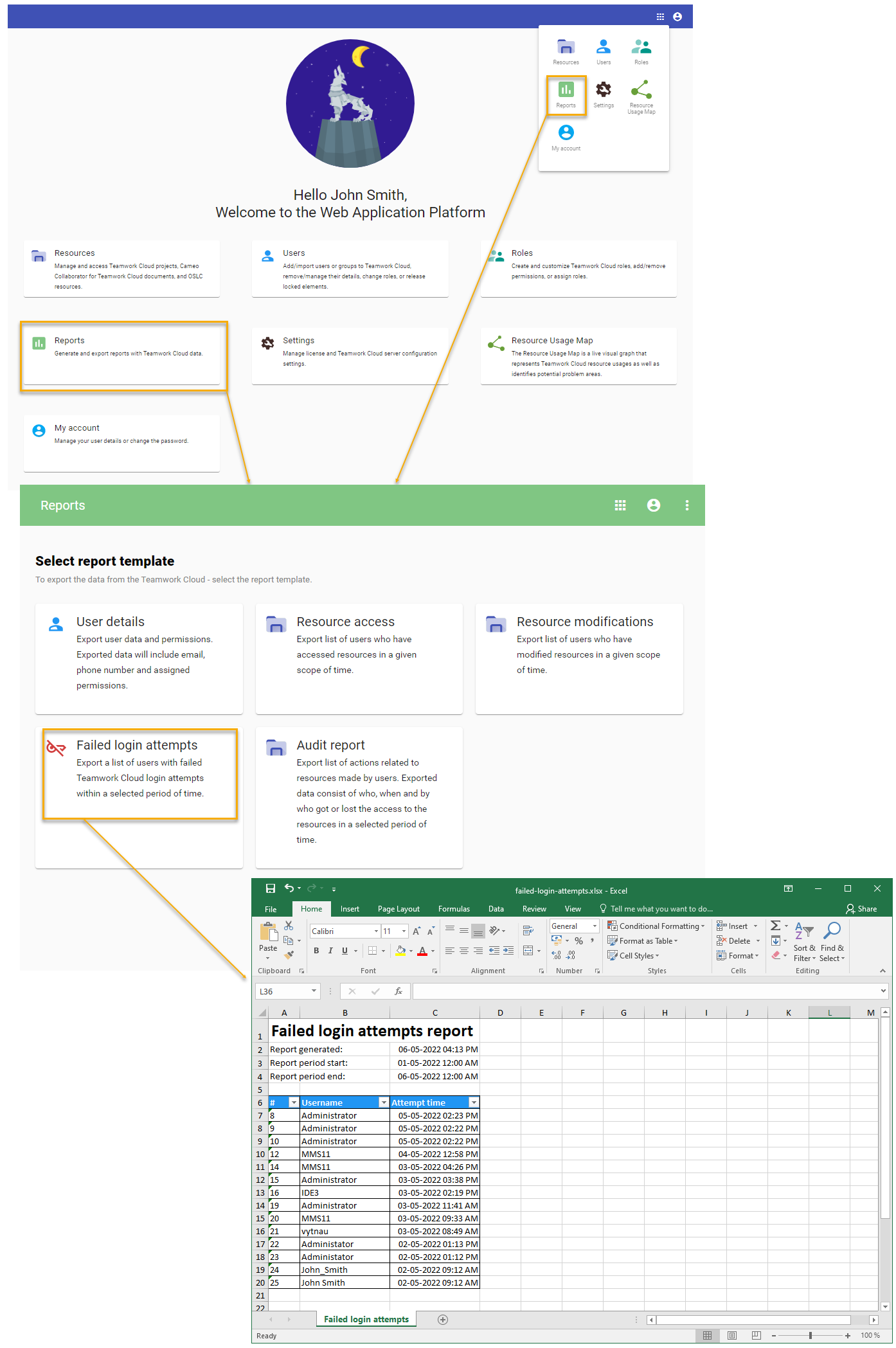
The video below demonstrates how to access and use the new Reports app:
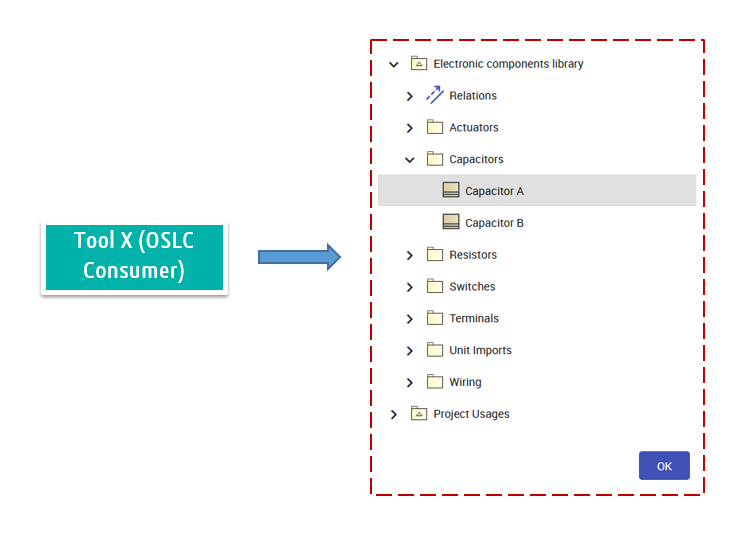
As an OSLC data Provider, Magic Collaboration Studio extends its supported OSLC Service set by introducing delegated selection dialogs. From now on, any OSLC Consumer tool can open up and browse Magic Collaboration Studio model content in a web-based manner and link to model elements of interest following standard OSLC protocols.