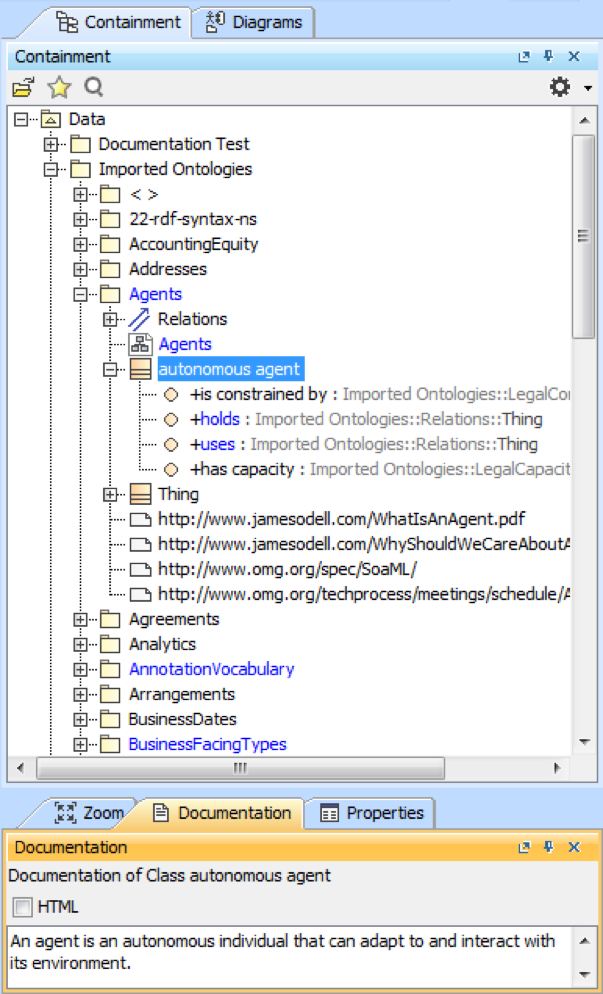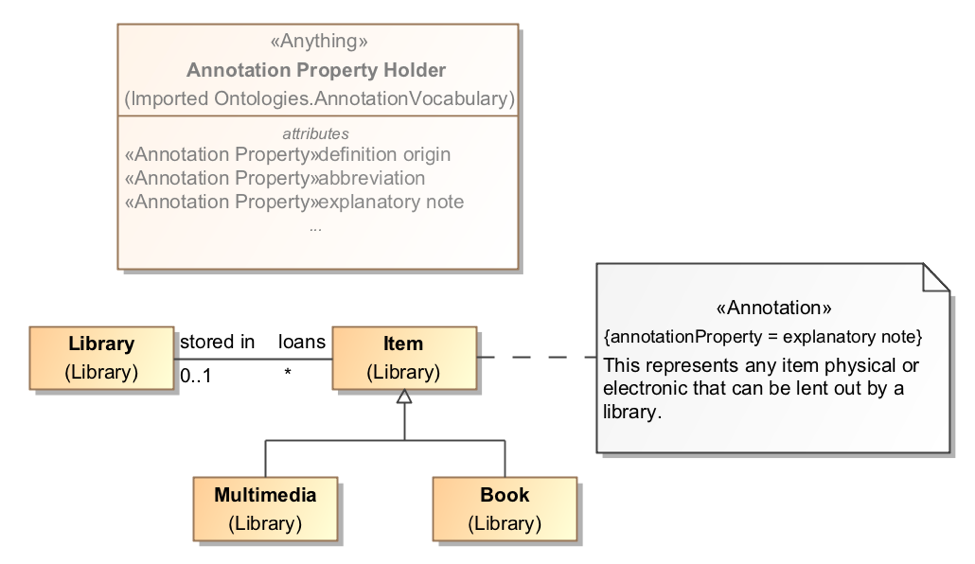
The Project Options in Concept Modeler provides a Preferred annotation property option for the UML Comments or «Annotation»s in a model. This capability allows you to control which annotation property becomes the “special” MagicDraw comment providing documentation, when you enter text into the Documentation pane or create a new Annotation. It also allows the documentation to be included in the Natural Language Glossary. If the UML Comments and the «Annotation» Comments do not have annotation property value assigned (annotationProperty Tag from Specifications), they should be treated as if they have "Preferred annotation property" assigned from Project options.
Changing a preferred annotation property tagged value will cause the ownership of existing UML comments and «Annotation»s to change, for example:
|
If you do not select an annotation property tagged value for any UML comment or «Annotation» in your model, any time we export it to an OWL ontology, the Concept Modeler will use the preferred annotation property that does not have a tagged value, which is http://purl.org/dc/terms/description [3]. This preferred annotation property without a tagged value (unspecified) in the Concept Modeler is active until you change it through the Project Options dialog. Selecting <UNSPECIFIED> from the Project Options dialog will remove the current preferred annotation property tagged value.
The following diagram is used as an example to show you how the Preferred annotation property option works. In the figure, a class autonomous agent is plotted on the diagram along with five annotations.
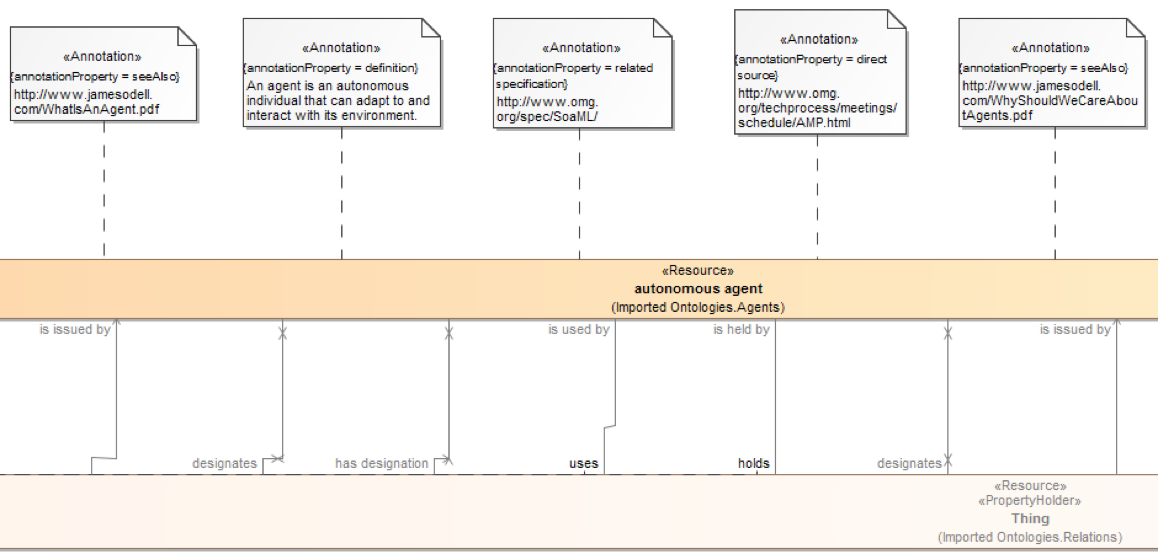
The first tree view example shows you how they are structured in the Containment tree before you select a preferred annotation property from the Project Options dialog. Notice that the Documentation pane shows no annotation when the class is clicked. Using the above instructions, we select the definition as the preferred annotation property for the «Annotation» with the (annotationProperty = definition).
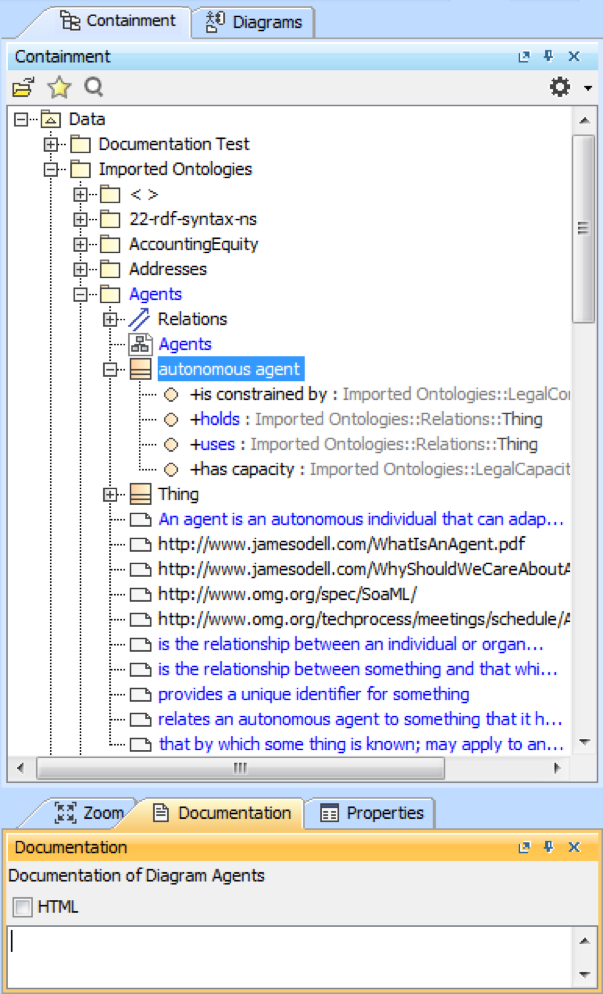
In the second tree view example below, see how the annotation ownership changed after you selected definition as the preferred annotation property. If you open the Specification dialog of the «Annotation» with the (annotationProperty = definition), you will see that the new owner is autonomous agent (previously, it was the package Agents’). The Documentation pane will also show the annotation if you click the class autonomous agent.