If you have the right permission, you can delete a project or a document from Teamwork Cloud Admin (TWAdmin) using the Delete button on the Repository Management page. Deleting a resource from TWAdmin will cause it to be deleted from a modeling tool or Teamwork Cloud (TWCloud). You cannot delete a project whose element(s) are locked by another user.
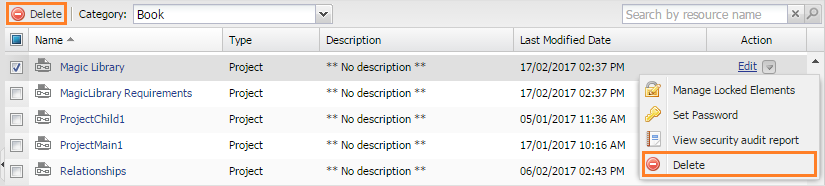
Deleting a project from the category using the Delete button on the Repository Management page.
To delete a resource
- Select the category of the resource(s) you want to delete in the Categories column. All resources belonging to the selected category will be listed in tabular form.
- Either select the check box or click the submenu button of a resource you want to delete and click
 . A confirmation dialog will open.
 Click
 . The selected resource will be deleted from the category.
Alternatively, you can delete one or more resources either on the Project detail page by clicking |

