The other way to import data as instance specifications is after you have imported or created a schema class. You can import instance specifications to a created schema class in two ways:
(i) Through the main menu by clicking File > Import From > Excel/CSV File and select Import Data from Excel.
(ii) Through the context menu by right-clicking a schema class in the Containment tree or on the class diagram and select Tools > Import Data from Excel.
Either method will open the Import Data from Excel wizard. The former allows you to select a schema class and the latter automatically selects it.
(i) To import data as instance specifications of a schema class through the main menu
- Click File on the MagicDraw main menu and click ImportFrom > Excel/CSVFile. The Import Data from Excel and Create Mapping dialog will open, see figure below.
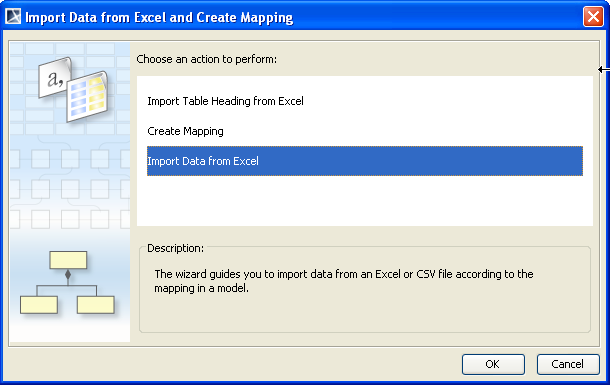
- Click Import Data from Excel > OK. The Import Data from Excel wizard will open, see figure below.
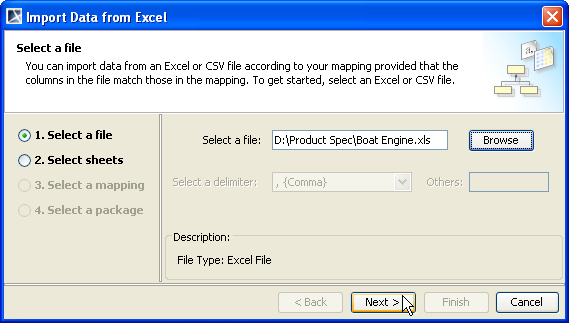
- Click
 to find the file from which to import the instance specifications. If you select a CSV file, the
  drop-down list will be enabled.
 - Click
 . If you select an Excel file with multiple sheets that contain data, you can select the sheets to import from the file, see figure below.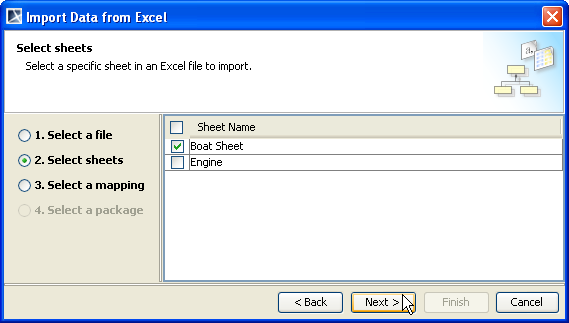
- Select one or more sheet to import from the file and click , see figure above.
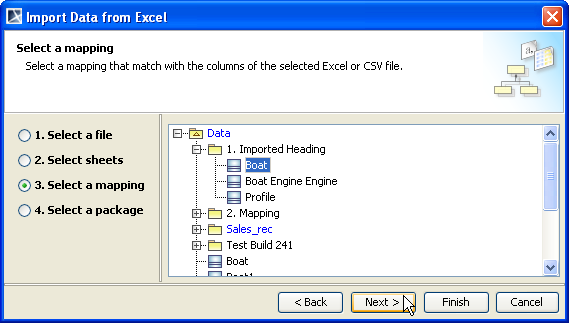
- Select a schema class to import the instance specifications and click either (i)
 to import the instance specifications into the package where the schema class is stored, or (ii) to select a package to import the instance specifications, see figure below.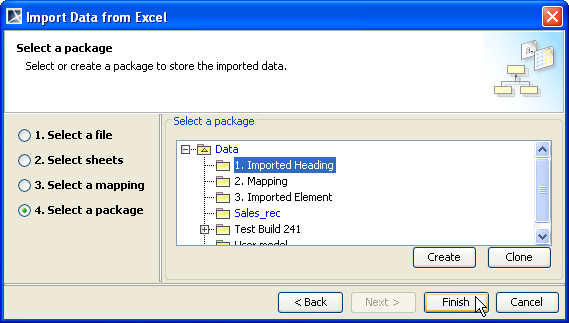
- Select a package that will contain the instance specifications to import from the treeview, see figure above.
- Click .
(ii) To import data as instance specification of a schema class through the context menu
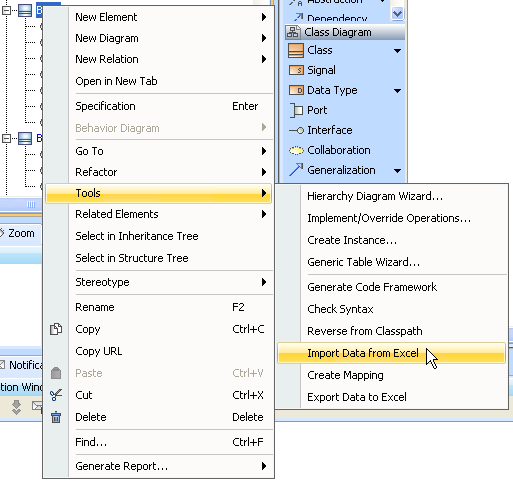
- Right-click a schema class either (i) in the Containment tree or (ii) on the class diagram and select Tools > Import Data from Excel, see first figure below. The Import Data from Excel wizard will open, see second figure below and the schema class will be selected by default in the Select a mapping option page.
If the file of the selected schema class has been opened before, the plugin will automatically select it by default in the Select a file option page. |
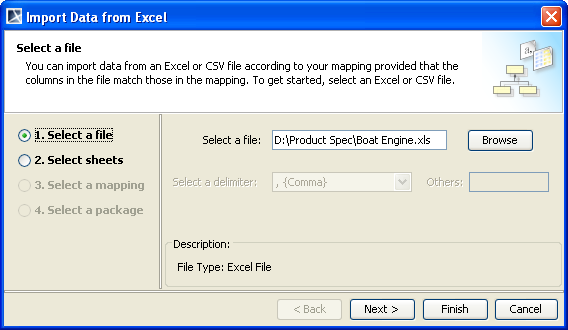
2. Click to find a file to import as instance specifications of the selected schema.
3. Click either (i) to start the import or (ii) to select a specific sheet from the file to import the instance specifications. And continue with the rest of the steps.