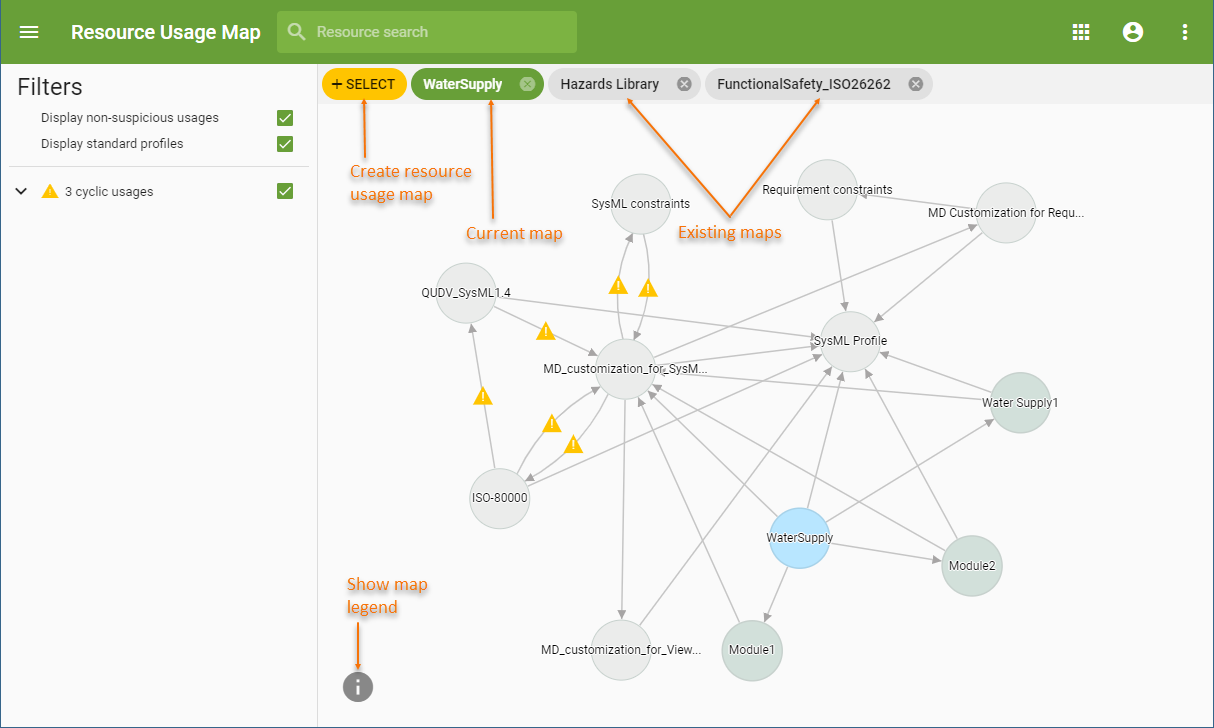
The Resource Usage Map application allows you to create usage maps for one, several or all the projects in the Teamwork Cloud server. In addition, you can have have multiple usage maps open simultaneously to compare the usages of different projects as shown below.
To create a resource usage map

To select all projects in the Teamwork Cloud repository, select the Select all check box on the top of the dialog.
The Select all check box is available only if you clear the search box. |
After completing the above steps, the usage map of the selected resources is displayed in the content pane of the web application portal. You can use the filters on the left side of the portal to choose what types of usages should be displayed in the map. To navigate through all existing usage maps, select a respective tab on the top of the content pane. You can also select a resource in the map to view its details.