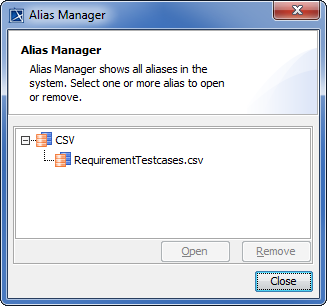
Cameo DataHub User Guide Working with the DataHub Explorer tree Current: DataHub Alias Manager DataHub Alias Manager When an Alias is created, it is saved in Alias Manager. You can reopen or remove an Alias you have created through the Alias Manager dialog.To manage an existing AliasOn the main menu, click Tools > DataHub > Alias Manager.The Alias Manager dialog opens. Expand each driver to see all of the Aliases under each driver.To open or remove an AliasSelect an Alias. Click to open the selected Alias or to delete it. Warning The created Alias is displayed in Alias Manager only when the related Data Source is connected. ×