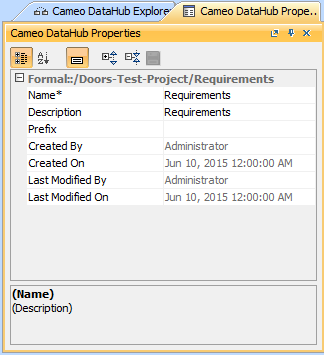
The DataHub Properties tab shows the properties (names and values) and associations of a selected node in DataHub Explorer that you can edit and save their value. You can also open, update, or delete the following items in the DataHub Properties tab.
- MagicDraw® elements
- DOORS objects and modules
- CSV items
- IBM® Rational® DOORS® Next Generation Artifacts
To open the DataHub Properties tab in MagicDraw®, do one of the following
- Right-click a node in DataHub Explorer and click Properties.
- Double-click a node in DataHub Explorer.
The DataHub Properties tab opens in MagicDraw®, and the properties of the selected item are displayed.
Note
- The DH Links panel opens when the DataHub Properties tab is open.
- Read-only and multi-valued properties cannot be edited. However, you can edit multi-valued properties through the Specifications window.
The table below explains the function of each icon in the DataHub Properties tab in MagicDraw®.


