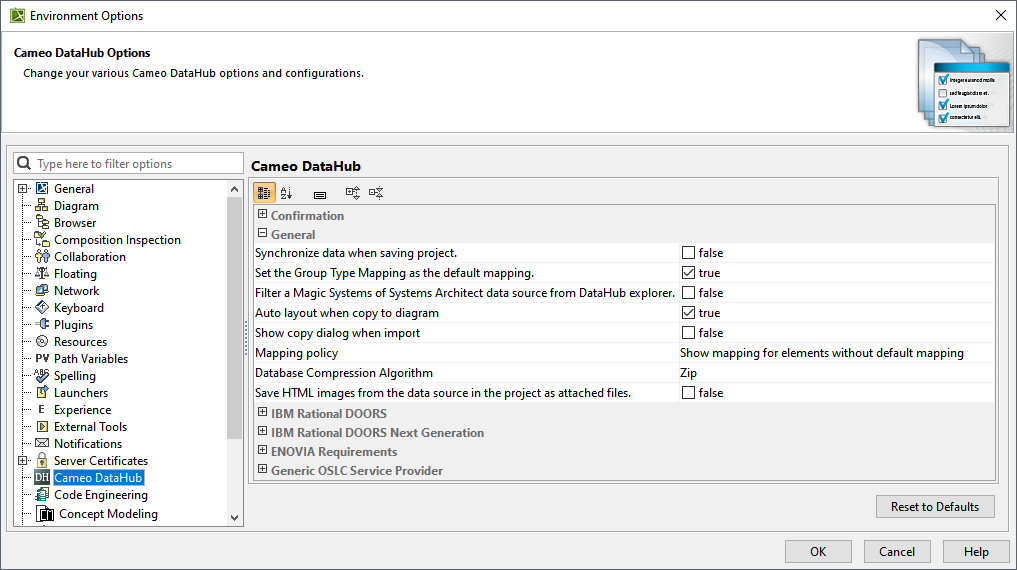
| Option | Function |
|---|
| Synchronize data when saving project | Enables automatic synchronization with MagicDraw® when you save a project. |
| Set the Group Type Mapping as the default mapping | Sets the default mapping to group type mapping when copying data. |
| Filter a MagicDraw data source from the DataHub explorer | Hides the display of MagicDraw® Data Sources in DataHub Explorer and shows the Data Sources when cleared. |
| Auto layout when copy to diagram | The diagram layout is adjusted automatically to fit the newly added element. |
| Show copy dialog when import | If True, opens the Copy Data with Sync dialog while importing the data. |
| Mapping policy | Shows options for displaying the mapping dialog that you can select in the drop-down list, as follows: - Always show the mapping dialog
- Show mapping for elements without default mapping
- Show mapping for elements that cannot be automatically mapped
- Show mapping for elements with an unknown data type
- Treat no-default mapping element as exclude.
|
| Database Compression Algorithm | Enables you to choose a compression engine to compress project files to reduce the model size. You can choose between Zip and BZip2 engines. |
| Save HTML images from the data source in the project as attached files | Saves HTML images from the data source in the project as attached files. |